World of Slime
Zaktualizowano
Aktualna wersja
Sprzedawca

Przy całej swojej pasji do grania w World of Slime, twoje ręce nie powinny być ograniczone na małym ekranie telefonu. Graj jak zawodowiec i uzyskaj pełną kontrolę nad grą za pomocą klawiatury i myszy. MEmu oferuje ci wszystko, czego oczekujesz. Pobierz i graj World of Slime na PC. Graj tak długo, jak chcesz, bez ograniczeń baterii, danych komórkowych i niepokojących połączeń. Zupełnie nowy MEmu 9 to najlepszy wybór do grania w World of Slime na PC. Przygotowany dzięki naszej wiedzy, znakomity, wstępnie ustawiony system mapowania klawiszy sprawia, że World of Slime jest prawdziwą grą na PC. Zakodowany naszą absorpcją, menedżer wielu instancji umożliwia granie na 2 lub więcej kontach na tym samym urządzeniu. A co najważniejsze, nasz emulator może uwolnić pełny potencjał twojego komputera, sprawić, że wszystko będzie płynne. Dbamy nie tylko o to, jak grasz, ale także o cały proces czerpania radości z grania.
Pokaż więcej
Ciesz się wspaniałym doświadczeniem podczas grania w World of Slime na komputerze z aplikacją MEMU App Player. Jest to potężny darmowy emulator Androida pozwalający grać w tysiące gier na Androida. Tame and synthesize slimes as you explore an uncharted world.

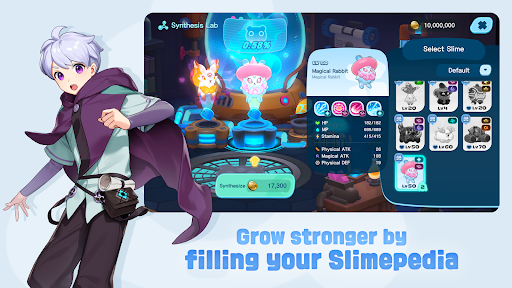
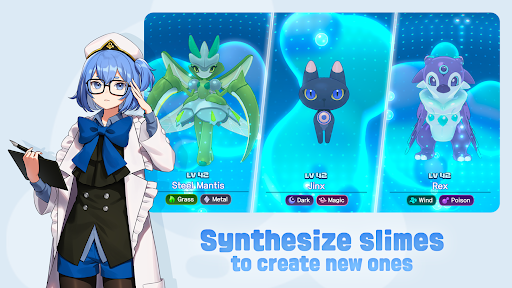
Tame and synthesize slimes as you explore an uncharted world.
A cozy taming MMORPG where you can enjoy laid-back adventures with friends
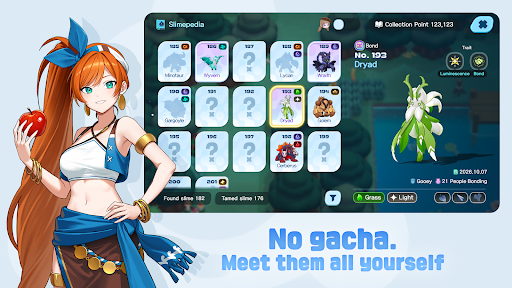
■ No Gacha: Meet New Slimes Through Synthesis
Slimes can only be found by taming and synthesizing them, never through random draws.
Synthesis offers a different kind of fun from evolution. Discover new slime combinations!
■ A World That Expands with Your Slimes
Ride slimes across rivers, get past obstacles, and solve puzzles.
Travel every corner of a squishy, charming world.
■ A Slimepedia That Grows as You Fill It
The more slimes you meet, tame, and synthesize, the more your skills grow.
Complete quests big and small for the villagers, and meet even more slimes!
■ A Journey with Slimes and Friends
Form a party with friends and take on giant bosses.
Even challenges too tough to face alone are possible when you join forces.
■ Slime Battles, Built Your Way
Mix and match each slime's unique speed, element, and skills.
Battle friends 1v1, or jump into team battles.
Pokaż więcej

1. Pobierz instalator MEmu i zakończ instalację

2. Uruchom MEmu, a następnie otwórz Google Play na pulpicie

3. Wyszukaj World of Slime w Google Play
Install
4. Pobierz i zainstaluj World of Slime
5. Po zakończeniu instalacji kliknij ikonę, aby rozpocząć

6. Ciesz się grą World of Slime na PC z MEmu
MEmu Play to najlepszy emulator Androida, a 100 milionów ludzi już korzysta z jego i dosta doskonałe wrażenia z gier na Androida. Technologia wirtualizacji MEmu umożliwia płynne granie w tysiące gier Androida na komputerze, nawet tych najbardziej wymagających grafiki.
Większy ekran z lepszą grafiką; Długi czas, bez ograniczeń baterii lub danych mobilnych.
Pełna obsługa mapowania klawiszy dla precyzyjnego sterowania klawiaturą i myszą lub gamepadem.
Wiele kont gier lub zadań na jednym komputerze jednocześnie z menedżerem wielu instancji.
Play World of Slime on PC by following steps: