NCCN Guidelines®
Zaktualizowano
Aktualna wersja
4.5
Sprzedawca

Przestań martwić się nadmiernymi opłatami podczas korzystania z NCCN Guidelines® na telefonie komórkowym, uwolnij się od małego ekranu i ciesz się korzystaniem z aplikacji na znacznie większym wyświetlaczu. Od teraz korzystaj z aplikacji na pełnym ekranie za pomocą klawiatury i myszy. MEmu oferuje wszystkie zaskakujące funkcje, których się spodziewałeś: szybką instalację i łatwą konfigurację, intuicyjne sterowanie, koniec z ograniczeniami baterii, danych mobilnych i niepokojących połączeń. Zupełnie nowy MEmu 9 to najlepszy wybór do używania NCCN Guidelines® na twoim komputerze. Zakodowany przez naszą absorpcję, menedżer wielu instancji umożliwia otwarcie 2 lub więcej kont w tym samym czasie. A co najważniejsze, nasz ekskluzywny emulator może uwolnić pełny potencjał twojego komputera, sprawić, że wszystko będzie płynne i przyjemne.
Pokaż więcej
Ciesz się wspaniałym doświadczeniem podczas grania w NCCN Guidelines® na komputerze z aplikacją MEMU App Player. Jest to potężny darmowy emulator Androida pozwalający grać w tysiące gier na Androida. The National Comprehensive Cancer Network® (NCCN®), is pleased to present the Virtual Library of NCCN Guidelines® app formatted for Smart Phones & Tablet.
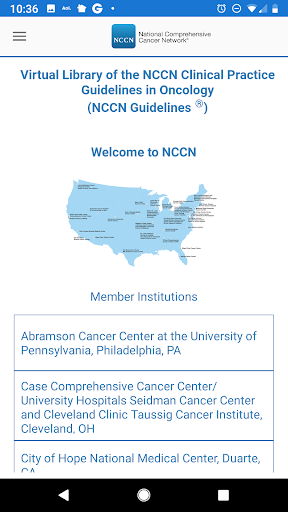
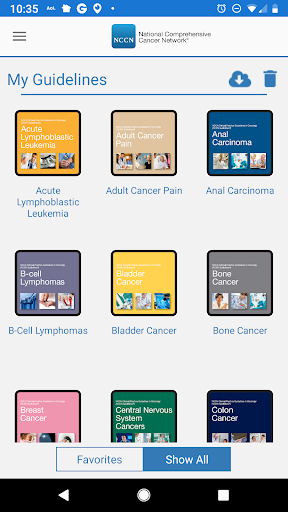
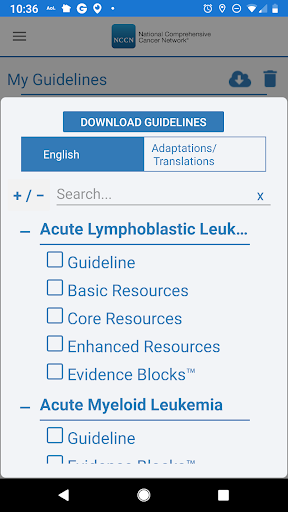
The National Comprehensive Cancer Network® (NCCN®), is pleased to present the Virtual Library of NCCN Guidelines® app formatted for Smart Phones & Tablet. This easy-to-use and convenient format will further assist health care professionals in their implementation of the NCCN Clinical Practice Guidelines in Oncology (NCCN Guidelines®), thus improving the quality and effectiveness of care provided to patients with cancer.
NCCN is a not-for-profit alliance of leading cancer centers devoted to patient care, research, and education. NCCN is dedicated to improving and facilitating quality, effective, equitable, and accessible cancer care so all patients can live better lives. Through the leadership and expertise of clinical professionals at NCCN Member Institutions, NCCN develops resources that present valuable information to the numerous stakeholders in the health care delivery system. By defining and advancing high-quality cancer care, NCCN promotes the importance of continuous quality improvement and recognizes the significance of creating clinical practice guidelines appropriate for use by patients, clinicians, and other health care decision-makers around the world.
Over the past 25 years, NCCN has developed an integrated suite of tools to improve the quality of cancer care. The NCCN Guidelines® document evidence-based, consensus-driven management to ensure that all patients receive preventive, diagnostic, treatment, and supportive services that are most likely to lead to optimal outcomes.
The NCCN Guidelines are a comprehensive set of guidelines detailing the sequential management decisions and interventions that apply to 97 percent of cancer cases in the United States. In addition, separate guidelines relate to major prevention and screening topics and another set of pathways focuses on the major supportive care areas.
The NCCN Guidelines provide recommendations based on the best evidence available at the time they are derived. Because new data are published continuously, it is essential that the NCCN Guidelines also be continuously updated and revised to reflect new data and new clinical information. The intent of the NCCN Guidelines is to assist in the decision-making process of individuals involved in cancer care—including physicians, nurses, pharmacists, payers, patients and their families—with the ultimate goal of improving patient care and outcomes. The NCCN Guidelines provide recommendations for appropriate care for most but not all patients; however, individual patient circumstances must be considered when applying these recommendations.
Visit NCCN.org to learn more about the NCCN Guidelines as well as other NCCN Content.
Pokaż więcej

1. Pobierz instalator MEmu i zakończ instalację

2. Uruchom MEmu, a następnie otwórz Google Play na pulpicie

3. Wyszukaj NCCN Guidelines® w Google Play
Install
4. Pobierz i zainstaluj NCCN Guidelines®
5. Po zakończeniu instalacji kliknij ikonę, aby rozpocząć

6. Użyj MEmu, aby doświadczyć NCCN Guidelines® na swoim komputerze
MEmu Play to najlepszy emulator Androida, z którego korzysta ponad 100 milionów użytkowników, ciesząc się wyjątkowym doświadczeniem aplikacji na Androida. Technologia wirtualizacji MEmu pozwala na płynne uruchamianie tysięcy aplikacji Androida na komputerze, nawet tych najbardziej wymagających.
Większy ekran z lepszą grafiką; Długi czas, bez ograniczeń baterii lub danych mobilnych.
Pełna obsługa mapowania klawiszy dla precyzyjnego sterowania klawiaturą i myszą lub gamepadem.
Wiele kont gier lub zadań na jednym komputerze jednocześnie z menedżerem wielu instancji.
Use NCCN Guidelines® on PC by following steps: