Weather
Zaktualizowano
Aktualna wersja
7.5.8
Sprzedawca

Przestań martwić się nadmiernymi opłatami podczas korzystania z Weather na telefonie komórkowym, uwolnij się od małego ekranu i ciesz się korzystaniem z aplikacji na znacznie większym wyświetlaczu. Od teraz korzystaj z aplikacji na pełnym ekranie za pomocą klawiatury i myszy. MEmu oferuje wszystkie zaskakujące funkcje, których się spodziewałeś: szybką instalację i łatwą konfigurację, intuicyjne sterowanie, koniec z ograniczeniami baterii, danych mobilnych i niepokojących połączeń. Zupełnie nowy MEmu 9 to najlepszy wybór do używania Weather na twoim komputerze. Zakodowany przez naszą absorpcję, menedżer wielu instancji umożliwia otwarcie 2 lub więcej kont w tym samym czasie. A co najważniejsze, nasz ekskluzywny emulator może uwolnić pełny potencjał twojego komputera, sprawić, że wszystko będzie płynne i przyjemne.
Pokaż więcej
Ciesz się wspaniałym doświadczeniem podczas grania w Weather na komputerze z aplikacją MEMU App Player. Jest to potężny darmowy emulator Androida pozwalający grać w tysiące gier na Androida. With one click to enable GPS location and you receive the weather condition in your current location.
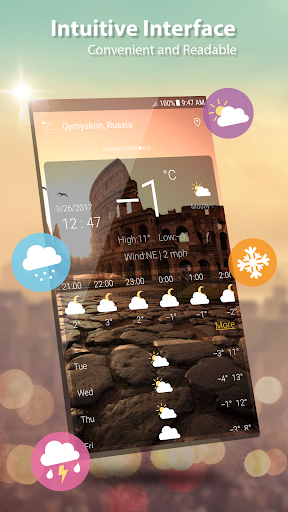
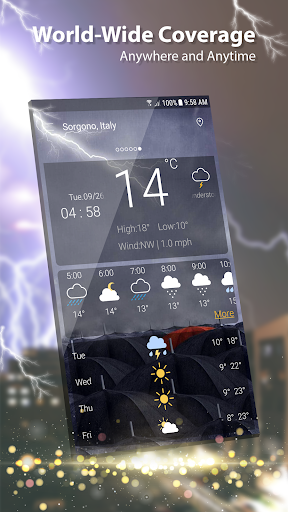
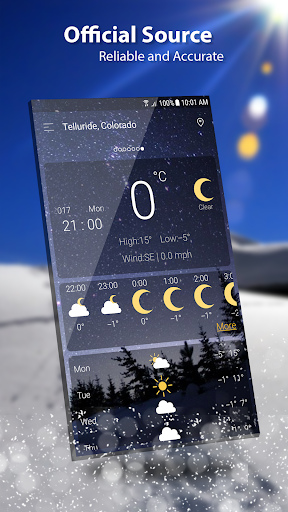
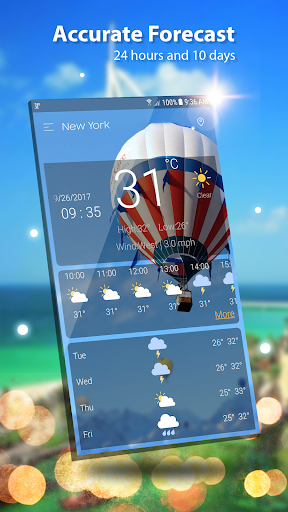
With one click to enable GPS location and you receive the weather condition in your current location.
Weather provides detailed current weather forecast and weather observation for all world locations, Weather forecast searches for your address automatically, and provides the current temperature in Celsius and Fahrenheit, sunrise and sunset times according to city time zone.
Weather forecast also provides current atmospheric pressure, weather condition, visibility distance, relative humidity, precipitation in different unites, dew point, wind speed and direction, in addition to ten days future forecast and hourly weather forecast.
Realtime temperature, humidity, pressure, wind force and wind direction are all in this weather app based.
This accurate weather app allows to find out a detailed forecast wherever you are, for any time of the day or for the next 7 days just by tapping on the icons:
- Wind speed and direction
- Pressure and precipitation information
- Sunrise/sunset time
- Weather Radar & Rain maps
and other useful weather data accompanied by live animations and graphics.
Weather app has a lot of features:
- Free. It is a free Weather channel, weather network.
- It's VERY FAST and ACCURATE
- Modern UI design and easy to use
- Global. You can see weather in any places you like, ex: London weather, Paris weather, San Francisco weather, Houston weather
- Various weather information: temperature, wind, humidity, dew point, precipitation, visibility, pressure, sunrise, sunset
- View weather information at multiple locations
- Hourly or daily. we offer 7 days - 10 days info: today’s weather, tomorrow’s weather, … and hourly weather in each hour.
- Weather supports geo-positioning, retrieving the latest weather conditions for your current location
- An option to manually add your location. Automatic location detection by network and GPS.
- Add and track the weather conditions in multiple locations
- Animated weather conditions - see how the weather comes alive!
- Hourly and weekly forecasts
- Temperature: switch between Celsius and Fahrenheit
- You can allow and disable the notifications
- Current weather condition without needing to add manually
- Atmospheric pressure in many different units
- Wind speed and direction in different units
- 1 day, 10 days future forecast and hourly weather forecast.
- Sunset and Sunrise times.
- Shares weather, location information with friends.
- Display weather forecast or moon phase
- Chart graphs for hourly weather forecast and daily weather forecast
- Weather widget and ongoing notification, multiple location on widget
- Option to set lock screen with live weather information
- Give right weather even GPS is not enabled, awesome!
- If you are living in big city like New York, London you don’t need to enable GPS, the app can detect right location over network and give exactly info such cities, in this case giving exact info for weather New York, weather London. Otherwise if you see the app does not detect right location please enable GPS.
- Easy to update your location when you moving, both network and GPS supported
Enjoy the perfect and accurate weather forecast!
Please send any question to email: weather.droidteam@gmail.com, we will support 24/7 for your demand.
Pokaż więcej

1. Pobierz instalator MEmu i zakończ instalację

2. Uruchom MEmu, a następnie otwórz Google Play na pulpicie

3. Wyszukaj Weather w Google Play
Install
4. Pobierz i zainstaluj Weather
5. Po zakończeniu instalacji kliknij ikonę, aby rozpocząć

6. Użyj MEmu, aby doświadczyć Weather na swoim komputerze
MEmu Play to najlepszy emulator Androida, z którego korzysta ponad 100 milionów użytkowników, ciesząc się wyjątkowym doświadczeniem aplikacji na Androida. Technologia wirtualizacji MEmu pozwala na płynne uruchamianie tysięcy aplikacji Androida na komputerze, nawet tych najbardziej wymagających.
Większy ekran z lepszą grafiką; Długi czas, bez ograniczeń baterii lub danych mobilnych.
Pełna obsługa mapowania klawiszy dla precyzyjnego sterowania klawiaturą i myszą lub gamepadem.
Wiele kont gier lub zadań na jednym komputerze jednocześnie z menedżerem wielu instancji.
Use Weather on PC by following steps: