Weather
Updated
Current Version
7.5.8
Offered By

Stop worrying about high battery drain when using Weather on your phone. Free yourself from the tiny screen and enjoy the app on a much larger display. From now on, get a full-screen experience of your app with the convenience of a keyboard and mouse. MEmu offers you all the surprising features you’d expect: quick installation and easy setup, intuitive controls, and no more worries about battery life, mobile data, or unexpected calls. The all-new MEmu 9 is the choice for using Weather on your computer. With the MEmu multi-instance manager, you can run two or more accounts at the same time. Most importantly, our exclusive emulation engine unlocks your PC’s full potential, delivering smooth and enjoyable performance.
Show more
Enjoy superb experience of using Weather on PC with MEMU App Player. It's a powerful free Android emulator which provides you with thousands of android apps for their desktop version. Enjoy connecting with friends and polishing your work with higher efficiency! With one click to enable GPS location and you receive the weather condition in your current location.
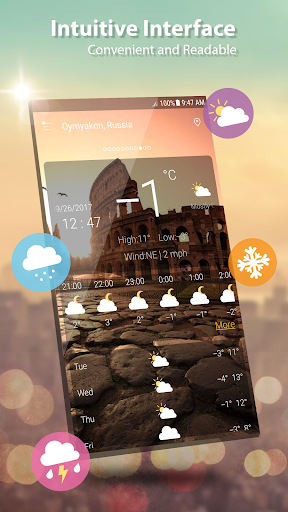
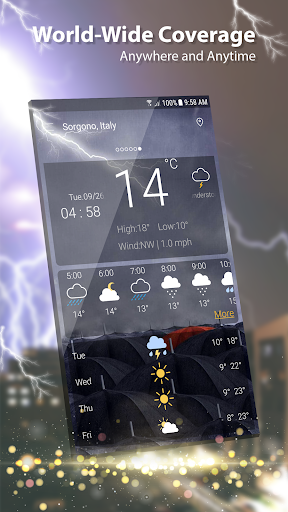
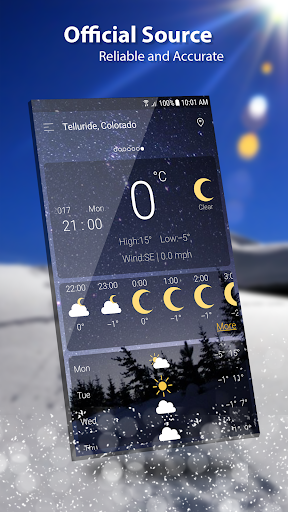
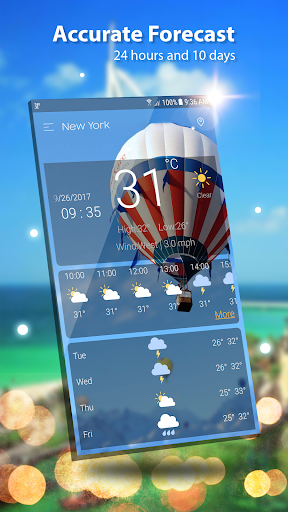
With one click to enable GPS location and you receive the weather condition in your current location.
Weather provides detailed current weather forecast and weather observation for all world locations, Weather forecast searches for your address automatically, and provides the current temperature in Celsius and Fahrenheit, sunrise and sunset times according to city time zone.
Weather forecast also provides current atmospheric pressure, weather condition, visibility distance, relative humidity, precipitation in different unites, dew point, wind speed and direction, in addition to ten days future forecast and hourly weather forecast.
Realtime temperature, humidity, pressure, wind force and wind direction are all in this weather app based.
This accurate weather app allows to find out a detailed forecast wherever you are, for any time of the day or for the next 7 days just by tapping on the icons:
- Wind speed and direction
- Pressure and precipitation information
- Sunrise/sunset time
- Weather Radar & Rain maps
and other useful weather data accompanied by live animations and graphics.
Weather app has a lot of features:
- Free. It is a free Weather channel, weather network.
- It's VERY FAST and ACCURATE
- Modern UI design and easy to use
- Global. You can see weather in any places you like, ex: London weather, Paris weather, San Francisco weather, Houston weather
- Various weather information: temperature, wind, humidity, dew point, precipitation, visibility, pressure, sunrise, sunset
- View weather information at multiple locations
- Hourly or daily. we offer 7 days - 10 days info: today’s weather, tomorrow’s weather, … and hourly weather in each hour.
- Weather supports geo-positioning, retrieving the latest weather conditions for your current location
- An option to manually add your location. Automatic location detection by network and GPS.
- Add and track the weather conditions in multiple locations
- Animated weather conditions - see how the weather comes alive!
- Hourly and weekly forecasts
- Temperature: switch between Celsius and Fahrenheit
- You can allow and disable the notifications
- Current weather condition without needing to add manually
- Atmospheric pressure in many different units
- Wind speed and direction in different units
- 1 day, 10 days future forecast and hourly weather forecast.
- Sunset and Sunrise times.
- Shares weather, location information with friends.
- Display weather forecast or moon phase
- Chart graphs for hourly weather forecast and daily weather forecast
- Weather widget and ongoing notification, multiple location on widget
- Option to set lock screen with live weather information
- Give right weather even GPS is not enabled, awesome!
- If you are living in big city like New York, London you don’t need to enable GPS, the app can detect right location over network and give exactly info such cities, in this case giving exact info for weather New York, weather London. Otherwise if you see the app does not detect right location please enable GPS.
- Easy to update your location when you moving, both network and GPS supported
Enjoy the perfect and accurate weather forecast!
Please send any question to email: weather.droidteam@gmail.com, we will support 24/7 for your demand.
Show more

1. Download MEmu installer and finish the setup

2. Start MEmu then open Google Play on the desktop

3. Search Weather in Google Play
Install
4. Download and Install Weather
5. On install completion click the icon to start

6. Enjoy using Weather on PC with MEmu
MEmu Play is the best Android emulator, and 100 million users already enjoy its superb Android app experience. Powered by advanced virtualization technology, it lets you enjoy thousands of Android apps smoothly on your PC—including the most graphics-intensive ones.
Bigger screen with better graphics; Long duration, without limitation of battery or mobile data.
Full Keymapping support for precise control of keyboard and mouse or gamepad.
Multiple game accounts or tasks on single PC at one time with Multi-Instance manager.
Use Weather on PC by following steps: