Emergency Department Care &ECG
Zaktualizowano
Aktualna wersja
20.0.0
Sprzedawca

Przestań martwić się nadmiernymi opłatami podczas korzystania z Emergency Department Care &ECG na telefonie komórkowym, uwolnij się od małego ekranu i ciesz się korzystaniem z aplikacji na znacznie większym wyświetlaczu. Od teraz korzystaj z aplikacji na pełnym ekranie za pomocą klawiatury i myszy. MEmu oferuje wszystkie zaskakujące funkcje, których się spodziewałeś: szybką instalację i łatwą konfigurację, intuicyjne sterowanie, koniec z ograniczeniami baterii, danych mobilnych i niepokojących połączeń. Zupełnie nowy MEmu 9 to najlepszy wybór do używania Emergency Department Care &ECG na twoim komputerze. Zakodowany przez naszą absorpcję, menedżer wielu instancji umożliwia otwarcie 2 lub więcej kont w tym samym czasie. A co najważniejsze, nasz ekskluzywny emulator może uwolnić pełny potencjał twojego komputera, sprawić, że wszystko będzie płynne i przyjemne.
Pokaż więcej
Ciesz się wspaniałym doświadczeniem podczas grania w Emergency Department Care &ECG na komputerze z aplikacją MEMU App Player. Jest to potężny darmowy emulator Androida pozwalający grać w tysiące gier na Androida. Best EKG Education Application: Mastering the Language of the Heart.
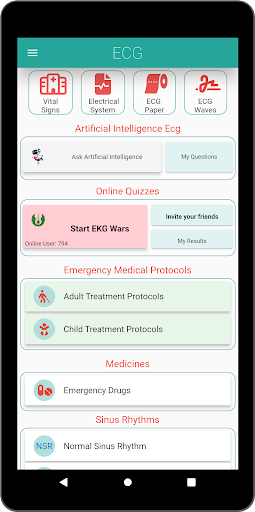
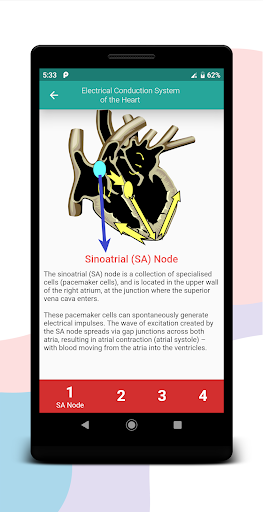
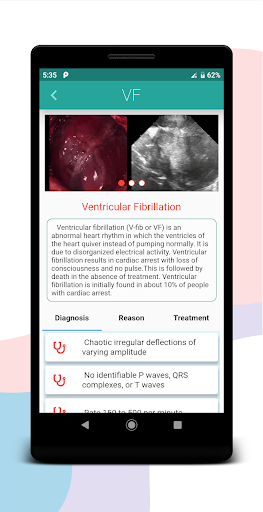
Best EKG Education Application: Mastering the Language of the Heart
Discover the intricate world of electrocardiography (EKG) with the definitive EKG Education Application, tailored for both medical professionals and enthusiasts. Dive deep into the intricate rhythms of the heart, and equip yourself with the knowledge to interpret and understand each beat with confidence.
Features:
Explore both normal and abnormal EKG rhythms with detailed explanations.
Benefit from comprehensive EKG reading materials and tutorials, all available for free.
Access critical drug information, including dosages and interactions, aiding in informed medical decisions.
Special protocols for pediatric patients, ensuring the right treatment for every heartbeat.
Some of the EKG rhythms you'll encounter include:
Sinus Rhythms: Grasp the essence of Normal Sinus Rhythm, Sinus Tachycardia, Sinus Bradycardia, Sinus Arrhythmia, and Sinus Arrest.
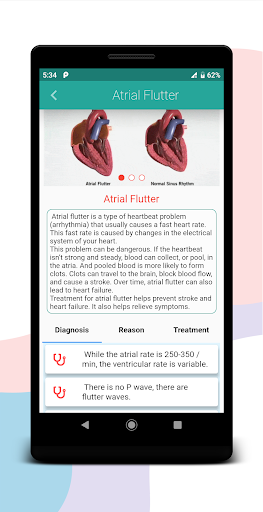
Atrial Rhythms: Dive into the complexities of Atrial Fibrillation, Atrial Flutter, and Supraventricular Tachycardia (SVT).
Ventricular Rhythms: Uncover the nuances of Ventricular Fibrillation and Ventricular Tachycardia.
Cardiac Arrest Rhythms: Understand the critical scenarios of Asystole and Pulseless Electrical Activity (PEA).
Whether you're a seasoned healthcare professional looking to refine your skills or a student eager to learn the basics, this application is the quintessential resource for all things EKG. Its user-friendly interface, combined with expertly curated content, ensures that every user can navigate the world of EKG with ease.
So, why wait? Embark on a journey to decipher the language of the heart. Master the intricate rhythms, differentiate between normal and abnormal patterns, and become proficient in the world of electrocardiography.
Don't miss out on this opportunity to elevate your EKG knowledge. Download now at https://play.google.com/store/apps/details?id=com.ekgokuma.apk.
Turn your smartphone or tablet into a hub of heart rhythm knowledge. With the Best EKG Education Application, let every heartbeat tell its story.
Pokaż więcej

1. Pobierz instalator MEmu i zakończ instalację

2. Uruchom MEmu, a następnie otwórz Google Play na pulpicie

3. Wyszukaj Emergency Department Care &ECG w Google Play
Install
4. Pobierz i zainstaluj Emergency Department Care &ECG
5. Po zakończeniu instalacji kliknij ikonę, aby rozpocząć

6. Użyj MEmu, aby doświadczyć Emergency Department Care &ECG na swoim komputerze
MEmu Play to najlepszy emulator Androida, z którego korzysta ponad 100 milionów użytkowników, ciesząc się wyjątkowym doświadczeniem aplikacji na Androida. Technologia wirtualizacji MEmu pozwala na płynne uruchamianie tysięcy aplikacji Androida na komputerze, nawet tych najbardziej wymagających.
Większy ekran z lepszą grafiką; Długi czas, bez ograniczeń baterii lub danych mobilnych.
Pełna obsługa mapowania klawiszy dla precyzyjnego sterowania klawiaturą i myszą lub gamepadem.
Wiele kont gier lub zadań na jednym komputerze jednocześnie z menedżerem wielu instancji.
Use Emergency Department Care &ECG on PC by following steps: