FlyToGo
Zaktualizowano
Aktualna wersja
1.1.13
Sprzedawca

Przestań martwić się nadmiernymi opłatami podczas korzystania z FlyToGo na telefonie komórkowym, uwolnij się od małego ekranu i ciesz się korzystaniem z aplikacji na znacznie większym wyświetlaczu. Od teraz korzystaj z aplikacji na pełnym ekranie za pomocą klawiatury i myszy. MEmu oferuje wszystkie zaskakujące funkcje, których się spodziewałeś: szybką instalację i łatwą konfigurację, intuicyjne sterowanie, koniec z ograniczeniami baterii, danych mobilnych i niepokojących połączeń. Zupełnie nowy MEmu 9 to najlepszy wybór do używania FlyToGo na twoim komputerze. Zakodowany przez naszą absorpcję, menedżer wielu instancji umożliwia otwarcie 2 lub więcej kont w tym samym czasie. A co najważniejsze, nasz ekskluzywny emulator może uwolnić pełny potencjał twojego komputera, sprawić, że wszystko będzie płynne i przyjemne.
Pokaż więcej
Ciesz się wspaniałym doświadczeniem podczas grania w FlyToGo na komputerze z aplikacją MEMU App Player. Jest to potężny darmowy emulator Androida Umożliwia korzystanie z tysięcy aplikacji Androida. FlyToGo is an innovative application, designed for pilots, passengers and travel enthusiasts.
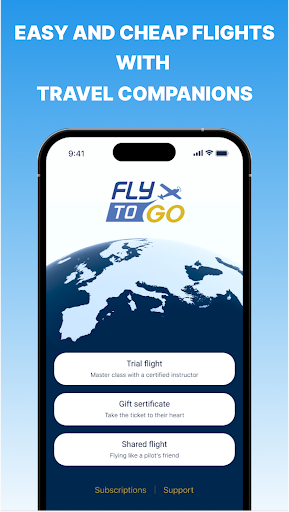
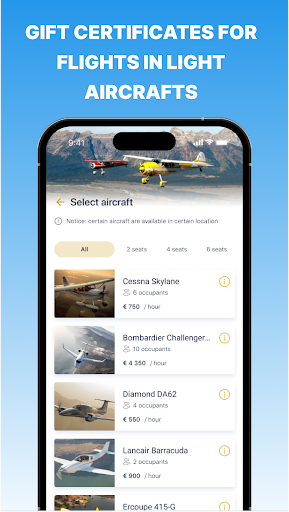
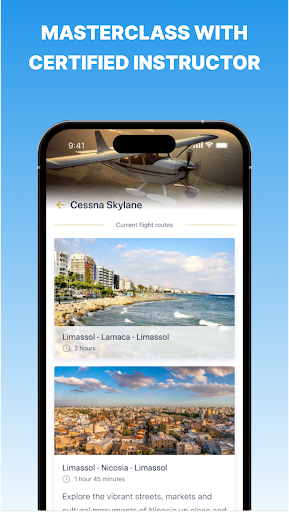
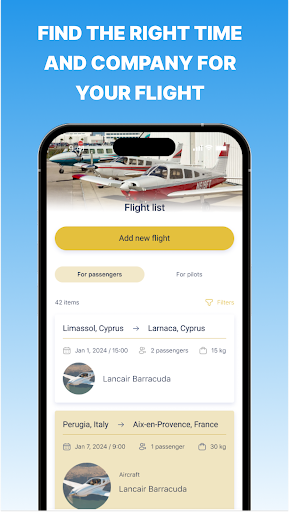
FlyToGo is an innovative application, designed for pilots, passengers and travel enthusiasts. This unique platform allows you to search for travel companions for shared flights for pilots and passengers in light aircrafts, flights as a pilot’s friend, flights with a certified instructor, gift certificates for flights and sightseeing tours.
Whether you're a pilot looking for a passengers to share your journey, or a passenger seeking an easy and fast way to fly and travel with a pilot on his plane, our application has you covered. You can easily search for and connect with fellow flight enthusiasts, place a flight offer with the desired dates or select from a flights list that have already been posted by other users. Also there is a chat between pilot and passenger for easy and fast communication. The main goal and benefit for you is that the passenger and pilot share the cost of the flight among themselves.
Our application also provides a unique opportunity for travelers to book a flight with a certified pilot. Experience the thrill of a trial flight under the guidance of a licensed instructor, giving you a first-hand look at what it's like to fly an aircraft. You can choose any of the presented routes or suggest your own. You can also choose different types of aircraft, with the number of seats you need for you and your family and friends.
In addition to shared flights and trial flights, our application also offers the chance to buy a gift certificate. This is the perfect present for you, your friends and relatives, allowing them to experience the joy of flight firsthand. You will have the opportunity to choose any certificate design, write a congratulation or wish, download it or print it. You receive full manager support when booking flights and purchasing gift certificates. The certificate is valid for 6 months from the date of purchase, so you can plan your flight at any convenient time.
For those interested in sightseeing, our application offers excursions over Cyprus and Italy. Take a trip in a plane and enjoy breathtaking views of these beautiful countries from the air. This is not just a flight, but a master class in sightseeing, offering a unique perspective on these popular travel destinations, where you can sit at the helm and gain experience in controlling an airplane.
Pokaż więcej

1. Pobierz instalator MEmu i zakończ instalację

2. Uruchom MEmu, a następnie otwórz Google Play na pulpicie

3. Wyszukaj FlyToGo w Google Play
Install
4. Pobierz i zainstaluj FlyToGo
5. Po zakończeniu instalacji kliknij ikonę, aby rozpocząć

6. Użyj MEmu, aby doświadczyć FlyToGo na swoim komputerze
MEmu Play to najlepszy emulator Androida, z którego korzysta ponad 100 milionów użytkowników, ciesząc się wyjątkowym doświadczeniem aplikacji na Androida. Technologia wirtualizacji MEmu pozwala na płynne uruchamianie tysięcy aplikacji Androida na komputerze, nawet tych najbardziej wymagających.
Większy ekran z lepszą grafiką; Długi czas, bez ograniczeń baterii lub danych mobilnych.
Pełna obsługa mapowania klawiszy dla precyzyjnego sterowania klawiaturą i myszą lub gamepadem.
Wiele kont gier lub zadań na jednym komputerze jednocześnie z menedżerem wielu instancji.
Use FlyToGo on PC by following steps: