
Foxit PDF Editor
Zaktualizowano
Aktualna wersja
2024.12.2.1217.0913
Sprzedawca

Przestań martwić się nadmiernymi opłatami podczas korzystania z Foxit PDF Editor na telefonie komórkowym, uwolnij się od małego ekranu i ciesz się korzystaniem z aplikacji na znacznie większym wyświetlaczu. Od teraz korzystaj z aplikacji na pełnym ekranie za pomocą klawiatury i myszy. MEmu oferuje wszystkie zaskakujące funkcje, których się spodziewałeś: szybką instalację i łatwą konfigurację, intuicyjne sterowanie, koniec z ograniczeniami baterii, danych mobilnych i niepokojących połączeń. Zupełnie nowy MEmu 9 to najlepszy wybór do używania Foxit PDF Editor na twoim komputerze. Zakodowany przez naszą absorpcję, menedżer wielu instancji umożliwia otwarcie 2 lub więcej kont w tym samym czasie. A co najważniejsze, nasz ekskluzywny emulator może uwolnić pełny potencjał twojego komputera, sprawić, że wszystko będzie płynne i przyjemne.
Pokaż więcej
Ciesz się wspaniałym doświadczeniem podczas grania w Foxit PDF Editor na komputerze z aplikacją MEMU App Player. Jest to potężny darmowy emulator Androida pozwalający grać w tysiące gier na Androida. Looking for a versatile PDF editor that you can use anytime, anywhere?
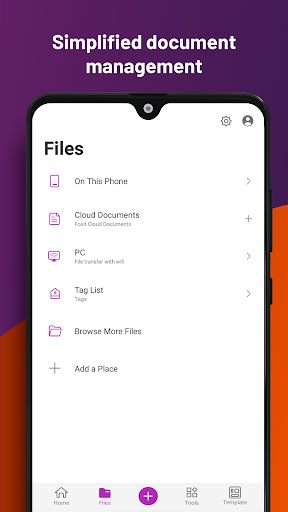
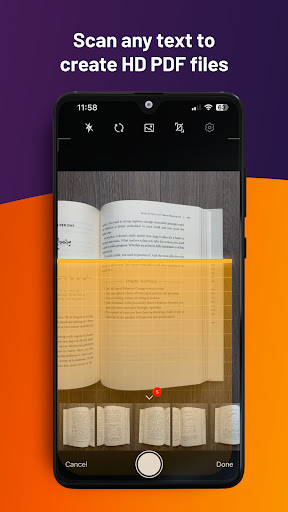
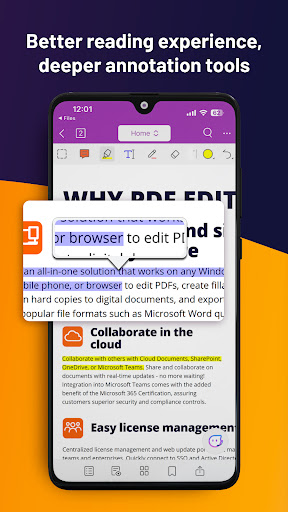
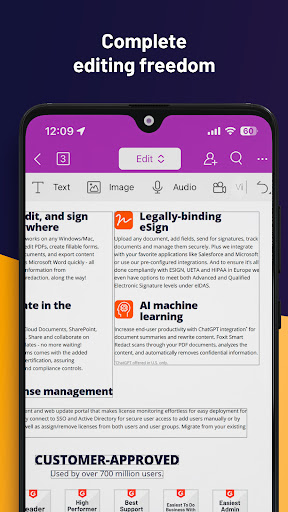
Looking for a versatile PDF editor that you can use anytime, anywhere? Look no further than Foxit PDF Editor mobile app. This easy-to-use PDF editor – trusted by hundreds of millions – allows you to view, edit, and annotate PDF files on Android devices while on the go. The app also offers advanced subscription-based features, including our AI Assistant, optical character recognition (OCR), handwritten notes conversion, and more.
Discover the capabilities of Foxit PDF Editor:
• Reliable: 100% compliant with your current PDF ecosystem.
• Efficient: Let our AI Assistant do the work for you.
• Lightweight: Doesn’t exhaust your device resources.
• Fast: Instant access to PDFs with no delays.
• Secure: Robust file protection features to safeguard sensitive information.
• Collaborative: Maintain full control of your content while working with others..
• Supportive: Access 24/7 customer service via support chat.
• Multi-Language: Support for 12 languages for global usability.
What Foxit PDF Editor can offer to you:
Utilize AI on PDF files
• Summarize the document
• Summarize the text
• Translate the text
• Enhance the writing of the text
• Define and clarify the text
• Fix spelling and grammar of the text
• Chat about the document
• Smart PDF editor commands
View and manage PDF files
• Reflow PDF files for easy viewing
• Convert scanned text and handwritten notes into digital text*
• Easy document navigation with bookmark management features
• Search for text within your PDF document
• Supports tabbed document interface (for tablet only)
• Supports to read the PDF out loud
• Rename, move, copy, or delete PDF file(s)
Collaborate and share PDF files
• Add annotations and stamps to PDF files
• Share PDF files and screenshots from within the application
• Share multiple files across your desktop and Android device via Wi-Fi
• Save, synchronize, and access PDF files in popular cloud services (Google Drive, OneDrive, etc.)
Create and convert PDFs
• Create blank PDFs from scratch*
• Create PDFs from Microsoft Office, image, text, and HTML files*
• Scan and convert paper documents to PDFs
• Convert PDFs to Microsoft Office, image, text, or HTML files*
• Combine PDFs to create a new PDF*
Edit PDF files
• Insert audios, videos, or hyperlinks to PDFs*
• Add/edit text and image objects in PDFs*
• Edit document properties*
• Optimize PDF documents*
• Reorganize PDF pages (Add*, delete, rotate, or extract* pages)
Work on PDF forms
• Fill out and save PDF forms
• Import and export form data
• Submit PDF forms via HTTP, FTP, or Email
• Work on XFA forms*
Sign and protect PDFs
• Add handwritten signatures to PDFs
• Sign PDF documents with an existing digital certificate*
• Protect PDF files with password and Microsoft Information Protection*
• Protect PDF information with redaction*
The features marked with the asterisk (*) are advanced features based on subscription through in-app purchase. To activate the advanced features, you should create a Foxit account and subscribe to Foxit PDF Editor. After subscription, just sign in with your Foxit account and the advanced features will be available.
Terms and Conditions: You must comply with the Foxit-Terms of Use and Privacy Policy (https://appstore.foxitsoftware.com/appstore/license) when using this app.
Have feedback? You can contact us at the following address: https://www.foxit.com/support/ticket.html
Follow Foxit on Facebook and Twitter!
https://www.facebook.com/foxitsoftware
https://twitter.com/foxitsoftware
Pokaż więcej

1. Pobierz instalator MEmu i zakończ instalację

2. Uruchom MEmu, a następnie otwórz Google Play na pulpicie

3. Wyszukaj Foxit PDF Editor w Google Play
Install
4. Pobierz i zainstaluj Foxit PDF Editor
5. Po zakończeniu instalacji kliknij ikonę, aby rozpocząć

6. Użyj MEmu, aby doświadczyć Foxit PDF Editor na swoim komputerze
MEmu Play to najlepszy emulator Androida, z którego korzysta ponad 100 milionów użytkowników, ciesząc się wyjątkowym doświadczeniem aplikacji na Androida. Technologia wirtualizacji MEmu pozwala na płynne uruchamianie tysięcy aplikacji Androida na komputerze, nawet tych najbardziej wymagających.
Większy ekran z lepszą grafiką; Długi czas, bez ograniczeń baterii lub danych mobilnych.
Pełna obsługa mapowania klawiszy dla precyzyjnego sterowania klawiaturą i myszą lub gamepadem.
Wiele kont gier lub zadań na jednym komputerze jednocześnie z menedżerem wielu instancji.
Use Foxit PDF Editor on PC by following steps: