TruMonitor - TruVent
Zaktualizowano
Aktualna wersja
4.2.2
Sprzedawca

Przestań martwić się nadmiernymi opłatami podczas korzystania z TruMonitor - TruVent na telefonie komórkowym, uwolnij się od małego ekranu i ciesz się korzystaniem z aplikacji na znacznie większym wyświetlaczu. Od teraz korzystaj z aplikacji na pełnym ekranie za pomocą klawiatury i myszy. MEmu oferuje wszystkie zaskakujące funkcje, których się spodziewałeś: szybką instalację i łatwą konfigurację, intuicyjne sterowanie, koniec z ograniczeniami baterii, danych mobilnych i niepokojących połączeń. Zupełnie nowy MEmu 9 to najlepszy wybór do używania TruMonitor - TruVent na twoim komputerze. Zakodowany przez naszą absorpcję, menedżer wielu instancji umożliwia otwarcie 2 lub więcej kont w tym samym czasie. A co najważniejsze, nasz ekskluzywny emulator może uwolnić pełny potencjał twojego komputera, sprawić, że wszystko będzie płynne i przyjemne.
Pokaż więcej
Ciesz się wspaniałym doświadczeniem podczas grania w TruMonitor - TruVent na komputerze z aplikacją MEMU App Player. Jest to potężny darmowy emulator Androida pozwalający grać w tysiące gier na Androida. Excellent learning tool for doctors, medical students, nurses and paramedics/EMS.
Excellent learning tool for doctors, medical students, nurses and paramedics/EMS.
Undertake realistic medical simulation training without the need for expensive/high-fidelity mannequins.
Perfect revision aid for life support courses, OSCE exam preparation or ad hoc teaching.
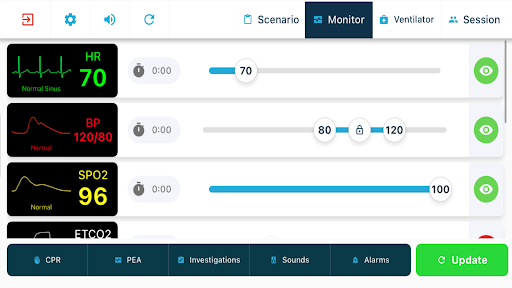
Verbally create a scenario as simple or as complex as the teacher wishes. If the student has a 2nd device, connect via Bluetooth or Wi-Fi and the 2nd device becomes a realistic monitor.
If the student initiates appropriate management for the simulated patient, the teacher can improve the patient’s vital signs. If not... the patient can deteriorate and eventually suffer cardiac arrest.
The teacher can alter multiple patient parameters as the scenario evolves:
- ECG
- BP
- Arterial Line
- SpO2
- Resp Rate
- Temperature
- Fingerprick Glucose
- Capnography (once intubated)
- End-Tidal CO2
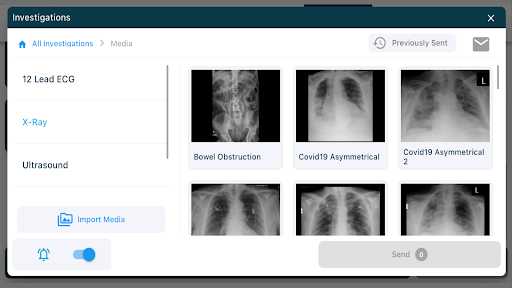
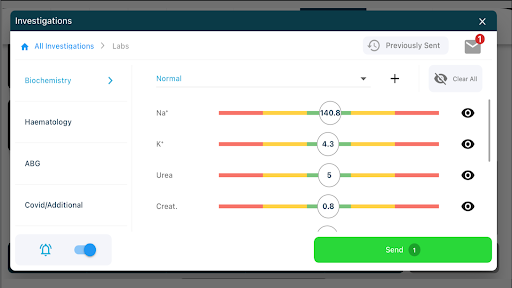
- Lab results - Haematology/Biochemistry/Blood gases
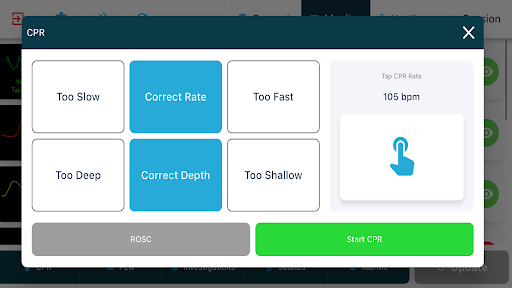
Change ECG rhythms instantly or via defibrillation/CPR cycle.
Choose from an extensive list of ECG rhythms (upgrade required to access advanced waveforms)
•Normal Sinus Rhythm
•VF
•VT
•Asystole
•Various AV conduction defects
•AF
•AF with digoxin effect
•Torsades de Pointes
•Atrial Flutter
•Flutter Pause
•Bigeminy
•Electrical Alternans
•Mild / Severe hyperkalaemia
•Junctional Escape
•Long QT
•Multiple Ectopics
•Pacemaker with and without capture
•Pre-Excited AF
•ST elevation / depression
•SVT
•Wolf Parkinson White
Once intubated, multiple capnography options are available (upgrade required to access advanced waveforms)
•Normal Breathing
•Rebreathing
•Obstructive Breathing
•Apnoea
•Breathing System Disconnection
•Malignant Hyperpyrexia
•Inadequate Paralysis
•Acute Loss of Cardiac Output
Pokaż więcej

1. Pobierz instalator MEmu i zakończ instalację

2. Uruchom MEmu, a następnie otwórz Google Play na pulpicie

3. Wyszukaj TruMonitor - TruVent w Google Play
Install
4. Pobierz i zainstaluj TruMonitor - TruVent
5. Po zakończeniu instalacji kliknij ikonę, aby rozpocząć

6. Użyj MEmu, aby doświadczyć TruMonitor - TruVent na swoim komputerze
MEmu Play to najlepszy emulator Androida, z którego korzysta ponad 100 milionów użytkowników, ciesząc się wyjątkowym doświadczeniem aplikacji na Androida. Technologia wirtualizacji MEmu pozwala na płynne uruchamianie tysięcy aplikacji Androida na komputerze, nawet tych najbardziej wymagających.
Większy ekran z lepszą grafiką; Długi czas, bez ograniczeń baterii lub danych mobilnych.
Pełna obsługa mapowania klawiszy dla precyzyjnego sterowania klawiaturą i myszą lub gamepadem.
Wiele kont gier lub zadań na jednym komputerze jednocześnie z menedżerem wielu instancji.
Use TruMonitor - TruVent on PC by following steps: