
Bitcoin Wallet Crypto Ethereum
Atualizada
Versão atual
1.34.4
Oferecido por

Pare de se preocupar com sobrecargas ao usar Bitcoin Wallet Crypto Ethereum no seu celular, liberte-se da pequena tela e aproveite o uso do aplicativo numa tela muito maior. A partir de agora, obtenha uma experiência em tela cheia do seu aplicativo com teclado e mouse. O MEmu oferece-lhe todos os recursos surpreendentes que você esperava: instalação rápida e configuração fácil, controles intuitivos, sem mais limitações de bateria, dados móveis e chamadas perturbadoras. O novíssimo MEmu 9 é a melhor opção para usar Bitcoin Wallet Crypto Ethereum no seu computador. Codificado com a nossa absorção, o gerenciador de multi-instâncias possibilita a abertura de 2 ou mais contas ao mesmo tempo. E o mais importante, nosso mecanismo de emulação exclusivo pode liberar todo o potencial do seu PC, tornando tudo suave e agradável.
Mostre mais
Download do Bitcoin Wallet Crypto Ethereum no PC com MEmu Android Emulador: Divirta-se jogando na tela grande. Atomic Wallet is universal non-custodial app for over 300 cryptocurrencies.
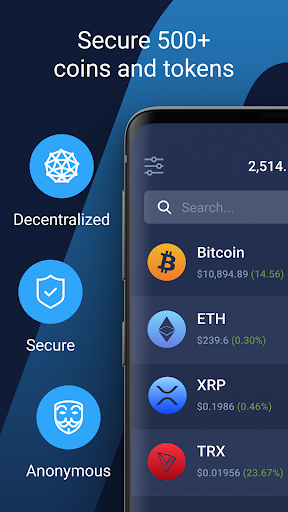
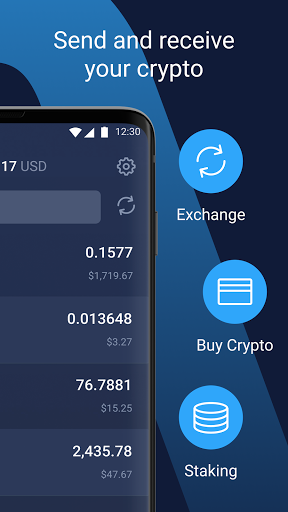
Atomic Wallet is universal non-custodial app for over 300 cryptocurrencies. Secure, manage and exchange your assets right in your hand!
Exceptional security
Your private keys are encrypted on your device and never leave it. Only you have access to your funds. Atomic is build on top of common open source libraries.
Buy Bitcoin
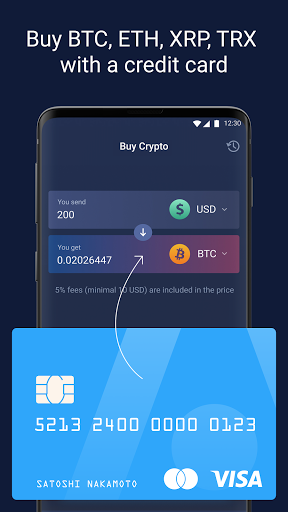
You can buy various cryptocurrencies with your bank card right from the app.
Buy Bitcoin
Buy Ethereum
Buy XRP Ripple
Buy Solana
Buy Litecoin
Buy Dogecoin
Buy Monero XMR
Stake & Earn
Stake Ethereum, Stake Solana, Stake Atom, Stake Near, Stake Tezos, Stake Ada
Instant swap
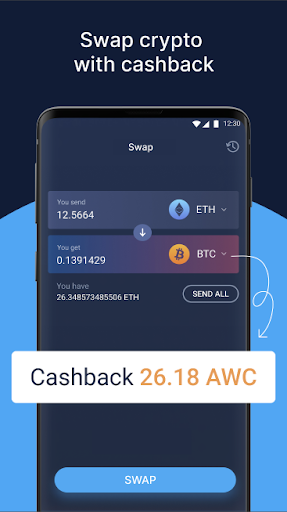
You can swap a range of coins and tokens to any other just in one click. No external services needed. Provided by ChangeNOW.
Cachback Program
Atomic is the first decentralized wallet that launched the Membership program based on its native token AWC. All holders of AWC tokens can receive up to 1% rewards monthly for using a built-in swap and buy crypto services.
Decentralization and Anonymity
Atomic is fully decentralized application. We don't store any of your data, don't require any verification for basic services. We never have access to your funds.
24/7 Live support
Our engineers are always happy to assist you by email support@atomicwallet.io or live telegram chat @AtomicWallet
Smooth and handy interface
We are focusing on exceptional user experience. App is fully optimised for your device.
Supported cryptocurrencies
Bitcoin Wallet BTC
Ethereum Wallet ETH
Solana Wallet SOL
NFT Wallet
Ripple Wallet XRP
Cardano Wallet ADA
Polkadot Wallet
Monero XMR Wallet
Near Wallet
DASH Wallet
Tron Wallet TRX
Litecoin Wallet LTC
DogeCoin Wallet DOGE
Stellar Wallet XLM
DigiByte Wallet DGB
BitcoinCash Wallet BCH
Vechain Wallet VET
BitcoinSV Wallet BSV
Ontology ONG
NANO Wallet
ALGO Wallet
NEO Wallet
Nem Wallet XEM
QTUM Wallet
Binance Chain wallet BNB
ERC20 Wallet all Tokens
Mostre mais

1. Faça o download do instalador do MEmu e conclua a instalação

2. Inicie o MEmu e depois abra o Google Play na página inicial

3. Pesquise Bitcoin Wallet Crypto Ethereum no Google Play
Install
4. Baixe e Instale Bitcoin Wallet Crypto Ethereum
5. Na conclusão da instalação, clique no ícone para iniciar

6. º Experimente o Bitcoin Wallet Crypto Ethereum no PC com o MEmu.
O MEmu Play é o melhor emulador Android gratuito, com 50 milhões de utilizadores a desfrutar da sua experiência superior com aplicações Android. A tecnologia de virtualização do MEmu permite-lhe executar milhares de aplicações Android sem problemas no seu computador, mesmo as mais exigentes.
Tela maior com gráficos melhores; Longa duração e sem limitação de bateria ou dados móveis.
Suporte completo ao Mapaeamento de Teclas para controle preciso do teclado e mouse ou gamepad.
Várias contas de jogos ou tarefas em um único PC de uma só vez com o Gerenciador de várias instâncias.
Use Bitcoin Wallet Crypto Ethereum on PC by following steps: