Gamers GLTool with Game Tuner
Atualizada
Versão atual
0.0.7
Oferecido por

Pare de se preocupar com sobrecargas ao usar Gamers GLTool with Game Tuner no seu celular, liberte-se da pequena tela e aproveite o uso do aplicativo numa tela muito maior. A partir de agora, obtenha uma experiência em tela cheia do seu aplicativo com teclado e mouse. O MEmu oferece-lhe todos os recursos surpreendentes que você esperava: instalação rápida e configuração fácil, controles intuitivos, sem mais limitações de bateria, dados móveis e chamadas perturbadoras. O novíssimo MEmu 9 é a melhor opção para usar Gamers GLTool with Game Tuner no seu computador. Codificado com a nossa absorção, o gerenciador de multi-instâncias possibilita a abertura de 2 ou mais contas ao mesmo tempo. E o mais importante, nosso mecanismo de emulação exclusivo pode liberar todo o potencial do seu PC, tornando tudo suave e agradável.
Mostre mais
Download do Gamers GLTool with Game Tuner no PC com MEmu Android Emulador: Divirta-se jogando na tela grande. Features of this app:.
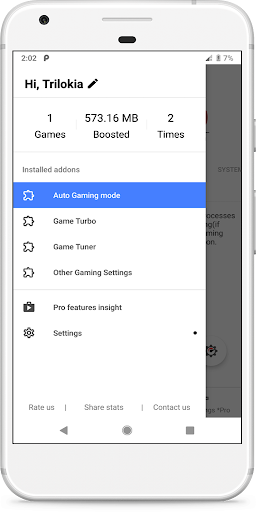
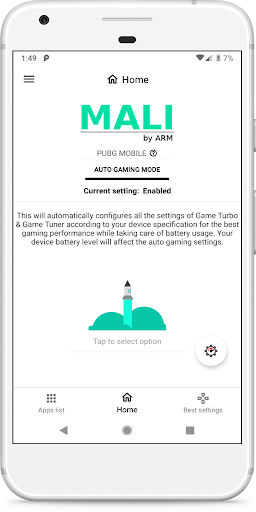
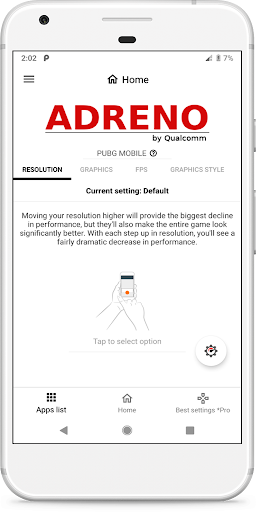
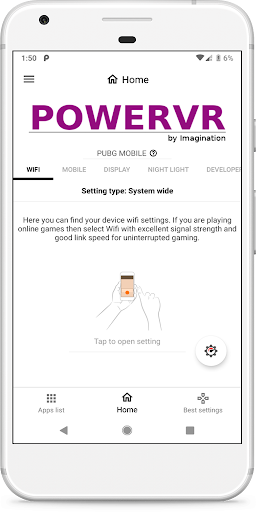
Features of this app:
Auto Gaming Mode:Automatically configures optimal settings of Game Turbo & Game Tuner according to your device specifications
Game Turbo: Includes System Performance Tuner
Game Tuner: Includes features of our GFX Tool
Other Features: Includes Other Settings, Quick Boost, Quick Launch, Smart widget and much more.
This is the free version of Gamers Gltool Pro.
* Free version has limited features.
* Free version may contains ads.
Upgrade to paid version https://play.google.com/store/apps/details?id=inc.trilokia.gfxtool
Permission : Storage (Photos/Media files) for modifying graphics settings.
Permission : Internet for loading settings from our server.
Permission : Kill background app for boosting memory.
DISCLAIMER: Before using this app Please make sure that you have read & accepted out Privacy policy & Terms of service.
Privacy Policy: https://www.trilokiainc.com/gamers-gltool/free-privacy-policy
Terms of Service: https://www.trilokiainc.com/tou.html
All trademarked names and images are only used as references and we do not intend to violate or take ownership of these names and images..
Thanks
Mostre mais

1. Faça o download do instalador do MEmu e conclua a instalação

2. Inicie o MEmu e depois abra o Google Play na página inicial

3. Pesquise Gamers GLTool with Game Tuner no Google Play
Install
4. Baixe e Instale Gamers GLTool with Game Tuner
5. Na conclusão da instalação, clique no ícone para iniciar

6. º Experimente o Gamers GLTool with Game Tuner no PC com o MEmu.
O MEmu Play é o melhor emulador Android gratuito, com 50 milhões de utilizadores a desfrutar da sua experiência superior com aplicações Android. A tecnologia de virtualização do MEmu permite-lhe executar milhares de aplicações Android sem problemas no seu computador, mesmo as mais exigentes.
Tela maior com gráficos melhores; Longa duração e sem limitação de bateria ou dados móveis.
Suporte completo ao Mapaeamento de Teclas para controle preciso do teclado e mouse ou gamepad.
Várias contas de jogos ou tarefas em um único PC de uma só vez com o Gerenciador de várias instâncias.
Use Gamers GLTool with Game Tuner on PC by following steps: