Gamers GLTool with Game Tuner
अपडेट किया गया
वर्तमान वर्शन
0.0.7
संसाधन

Gamers GLTool with Game Tuner पर अपनी मोबाइल डेटा सीमा पार करने को अलविदा कहें और छोटी स्क्रीन की सीमाओं से मुक्त होकर बड़े डिस्प्ले के लाभों का अनुभव करें। अब, आप अपने कीबोर्ड और माउस का उपयोग करके फुल-स्क्रीन मोड में टॉपर्स क्लैन की शक्ति का अनुभव कर सकते हैं। MEmu Play में वे सभी बेहतरीन सुविधाएँ हैं जिनकी आप अपेक्षा करते हैं: त्वरित इंस्टॉलेशन और आसान सेटअप, सहज नियंत्रण, बैटरी की आवश्यकता नहीं, और कोई डेटा या कॉल समय सीमा नहीं। नया MEmu 9 आपके कंप्यूटर पर Gamers GLTool with Game Tuner का उपयोग करने के लिए सबसे अच्छा विकल्प है। हमारा मालिकाना मल्टी-इंस्टेंस मैनेजर एक साथ दो या अधिक खातों को चलाने का समर्थन करता है। इससे भी महत्वपूर्ण बात यह है कि हमारा अनूठा इम्यूलेशन इंजन आपके कंप्यूटर के प्रदर्शन का पूरा उपयोग करता है, जिससे एक सहज और निर्बाध अनुभव मिलता है।
और दिखाएं
डाउनलोड करें Gamers GLTool with Game Tuner पीसी पर MEmu एंड्रॉयड एमुलेटर के साथ बड़े पर्दे पर खेलने का आनंद लें। Features of this app:.
Features of this app:
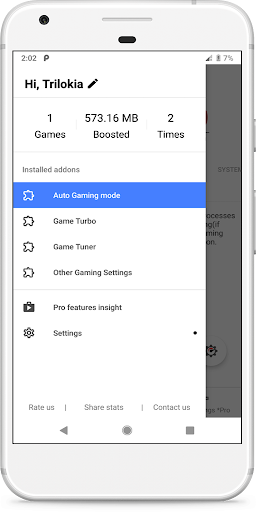
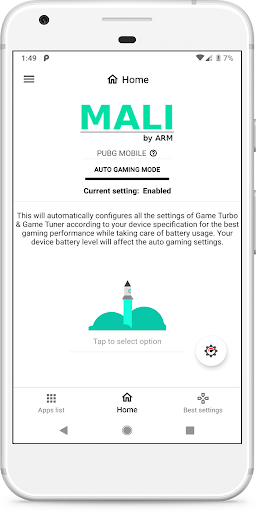
Auto Gaming Mode:Automatically configures optimal settings of Game Turbo & Game Tuner according to your device specifications
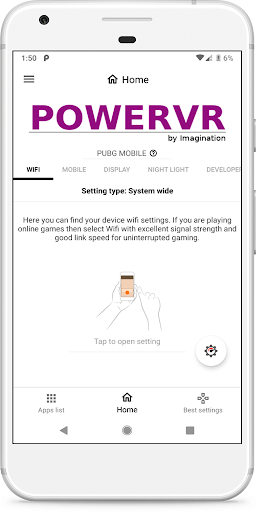
Game Turbo: Includes System Performance Tuner
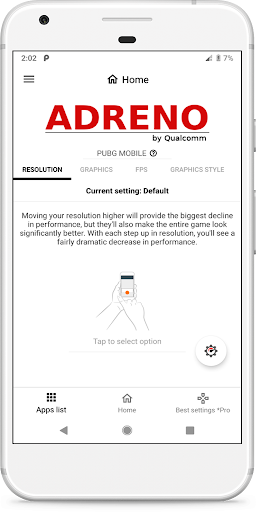
Game Tuner: Includes features of our GFX Tool
Other Features: Includes Other Settings, Quick Boost, Quick Launch, Smart widget and much more.
This is the free version of Gamers Gltool Pro.
* Free version has limited features.
* Free version may contains ads.
Upgrade to paid version https://play.google.com/store/apps/details?id=inc.trilokia.gfxtool
Permission : Storage (Photos/Media files) for modifying graphics settings.
Permission : Internet for loading settings from our server.
Permission : Kill background app for boosting memory.
DISCLAIMER: Before using this app Please make sure that you have read & accepted out Privacy policy & Terms of service.
Privacy Policy: https://www.trilokiainc.com/gamers-gltool/free-privacy-policy
Terms of Service: https://www.trilokiainc.com/tou.html
All trademarked names and images are only used as references and we do not intend to violate or take ownership of these names and images..
Thanks
और दिखाएं

1. MEmu इंस्टॉलर को डाउनलोड करें और इंस्टॉलेशन को पूरा करें

2. MEmu शुरू करें फिर होमपेज पर Google Play खोलें

3. Google Play में Gamers GLTool with Game Tuner खोजें
Install
4. Gamers GLTool with Game Tuner डाउनलोड कर इंस्टॉल करें
5. इंस्टॉल पूरा होने पर आइकन दबाएं

6. MEmu का उपयोग करके अपने कंप्यूटर पर Gamers GLTool with Game Tuner का अनुभव करें
MEmu Play सबसे बेहतरीन मुफ़्त Android एमुलेटर है और 5 करोड़ लोग पहले ही इसके शानदार Android ऐप अनुभव का आनंद ले चुके हैं। MEmu 9 वर्चुअलाइज़ेशन तकनीक आपको अपने PC पर हज़ारों Android ऐप्स, यहाँ तक कि सबसे ज़्यादा ग्राफ़िक्स वाले ऐप्स भी, आसानी से चलाने की सुविधा देती है।
असीमित बैटरी या मोबाइल डेटा के साथ बेहतर ग्राफिक्स के साथ बड़ी स्क्रीन; लंबी अवधि।
कीबोर्ड और माउस या गेमपैड के उत्तम नियंत्रण के लिए संपूर्ण कीमैपिंग का समर्थन करता हैं।
एक ही पीसी पर मल्टी-इंस्टेंस मैनेजर के साथ एक समय में कई गेम खाते या कार्य कर सकते हैं।
Use Gamers GLTool with Game Tuner on PC by following steps: