Google Pay: Save and Pay
Atualizada
Versão atual
1791206056
Oferecido por

Pare de se preocupar com sobrecargas ao usar Google Pay: Save and Pay no seu celular, liberte-se da pequena tela e aproveite o uso do aplicativo numa tela muito maior. A partir de agora, obtenha uma experiência em tela cheia do seu aplicativo com teclado e mouse. O MEmu oferece-lhe todos os recursos surpreendentes que você esperava: instalação rápida e configuração fácil, controles intuitivos, sem mais limitações de bateria, dados móveis e chamadas perturbadoras. O novíssimo MEmu 9 é a melhor opção para usar Google Pay: Save and Pay no seu computador. Codificado com a nossa absorção, o gerenciador de multi-instâncias possibilita a abertura de 2 ou mais contas ao mesmo tempo. E o mais importante, nosso mecanismo de emulação exclusivo pode liberar todo o potencial do seu PC, tornando tudo suave e agradável.
Mostre mais
Download do Google Pay: Save and Pay no PC com MEmu Android Emulador: Divirta-se jogando na tela grande. Join crores of Indians who trust Google Pay for their daily UPI and credit card payments.
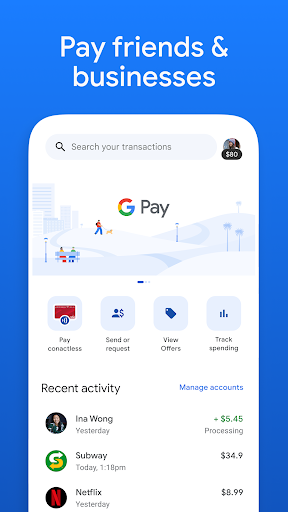
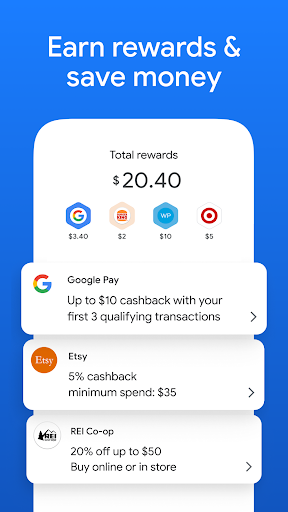
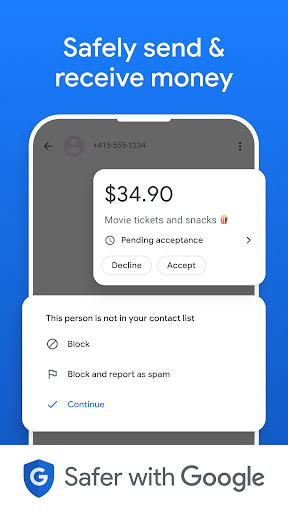
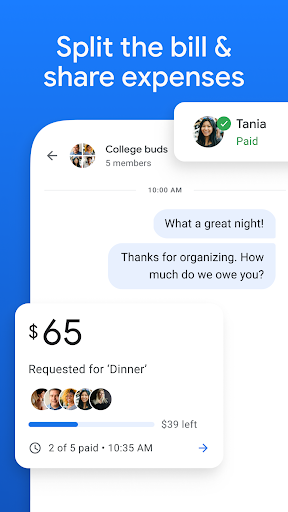
Join crores of Indians who trust Google Pay for their daily UPI and credit card payments. An intuitive and clean interface, powered by lightning-fast and safe payments backed by the security of your bank, payment network and Google.
Lightning-fast UPI payments
- Scan & Pay Anywhere: Scan any UPI QR instantly at local shops, restaurants, and more.
- Pay Anyone, Anytime: Send money to friends, family, or any phone number instantly, 24/7.
- Direct Bank Transfers: Transfer funds securely straight from your bank account.
- Check Balance Instantly: View your real-time bank balance across any bank account.
- Pay with RuPay Credit Cards: Link your RuPay credit card for seamless payments directly through Credit on UPI.
- Tap to Pay: Tap your phone on merchant POS terminals for seamless, cardless offline payments. Applicable on select cards.
World-Class Google Security
- Multi-Layer Protection: Backed by your bank and Google's advanced data safety frameworks to preemptively flag fraud and hacking.
- Total Access Control: Every single payment requires your unique UPI PIN or your biometric authentication. For additional safety, secure your app with biometric locks like fingerprint or face recognition.
Recharges and Bill Payments
- Instant Mobile Recharges: Buy the latest prepaid plans for Jio, Airtel, Vi, and BSNL.
- Settle Bills with Smart Reminders: Pay for electricity, broadband, DTH, and FASTag in seconds. Link your bill payments once and get timely alerts before payments are due.
- Clear Credit Card Bills and Loan EMIs: Clear your outstanding credit card bill payments or Loan EMIs, always on time with a tap.
Empower Family Members Safely: Pocket Money
- Enable Your Family with Pocket Money: Enable digital payment access to family, friends, or dependents you trust—all linked to your bank account.
- Smart Limits: Set a secure monthly spending limit so that they can manage everyday expenses independently. No more sending QR for approvals.
- UPI Circle Security: Built on NPCI's UPI Circle with real-time tracking, instant alerts, and the power to pause access at any moment.
Supercharge Your Spending: Credit Cards Simplified by Google Pay
- Flex by Google Pay, a Co-Branded RuPay Credit Card: Built for India, apply for the credit card directly from within the app. From kiranas to shopping malls, pay everywhere just like UPI. Earn rewards on every spend, redeem them instantly on the go and repay flexibly in EMIs.
- Link Your Existing Cards to Pay with Credit: Link your RuPay, Visa or Mastercard and pay at any store, online merchants or for your bill payments and recharges. Now, you can pay with Visa or Mastercard linked on Google Pay at select online merchants too!
Check CIBIL Score for Free & Get Instant Personal Loans
Check your credit score instantly at zero cost and access quick, transparent digital loans up to ₹40 lakh from India's top trusted lending partners, including Aditya Birla Capital Limited, L&T Finance, DMI Finance, Axis Bank, IDFC FIRST Bank, and SMFG India Credit.
- 100% digital
- Interest rate starting at 9.99%
- No spam or hidden charges
- Top up Loans and flexibility to choose amount, tenure
Google Pay works with all Indian banks supporting BHIM UPI.
Mostre mais

1. Faça o download do instalador do MEmu e conclua a instalação

2. Inicie o MEmu e depois abra o Google Play na página inicial

3. Pesquise Google Pay: Save and Pay no Google Play
Install
4. Baixe e Instale Google Pay: Save and Pay
5. Na conclusão da instalação, clique no ícone para iniciar

6. º Experimente o Google Pay: Save and Pay no PC com o MEmu.
O MEmu Play é o melhor emulador Android gratuito, com 50 milhões de utilizadores a desfrutar da sua experiência superior com aplicações Android. A tecnologia de virtualização do MEmu permite-lhe executar milhares de aplicações Android sem problemas no seu computador, mesmo as mais exigentes.
Tela maior com gráficos melhores; Longa duração e sem limitação de bateria ou dados móveis.
Suporte completo ao Mapaeamento de Teclas para controle preciso do teclado e mouse ou gamepad.
Várias contas de jogos ou tarefas em um único PC de uma só vez com o Gerenciador de várias instâncias.
Use Google Pay: Save and Pay on PC by following steps: