
Liingo Rx Reader
Atualizada
Versão atual
5.40.1400
Oferecido por

Pare de se preocupar com sobrecargas ao usar Liingo Rx Reader no seu celular, liberte-se da pequena tela e aproveite o uso do aplicativo numa tela muito maior. A partir de agora, obtenha uma experiência em tela cheia do seu aplicativo com teclado e mouse. O MEmu oferece-lhe todos os recursos surpreendentes que você esperava: instalação rápida e configuração fácil, controles intuitivos, sem mais limitações de bateria, dados móveis e chamadas perturbadoras. O novíssimo MEmu 9 é a melhor opção para usar Liingo Rx Reader no seu computador. Codificado com a nossa absorção, o gerenciador de multi-instâncias possibilita a abertura de 2 ou mais contas ao mesmo tempo. E o mais importante, nosso mecanismo de emulação exclusivo pode liberar todo o potencial do seu PC, tornando tudo suave e agradável.
Mostre mais
Download do Liingo Rx Reader no PC com MEmu Android Emulador: Divirta-se jogando na tela grande. Use the innovative Liingo Rx Reader app to read your vision prescription right off your current glasses.

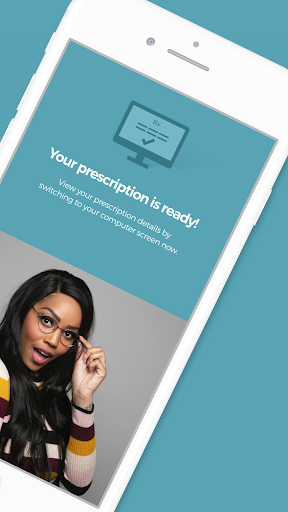
Use the innovative Liingo Rx Reader app to read your vision prescription right off your current glasses. It’s super easy and totally free!
* Get your prescription in minutes — without leaving home
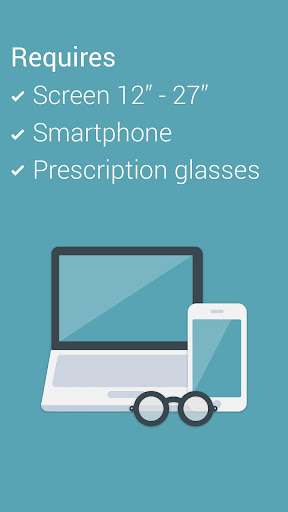
* All you need: your current glasses, a smartphone, a laptop with a camera, and any standard-size magnetic card
* When you’re done, you get a discount code to use at LiingoEyewear.com!
How it works:
Scan your current glasses using a smartphone, laptop camera, and any standard-size magnetic card.
We’ll tell you your sphere power, cylinder, axis, and pupillary distance (PD).
Is this legit? Of course it is — our results have been clinically tested and proven to be as accurate as standard acceptable lensmeters and PD meters.
You can use the Liingo Rx Reader if you...
- are a healthy individual, 18 years or older
- have stable vision and are happy with your current prescription
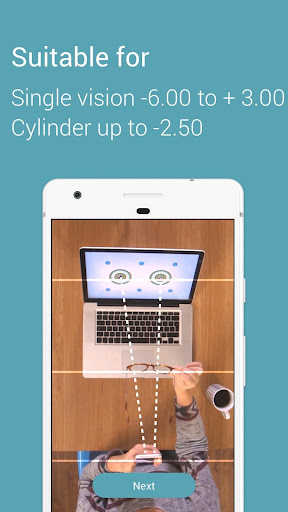
- have a single-vision prescription
- have a sphere measurement between -6.00 and +3.00
- have a cylinder measurement that does not exceed -2.50
You can’t use the Liingo Rx Reader if you...
- wear progressive, multifocal, or bifocal lenses
- have a prescription that includes a prism measurement
- take any medication that affects your vision
- have any illness or condition that affects eye health (rely on your eye doc for that!)
Look — this app definitely doesn’t replace your eye doctor. It’s important to have an eye exam every 1 or 2 years, even if you aren’t experiencing vision problems. Liingo Rx Reader is designed to help with all those times in-between exams when you simply want to verify your prescription, or order new glasses online.
Who are we?
Liingo Eyewear offers a curated collection of premium-quality eyewear that’s affordable, easy to order, and fun to wear. Our stylin’ frames start at just $79 and include high-quality, single-vision polycarbonate lenses for free, with the same (or better) quality than you might get from your optician. Over on our site, you can use our virtual try-on tool for a realistic idea of how you’ll look in hundreds of styles, or order 5 pairs of glasses to try on at home — all completely free.
Mostre mais

1. Faça o download do instalador do MEmu e conclua a instalação

2. Inicie o MEmu e depois abra o Google Play na página inicial

3. Pesquise Liingo Rx Reader no Google Play
Install
4. Baixe e Instale Liingo Rx Reader
5. Na conclusão da instalação, clique no ícone para iniciar

6. º Experimente o Liingo Rx Reader no PC com o MEmu.
O MEmu Play é o melhor emulador Android gratuito, com 50 milhões de utilizadores a desfrutar da sua experiência superior com aplicações Android. A tecnologia de virtualização do MEmu permite-lhe executar milhares de aplicações Android sem problemas no seu computador, mesmo as mais exigentes.
Tela maior com gráficos melhores; Longa duração e sem limitação de bateria ou dados móveis.
Suporte completo ao Mapaeamento de Teclas para controle preciso do teclado e mouse ou gamepad.
Várias contas de jogos ou tarefas em um único PC de uma só vez com o Gerenciador de várias instâncias.
Use Liingo Rx Reader on PC by following steps: