Prescription Lens Scanner
Atualizada
Versão atual
5.40.1400
Oferecido por

Pare de se preocupar com sobrecargas ao usar Prescription Lens Scanner no seu celular, liberte-se da pequena tela e aproveite o uso do aplicativo numa tela muito maior. A partir de agora, obtenha uma experiência em tela cheia do seu aplicativo com teclado e mouse. O MEmu oferece-lhe todos os recursos surpreendentes que você esperava: instalação rápida e configuração fácil, controles intuitivos, sem mais limitações de bateria, dados móveis e chamadas perturbadoras. O novíssimo MEmu 9 é a melhor opção para usar Prescription Lens Scanner no seu computador. Codificado com a nossa absorção, o gerenciador de multi-instâncias possibilita a abertura de 2 ou mais contas ao mesmo tempo. E o mais importante, nosso mecanismo de emulação exclusivo pode liberar todo o potencial do seu PC, tornando tudo suave e agradável.
Mostre mais
Download do Prescription Lens Scanner no PC com MEmu Android Emulador: Divirta-se jogando na tela grande. Need new glasses but can’t remember your prescription details?
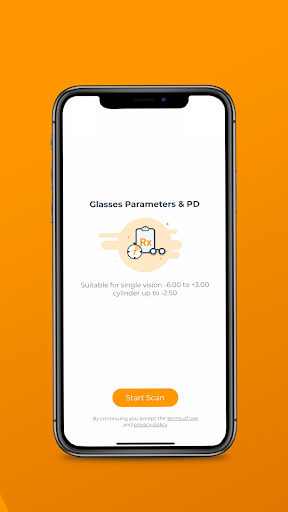
Need new glasses but can’t remember your prescription details? Try the Vision Direct Prescription Lens Scanner app! Our free eyecare prescription app makes buying prescription glasses online easier than ever.
The Vision Direct Lens Scanner app is pioneering a new way of buying glasses online by providing users with the option to extract their glasses prescription from their phone, completely for free, anywhere and anytime! This service, which is CE listed, will help you save both time and money when buying your next pair of glasses, since you will no longer need to visit an optician to find your current glasses prescription.
Our Lens Scanner allows people who already have glasses, but don’t remember their prescription details, to extract their glasses prescription immediately through their phone, by providing an accurate reading of the glasses’ current prescription. Thanks to this new technology, eye care can be provided in a convenient and direct way, anywhere.
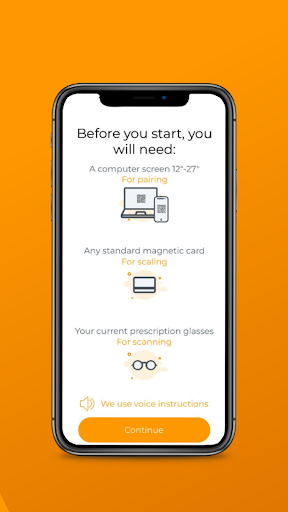
The process is very easy. You just need 4 things:
1. A smartphone with the Lens Scanner app installed
2. A laptop or computer (with a 12” screen or larger)
3. Your current pair of prescription eyeglasses
4. A standard size magnetic card for measurement
Key benefits:
Find your current prescription in less than 5 minutes
Save money - our lens scanner is FREE
CE listed
Ultra-convenient: use anywhere, anytime!
Shop prescription eyewear online easily
How does it work?
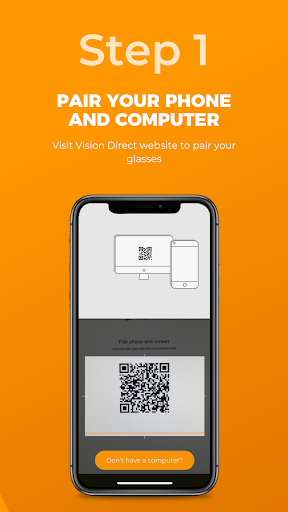
Download the Prescription Lens Scanner app & pair it with your computer
Scan your current prescription eyeglasses using your phone
Find your pupillary distance (PD)
Find your current glasses prescription details
Your glasses prescription will be saved to your account so you can easily start shopping RX glasses online
Disclaimer
It is recommended that the Lens Scanner app is used by individuals 18 years old and above, with stable vision, and who are happy with their current prescription. Further requirements include cylinder measurement lower than -2.50 and single vision prescription between -6.00 and +3.00.
It is not recommended to use the Lens Scanner app if you:
• Have a progressive, multifocal, or bifocal prescription
• Have a prescription that includes a prism measurement
• Have a high single-vision or astigmatism prescription
• Take any medication that affects your vision
• Have any illness or condition that affects your eye health
Note: Please read our full terms of use. It includes, amongst other information, a detailed list of conditions and illnesses that may inhibit the lens scanner from producing accurate results.
About us
Vision Direct Optical Group is the world’s leading designer eyewear e-commerce company. With operations across Asia Pacific, Europe, and the Americas, we are market leaders in over 20 countries, including SmartBuyGlasses.co.uk in the UK and VisionDirect.com.au in Australia.
Mostre mais

1. Faça o download do instalador do MEmu e conclua a instalação

2. Inicie o MEmu e depois abra o Google Play na página inicial

3. Pesquise Prescription Lens Scanner no Google Play
Install
4. Baixe e Instale Prescription Lens Scanner
5. Na conclusão da instalação, clique no ícone para iniciar

6. º Experimente o Prescription Lens Scanner no PC com o MEmu.
O MEmu Play é o melhor emulador Android gratuito, com 50 milhões de utilizadores a desfrutar da sua experiência superior com aplicações Android. A tecnologia de virtualização do MEmu permite-lhe executar milhares de aplicações Android sem problemas no seu computador, mesmo as mais exigentes.
Tela maior com gráficos melhores; Longa duração e sem limitação de bateria ou dados móveis.
Suporte completo ao Mapaeamento de Teclas para controle preciso do teclado e mouse ou gamepad.
Várias contas de jogos ou tarefas em um único PC de uma só vez com o Gerenciador de várias instâncias.
Use Prescription Lens Scanner on PC by following steps: