Pofi Create - Art Pose & Paint
Atualizada
Versão atual
v1.3.7
Oferecido por

Pare de se preocupar com sobrecargas ao usar Pofi Create - Art Pose & Paint no seu celular, liberte-se da pequena tela e aproveite o uso do aplicativo numa tela muito maior. A partir de agora, obtenha uma experiência em tela cheia do seu aplicativo com teclado e mouse. O MEmu oferece-lhe todos os recursos surpreendentes que você esperava: instalação rápida e configuração fácil, controles intuitivos, sem mais limitações de bateria, dados móveis e chamadas perturbadoras. O novíssimo MEmu 9 é a melhor opção para usar Pofi Create - Art Pose & Paint no seu computador. Codificado com a nossa absorção, o gerenciador de multi-instâncias possibilita a abertura de 2 ou mais contas ao mesmo tempo. E o mais importante, nosso mecanismo de emulação exclusivo pode liberar todo o potencial do seu PC, tornando tudo suave e agradável.
Mostre mais
Download do Pofi Create - Art Pose & Paint no PC com MEmu Android Emulador: Divirta-se jogando na tela grande. Pofi provides a rich variety of humanoid, animal, object/instrument, and landscape/scene figures for drawing and painting, freeing you from the troubles of finding references and model figures.
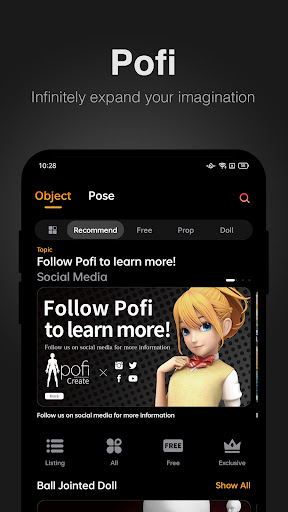
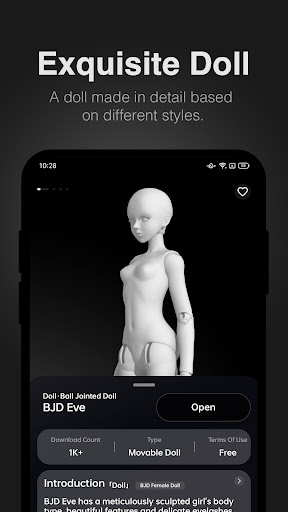
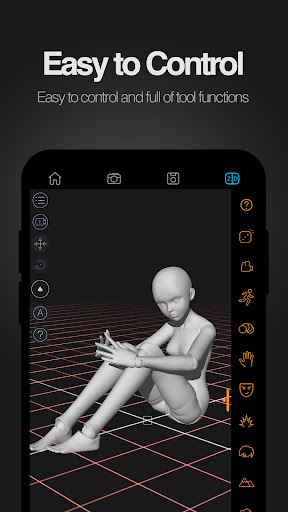
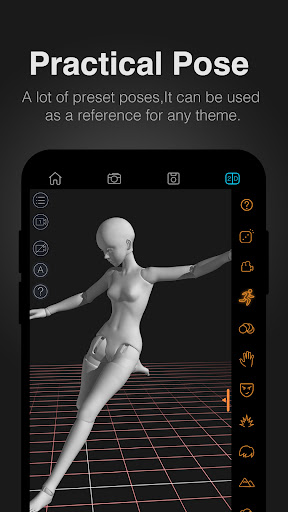
Pofi provides a rich variety of humanoid, animal, object/instrument, and landscape/scene figures for drawing and painting, freeing you from the troubles of finding references and model figures. Pofi also helps green-hand painting and drawing enthusiasts to get up to speed with these fundamental skills, offering you a vast collection of theme pose bundles to choose from.
Pofi Create is a drawing assistant mobile app that revolves around a multi-control-DOF 3D model figure system. Users can create and draw references from countless built-in 3D model figures. The capability to switch between 2D and 3D representations provides distinctive solutions for painters in terms of body dynamics, prop interaction, and scene perspective, among other creation issues.
※Unlimited Control
Observe and manipulate the actions of the 3D model figure from and at any angle. customize your model with our built-in presets from the figure library, and create manga/comic drafts, animation storyboards and movie scene compositions with simplicity and efficiency.
※ Doll Dynamics
Pofi offers model figures that come in a multitude of body proportions and styles, in addition to over 1,000 and counting editable preset motions and gestures, as well as frame-by-frame motion templates. We also upload new resources regularly.
※Props and Scenes
We have a plethora of regularly updated list of figures for animal parts, daily necessities and tools, as well as indoor and outdoor scenes, all of which are highly detailed and cover a wide area of fields. There are also proper references for perspectives, props and scenes for comic and animation creation and storyboard.
※ High-definition Images
Pofi's realistic lighting system and multiple texture mapping can help art students master lighting, shading, as well as other sketching essentials.
※ More Functions
Pofi Pro provides more advanced 3D functions, e.g. multiple panning angles, material textures, large perspective lenses, reference lines, and 3D rendering.
Use Pofi, draw effortlessly!
If there is any problem during the process of using or paying, please feel free to send an email to hi@pofiart.com, we will reply to you as soon as possible.
Also welcome to follow us for the latest information.
Twitter: @PoficreateEN
Instagram: @poficreate
Facebook: @Pofi Create
Please read our agreement carefully.
Privacy Policy: https://pofiart.com/docs/privacy.html
Terms of Use: https://pofiart.com/docs/agreement.html
Mostre mais

1. Faça o download do instalador do MEmu e conclua a instalação

2. Inicie o MEmu e depois abra o Google Play na página inicial

3. Pesquise Pofi Create - Art Pose & Paint no Google Play
Install
4. Baixe e Instale Pofi Create - Art Pose & Paint
5. Na conclusão da instalação, clique no ícone para iniciar

6. º Experimente o Pofi Create - Art Pose & Paint no PC com o MEmu.
O MEmu Play é o melhor emulador Android gratuito, com 50 milhões de utilizadores a desfrutar da sua experiência superior com aplicações Android. A tecnologia de virtualização do MEmu permite-lhe executar milhares de aplicações Android sem problemas no seu computador, mesmo as mais exigentes.
Tela maior com gráficos melhores; Longa duração e sem limitação de bateria ou dados móveis.
Suporte completo ao Mapaeamento de Teclas para controle preciso do teclado e mouse ou gamepad.
Várias contas de jogos ou tarefas em um único PC de uma só vez com o Gerenciador de várias instâncias.
Use Pofi Create - Art Pose & Paint on PC by following steps: