The Outer Worlds 2
Обновлено
Текущая версия
Продавец

При всей вашей страсти к игре в ххх, ваши руки не должны быть ограничены на крошечном экране вашего телефона. Играйте как профессионал и получите полный контроль над игрой с помощью клавиатуры и мыши. MEmu предлагает вам все то, что вы ожидаете. Скачайте и играйте ххх на ПК. Играйте сколько угодно, никаких ограничений по батарее, мобильным данным и звонкам. Совершенно новый MEmu 9 - лучший выбор для игры в ххх на ПК. Благодаря изысканной системе предустановки клавиш, ххх превращается в настоящую игру для ПК. Менеджер нескольких экземпляров делает возможным игру с двумя или более учетными записями на одном устройстве. И самое главное, наш эксклюзивный механизм эмуляции может полностью раскрыть потенциал вашего ПК, сделать все гладко. Нам важно не только то, как вы играете, но и весь процесс наслаждения игровым счастьем.
Показать больше
Скачайте The Outer Worlds 2 на ПК с помощью Андроид эмулятора MEmu. Наслаждайтесь на большом экране. The Outer Worlds 2 is the highly anticipated sequel to the acclaimed first-person sci-fi RPG developed by Obsidian Entertainment.
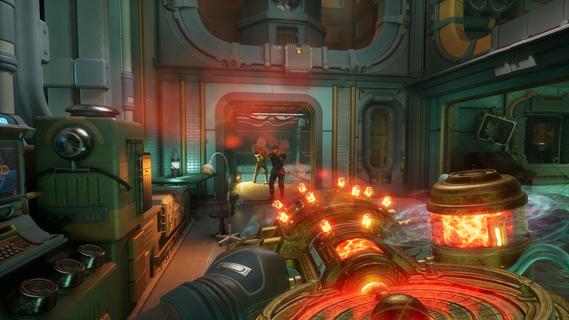
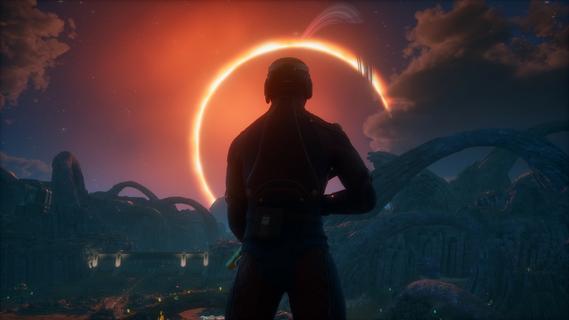
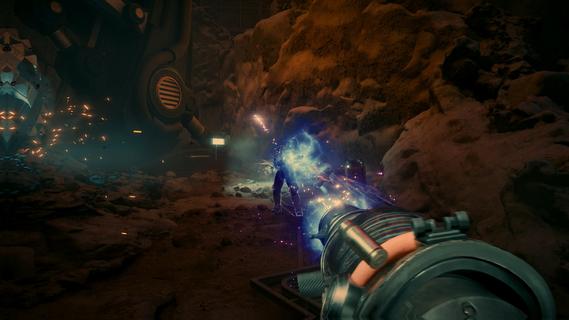
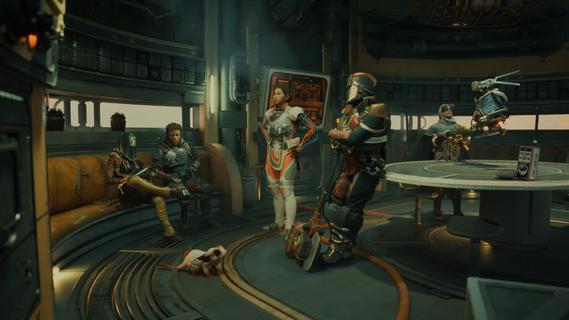
The Outer Worlds 2 is the highly anticipated sequel to the acclaimed first-person sci-fi RPG developed by Obsidian Entertainment. Set in a distant star system colonized by mega-corporations, the game invites players into a vibrant, dangerous universe packed with retro-futuristic style, sharp wit, and boundless possibilities for player-driven storytelling. A Vast New FrontierThis sequel expands the universe by moving the action to the Arcadia star system, introducing a new protagonist—an Earth Directorate Agent—for a fresh narrative perspective. As existential threats loom and factions clash for supremacy, players are thrust into a planet-hopping mystery centered on rifts tearing the colony apart. The fate of Arcadia hinges on your choices: diplomacy, deception, or destruction. Enhanced Gameplay and CustomizationDeep Character ProgressionStart by defining your character’s Background and Traits, shaping how you interact with the world and approach challenges. Skills and perks have been dramatically reworked, emphasizing custom builds and offering even more ways to define your playstyle. The “flaws” system makes a return, allowing players to lean into character weaknesses for unique bonuses. Weapons & Combat InnovationsThe arsenal is bigger and bolder, with weapons ranging from upgraded classics (like the shrink ray) to outlandishly creative new tools—think goo pistols and music swords. Melee and gunplay feel faster and more impactful, with new finishing moves and dynamic, responsive controls. Tactical Time Dilation (TTD) returns, letting you slow time for precise attacks or cinematic grenade detonations. Advanced gadgets like the N-Ray Scanner allow players to see cloaked enemies and hidden objects, providing a tactical edge in exploration and combat. Throwables add another layer, including grenades with unique crowd-control or trick effects. Freedom of ApproachEmbrace stealth with new silent takedowns and movement options, or go in guns blazing—your actions are only limited by your imagination. Parkour-inspired movement, including sprint slides, double-jumps, and climbable outcrops, make exploration exhilarating and fluid. Reactive World and Dynamic FactionsExpansive EnvironmentsWorlds are larger and more open, featuring diverse biomes: neon-lit metropolises, treacherous wastelands, and lush alien forests. Weather effects such as sandstorms, acid rain, and plasma clouds create unpredictable hazards and even tactical opportunities. Factions & ChoicesInteract with numerous factions vying for control, each with their own goals, radio stations, and territory disputes. All key decisions alter the course of the story, from faction alliances to individual character arcs. Major NPCs can be befriended, betrayed, or even eliminated, creating branching paths and endings. Companions and Social DepthOld and new companions offer robust personal questlines, impacting the overarching plot and developing organic relationships. Dialogue trees are more nuanced, letting players use skills, wit, or intimidation to shape every scenario. Next-Gen PresentationStunning visuals powered by the latest Unreal Engine deliver dynamic lighting, real-time weather, and richly detailed character models. Planetary exploration is seamless, with minimal loading and a cohesive, immersive world. Release and PlatformsThe Outer Worlds 2 will release on October 29, 2025, for PlayStation 5, Xbox Series X/S, and Windows, delighting both returning fans and newcomers with its signature blend of dark humor, freedom of choice, and sci-fi spectacle. The Outer Worlds 2 raises the stakes with bolder choices, richer worlds, and deeper role-playing, cementing itself as a must-play for those who crave unforgettable adventures within a wild and witty space colony.
Показать больше

1. Скачать инсталлятор MEmu и завершайте установку

2. Запускайте MEmu, затем откройте Google Play на главной странице

3. Ищите The Outer Worlds 2 в Google Play
Install
4. Скачайте и установите The Outer Worlds 2
5. При завершении установки, нажмите на значок для старта

6. Наслаждайтесь The Outer Worlds 2 на своем компьютере с помощью MEmu
MEmu App Player лучший бесплатный андроид эмулятор и 50 миллионов людей уже наслаждаются превосходным игровым опытом в андроид. Технология виртуализации MEmu позволяет вам запускать тысячи игр андроида на вашем ПК без тормозов, даже самые графически насыщенные.
Большой экран с лучшей графикой; Большая продолжительность, без ограничения батареи или мобильных данных.
Полная поддержка установки клавиш для точного управления клавиатурой и мышью или геймпадом.
Несколько игровых учетных записей или задач на одном компьютере одновременно с менеджером нескольких экземпляров.
Play The Outer Worlds 2 on PC by following steps: