The Outer Worlds 2
Aggiornata
Versione corrente
Offerta da

Vista tutta la passione dimostrata nel giocare a The Outer Worlds 2, le tue mani non dovrebbero essere limitate al minuscolo schermo di un telefono. Gioca come un professionista e ottieni il pieno controllo del gioco con tastiera e mouse. MEmu ti offre tutto ciò che ti aspetti. Scarica e gioca a The Outer Worlds 2 su PC. Gioca quanto vuoi, niente più limitazioni di batteria, dati mobili e chiamate inquietanti. Il nuovissimo MEmu 9 è la scelta migliore per giocare a The Outer Worlds 2 su PC. Realizzato sulla base della nostra esperienza, lo squisito sistema di mappatura dei tasti preimpostati rende The Outer Worlds 2 un vero e proprio gioco per PC. MEmu è un gestore multi-instanza che permette di giocare con 2 o più account sullo stesso dispositivo. E la cosa più importante, il nostro esclusivo motore di emulazione può liberare tutto il potenziale del tuo PC, rendendo tutto fluido.
Mostra altro
Scarica The Outer Worlds 2 su PC con MEmu Android Emulator. Divertiti giocando sul grande schermo. The Outer Worlds 2 is the highly anticipated sequel to the acclaimed first-person sci-fi RPG developed by Obsidian Entertainment.
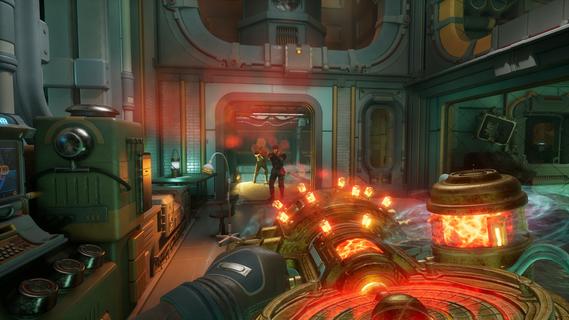
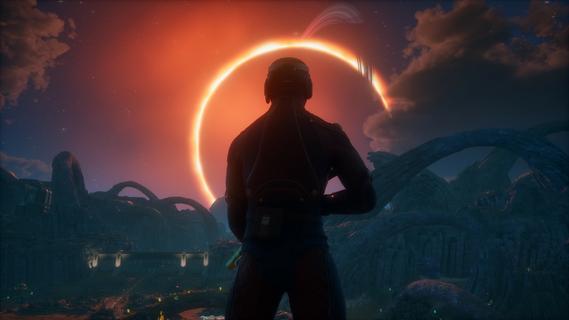
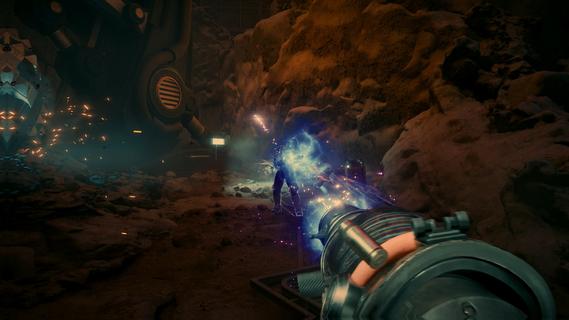
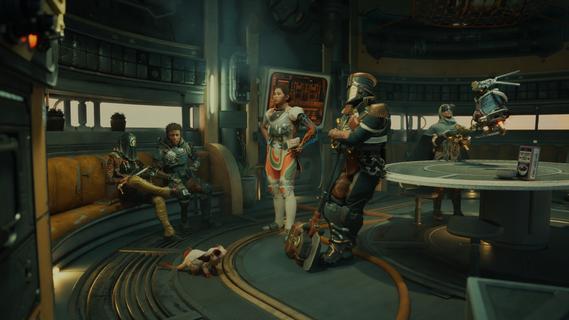
The Outer Worlds 2 is the highly anticipated sequel to the acclaimed first-person sci-fi RPG developed by Obsidian Entertainment. Set in a distant star system colonized by mega-corporations, the game invites players into a vibrant, dangerous universe packed with retro-futuristic style, sharp wit, and boundless possibilities for player-driven storytelling. A Vast New FrontierThis sequel expands the universe by moving the action to the Arcadia star system, introducing a new protagonist—an Earth Directorate Agent—for a fresh narrative perspective. As existential threats loom and factions clash for supremacy, players are thrust into a planet-hopping mystery centered on rifts tearing the colony apart. The fate of Arcadia hinges on your choices: diplomacy, deception, or destruction. Enhanced Gameplay and CustomizationDeep Character ProgressionStart by defining your character’s Background and Traits, shaping how you interact with the world and approach challenges. Skills and perks have been dramatically reworked, emphasizing custom builds and offering even more ways to define your playstyle. The “flaws” system makes a return, allowing players to lean into character weaknesses for unique bonuses. Weapons & Combat InnovationsThe arsenal is bigger and bolder, with weapons ranging from upgraded classics (like the shrink ray) to outlandishly creative new tools—think goo pistols and music swords. Melee and gunplay feel faster and more impactful, with new finishing moves and dynamic, responsive controls. Tactical Time Dilation (TTD) returns, letting you slow time for precise attacks or cinematic grenade detonations. Advanced gadgets like the N-Ray Scanner allow players to see cloaked enemies and hidden objects, providing a tactical edge in exploration and combat. Throwables add another layer, including grenades with unique crowd-control or trick effects. Freedom of ApproachEmbrace stealth with new silent takedowns and movement options, or go in guns blazing—your actions are only limited by your imagination. Parkour-inspired movement, including sprint slides, double-jumps, and climbable outcrops, make exploration exhilarating and fluid. Reactive World and Dynamic FactionsExpansive EnvironmentsWorlds are larger and more open, featuring diverse biomes: neon-lit metropolises, treacherous wastelands, and lush alien forests. Weather effects such as sandstorms, acid rain, and plasma clouds create unpredictable hazards and even tactical opportunities. Factions & ChoicesInteract with numerous factions vying for control, each with their own goals, radio stations, and territory disputes. All key decisions alter the course of the story, from faction alliances to individual character arcs. Major NPCs can be befriended, betrayed, or even eliminated, creating branching paths and endings. Companions and Social DepthOld and new companions offer robust personal questlines, impacting the overarching plot and developing organic relationships. Dialogue trees are more nuanced, letting players use skills, wit, or intimidation to shape every scenario. Next-Gen PresentationStunning visuals powered by the latest Unreal Engine deliver dynamic lighting, real-time weather, and richly detailed character models. Planetary exploration is seamless, with minimal loading and a cohesive, immersive world. Release and PlatformsThe Outer Worlds 2 will release on October 29, 2025, for PlayStation 5, Xbox Series X/S, and Windows, delighting both returning fans and newcomers with its signature blend of dark humor, freedom of choice, and sci-fi spectacle. The Outer Worlds 2 raises the stakes with bolder choices, richer worlds, and deeper role-playing, cementing itself as a must-play for those who crave unforgettable adventures within a wild and witty space colony.
Mostra altro

1. Scarica il programma di installazione di MEmu e completa l'installazione

2. Avvia il Memu e apri il Google Play sulla homepage

3. Cerca The Outer Worlds 2 in Google Play
Install
4. Scarica e installa The Outer Worlds 2
5. Al termine dell'installazione, fai clic sull'icona per avviar

6. Divertiti giocando a The Outer Worlds 2 su PC con MEmu
MEmu App Player è il miglior emulatore Android gratuito, utilizzato da 50 milioni di persone per ottenere un'esperienza di gioco Android superba. La tecnilogia di virtualizzazione MEmu ti permette di giocare a migliaia di giochi Android con semplicità sul tuo computer, anche i giochi con la grafica più esigente.
Schermo più grande con una grafica migliore; Lunga durata, senza limitazione di batteria o dati mobili.
Supporto completo per mappa di tastiera per un controllo preciso di tastiera e mouse o gamepad.
Multipli account di gioco o attività su un singolo PC contemporaneamente con il gestore di multi istanza.
Play The Outer Worlds 2 on PC by following steps: