The Outer Worlds 2
Updated
Current Version
Offered By

With your passion for The Outer Worlds 2, you shouldn’t have to limit yourself to the small screen of a phone. Play like a pro and take full control of the game using a keyboard and mouse. MEmu gives you everything you’re looking for. Download and play The Outer Worlds 2 on PC. Play as long as you want — no more worries about battery life, mobile data, or unexpected calls. The all-new MEmu 9 is the best way to play The Outer Worlds 2 on PC. With our expertly designed keymapping system, The Outer Worlds 2 feels just like a real PC game. The MEmu multi-instance manager lets you run two or more accounts on the same device at the same time. Most importantly, our exclusive emulation engine unlocks your PC’s full potential, delivering smooth and seamless performance.
Show more
Download The Outer Worlds 2 on PC with MEmu Android Emulator. Enjoy playing on big screen. The Outer Worlds 2 is the highly anticipated sequel to the acclaimed first-person sci-fi RPG developed by Obsidian Entertainment.
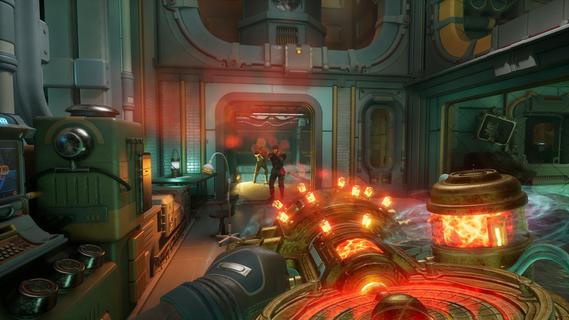
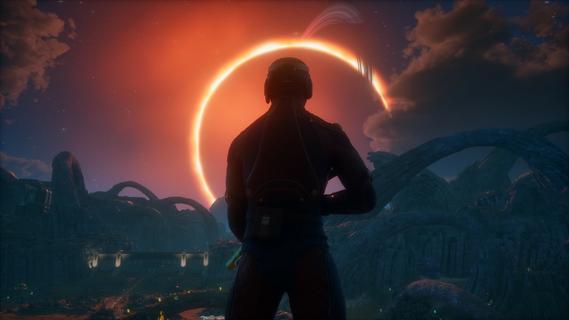
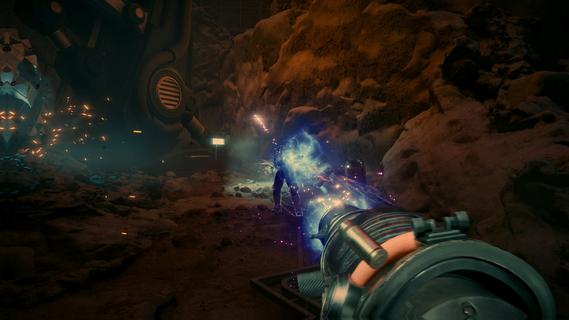
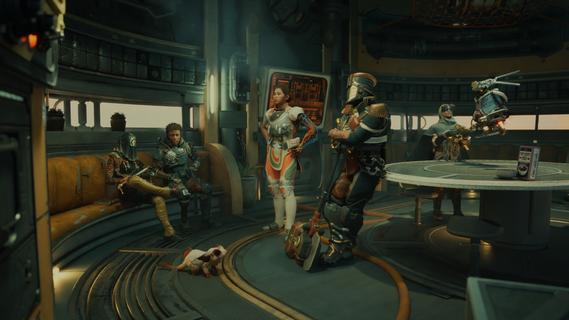
The Outer Worlds 2 is the highly anticipated sequel to the acclaimed first-person sci-fi RPG developed by Obsidian Entertainment. Set in a distant star system colonized by mega-corporations, the game invites players into a vibrant, dangerous universe packed with retro-futuristic style, sharp wit, and boundless possibilities for player-driven storytelling. A Vast New FrontierThis sequel expands the universe by moving the action to the Arcadia star system, introducing a new protagonist—an Earth Directorate Agent—for a fresh narrative perspective. As existential threats loom and factions clash for supremacy, players are thrust into a planet-hopping mystery centered on rifts tearing the colony apart. The fate of Arcadia hinges on your choices: diplomacy, deception, or destruction. Enhanced Gameplay and CustomizationDeep Character ProgressionStart by defining your character’s Background and Traits, shaping how you interact with the world and approach challenges. Skills and perks have been dramatically reworked, emphasizing custom builds and offering even more ways to define your playstyle. The “flaws” system makes a return, allowing players to lean into character weaknesses for unique bonuses. Weapons & Combat InnovationsThe arsenal is bigger and bolder, with weapons ranging from upgraded classics (like the shrink ray) to outlandishly creative new tools—think goo pistols and music swords. Melee and gunplay feel faster and more impactful, with new finishing moves and dynamic, responsive controls. Tactical Time Dilation (TTD) returns, letting you slow time for precise attacks or cinematic grenade detonations. Advanced gadgets like the N-Ray Scanner allow players to see cloaked enemies and hidden objects, providing a tactical edge in exploration and combat. Throwables add another layer, including grenades with unique crowd-control or trick effects. Freedom of ApproachEmbrace stealth with new silent takedowns and movement options, or go in guns blazing—your actions are only limited by your imagination. Parkour-inspired movement, including sprint slides, double-jumps, and climbable outcrops, make exploration exhilarating and fluid. Reactive World and Dynamic FactionsExpansive EnvironmentsWorlds are larger and more open, featuring diverse biomes: neon-lit metropolises, treacherous wastelands, and lush alien forests. Weather effects such as sandstorms, acid rain, and plasma clouds create unpredictable hazards and even tactical opportunities. Factions & ChoicesInteract with numerous factions vying for control, each with their own goals, radio stations, and territory disputes. All key decisions alter the course of the story, from faction alliances to individual character arcs. Major NPCs can be befriended, betrayed, or even eliminated, creating branching paths and endings. Companions and Social DepthOld and new companions offer robust personal questlines, impacting the overarching plot and developing organic relationships. Dialogue trees are more nuanced, letting players use skills, wit, or intimidation to shape every scenario. Next-Gen PresentationStunning visuals powered by the latest Unreal Engine deliver dynamic lighting, real-time weather, and richly detailed character models. Planetary exploration is seamless, with minimal loading and a cohesive, immersive world. Release and PlatformsThe Outer Worlds 2 will release on October 29, 2025, for PlayStation 5, Xbox Series X/S, and Windows, delighting both returning fans and newcomers with its signature blend of dark humor, freedom of choice, and sci-fi spectacle. The Outer Worlds 2 raises the stakes with bolder choices, richer worlds, and deeper role-playing, cementing itself as a must-play for those who crave unforgettable adventures within a wild and witty space colony.
Show more

1. Download MEmu installer and finish the setup

2. Start MEmu then open Google Play on the desktop

3. Search The Outer Worlds 2 in Google Play
Install
4. Download and Install The Outer Worlds 2
5. On install completion click the icon to start

6. Enjoy playing The Outer Worlds 2 on PC with MEmu
MEmu Play is the best Android emulator and 100 million people already enjoy its superb Android gaming experience. The MEmu virtualization technology empowers you to play thousands of Android games smoothly on your PC, even the most graphic-intensive ones.
Bigger screen with better graphics; Long duration, without limitation of battery or mobile data.
Full Keymapping support for precise control of keyboard and mouse or gamepad.
Multiple game accounts or tasks on single PC at one time with Multi-Instance manager.
Play The Outer Worlds 2 on PC by following steps: