
Threads, an Instagram app
Обновлено
Текущая версия
443.0.0.48.82
Продавец

Перестаньте беспокоиться о быстром разряде батареи при использовании Threads, an Instagram app на вашем телефоне. Освободитесь от крошечного экрана и наслаждайтесь приложением на гораздо большем экране. Теперь вы можете работать с приложением в полноэкранном режиме с удобством клавиатуры и мыши. MEmu предлагает вам все ожидаемые удивительные функции: быструю установку и простую настройку, интуитивно понятное управление и больше никаких забот о времени автономной работы, мобильном трафике или неожиданных звонках. Совершенно новый MEmu 9 — идеальный выбор для использования Threads, an Instagram app на вашем компьютере. С помощью менеджера нескольких экземпляров MEmu вы можете одновременно использовать два или более аккаунтов. И самое главное, наш эксклюзивный движок эмуляции раскрывает весь потенциал вашего ПК, обеспечивая плавную и приятную работу.
Показать больше
Скачайте Threads, an Instagram app на ПК с помощью Андроид эмулятора MEmu. Наслаждайтесь на большом экране. Откройте для себя новые перспективы и общайтесь в Threads.
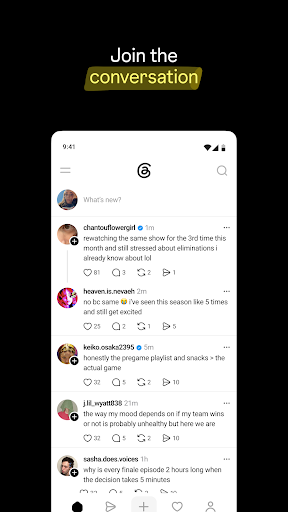
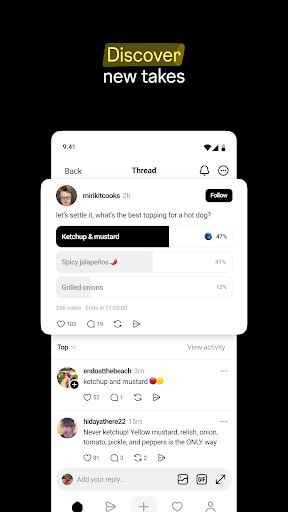
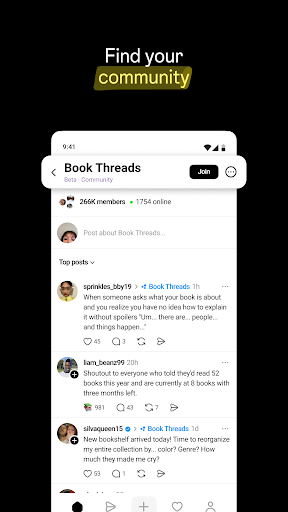
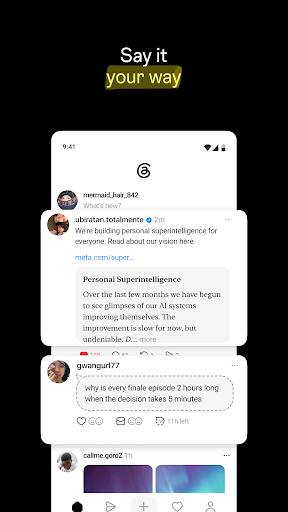
Откройте для себя новые перспективы и общайтесь в Threads.
Узнайте, о чем люди говорят прямо сейчас — от узкоспециализированных интересов до важных событий. В сообществах Threads вы найдете людей, которым также небезразличны ваши интересы. Отвечайте, слушайте, делитесь или просто следите за обсуждениями.
Вот что вы можете делать в Threads:
■ Создать тему, поделиться своим мнением
Есть что-то на уме? Перенесите это в Threads. Поделитесь мыслью, задайте вопрос или начните разговор. Есть несколько способов начать обсуждение: текст, изображения, опросы, «призрачные» посты и многое другое.
■ Присоединяйтесь к ответам
Присоединяйтесь к обсуждению, реагируйте на новые идеи или просто посмотрите, куда заведёт разговор. Каждая тема — это приглашение присоединиться.
■ Будьте в курсе событий
От результатов матчей в режиме реального времени до важных моментов, Threads помогает вам оставаться в курсе происходящего — и присоединяться к разговору, когда вам есть что сказать.
■ Контролируйте контент, который вы видите
Контролируйте, кто может отвечать вам, упоминать вас или видеть ваши публикации. Используйте функцию «Скрытые слова», чтобы отфильтровывать публикации и ответы, содержащие слова или фразы, которые вы не хотите видеть, — таким образом, ваш опыт будет соответствовать вашим интересам.
■ Углубляйтесь в свои интересы
Подписывайтесь на друзей, авторов и сообщества по любым интересам. Threads создан для того, чтобы помочь вам открывать новые голоса и присоединяться к обсуждениям — начиная с сообществ, которые вам наиболее интересны.
■ Общайтесь через чат
Поддерживайте общение в приватном режиме с помощью личных сообщений и групповых чатов. Когда публичная ветка обсуждения становится более личной, переместите её в свой почтовый ящик, чтобы обсудить подробнее, или поделитесь ею с меньшей группой.
Мета-условия: https://www.facebook.com/terms.php
Дополнительные условия для веток обсуждения: https://help.instagram.com/769983657850450
Политика конфиденциальности Meta: https://privacycenter.instagram.com/policy
Дополнительная политика конфиденциальности для веток обсуждения: https://help.instagram.com/515230437301944
Правила сообщества Instagram: https://help.instagram.com/477434105621119
Политика конфиденциальности в отношении здоровья потребителей: https://privacycenter.instagram.com/policies/health
Узнайте, как мы работаем над обеспечением безопасности наших сообществ в рамках технологий Meta, в Центре безопасности Meta: https://about.meta.com/actions/safety
Показать больше

1. Скачать инсталлятор MEmu и завершайте установку

2. Запускайте MEmu, затем откройте Google Play на главной странице

3. Ищите Threads, an Instagram app в Google Play
Install
4. Скачайте и установите Threads, an Instagram app
5. При завершении установки, нажмите на значок для старта

6. Наслаждайтесь Threads, an Instagram app на своем компьютере с помощью MEmu.
MEmu Play — лучший бесплатный эмулятор Android, превосходный опыт работы с которым оценили 50 миллионов пользователей. Технология виртуализации MEmu позволяет без проблем запускать тысячи Android-приложений на вашем компьютере, даже самые требовательные.
Большой экран с лучшей графикой; Большая продолжительность, без ограничения батареи или мобильных данных.
Полная поддержка установки клавиш для точного управления клавиатурой и мышью или геймпадом.
Несколько игровых учетных записей или задач на одном компьютере одновременно с менеджером нескольких экземпляров.
Use Threads, an Instagram app on PC by following steps: