Threads, an Instagram app
Updated
Current Version
445.0.0.46.83
Offered By

Stop worrying about high battery drain when using Threads, an Instagram app on your phone. Free yourself from the tiny screen and enjoy the app on a much larger display. From now on, get a full-screen experience of your app with the convenience of a keyboard and mouse. MEmu offers you all the surprising features you’d expect: quick installation and easy setup, intuitive controls, and no more worries about battery life, mobile data, or unexpected calls. The all-new MEmu 9 is the choice for using Threads, an Instagram app on your computer. With the MEmu multi-instance manager, you can run two or more accounts at the same time. Most importantly, our exclusive emulation engine unlocks your PC’s full potential, delivering smooth and enjoyable performance.
Show more
Enjoy superb experience of using Threads, an Instagram app on PC with MEMU App Player. It's a powerful free Android emulator which provides you with thousands of android apps for their desktop version. Enjoy connecting with friends and polishing your work with higher efficiency! Say more with Threads — Instagram’s text-based conversation app.
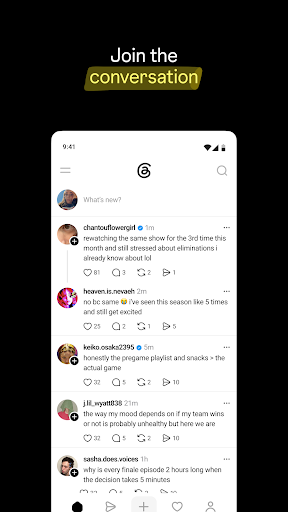
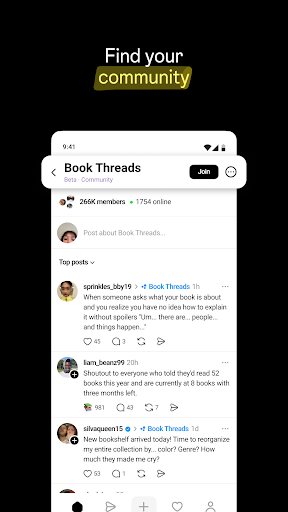
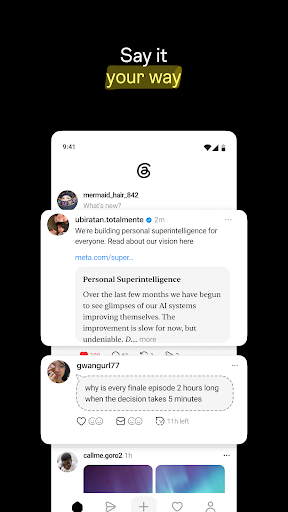
Say more with Threads — Instagram’s text-based conversation app.
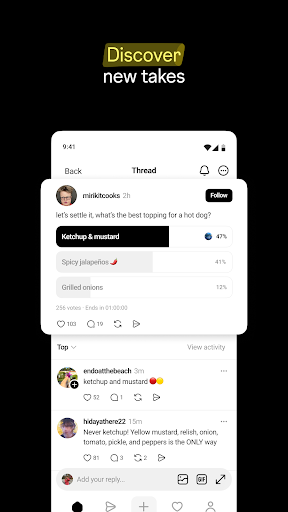
Threads is where communities come together to discuss everything from the topics you care about today to what’ll be trending tomorrow. Whatever it is you’re interested in, you can follow and connect directly with your favorite creators and others who love the same things — or build a loyal following of your own to share your ideas, opinions and creativity with the world.
A few things you can do on Threads…
■ Access your Instagram followers
Your Instagram username and verification badge are reserved for you. Automatically follow the same accounts you follow on Instagram in a few taps, and discover new accounts too.
■ Share your point of view
Spin up a new thread to express what's on your mind. This is your space to be yourself, and you control who can reply.
■ Connect with friends and your favorite creators
Jump to the replies to get in on the action and react to commentary, humor and insight from the creators you know and love. Find your community and connect with people who care about whatever it is you’re interested in.
■ Control the conversation
Customize your settings and use controls to manage who can see your content, reply to your threads, or mention you. Accounts you’ve blocked will carry over from Instagram, and we’re enforcing the same Community Guidelines to help ensure everyone interacts safely and authentically.
■ Find ideas and inspiration
From TV recommendations to career advice, get answers to your questions or learn something new from crowd-sourced conversations, thought leaders and industry experts.
■ Never miss a moment
Stay on top of the latest trends and live events. Whether it’s about new music, movie premieres, sports, games, TV shows, fashion, or the latest product releases, find discussions and receive notifications any time your favorite profiles start a new thread.
■ Leap into the fediverse
Threads is part of the fediverse, a global, open, social network of independent servers operated by third parties around the world. Servers share information with each other to enable people to connect and discover new things across the fediverse.
Meta Terms: https://www.facebook.com/terms.php
Threads Supplemental Terms: https://help.instagram.com/769983657850450
Meta Privacy Policy: https://privacycenter.instagram.com/policy
Threads Supplemental Privacy Policy: https://help.instagram.com/515230437301944
Instagram Community Guidelines: https://help.instagram.com/477434105621119
Consumer Health Privacy Policy: https://privacycenter.instagram.com/policies/health
Learn how we're working to help keep our communities safe across Meta technologies at the Meta Safety Center: https://about.meta.com/actions/safety
Show more

1. Download MEmu installer and finish the setup

2. Start MEmu then open Google Play on the desktop

3. Search Threads, an Instagram app in Google Play
Install
4. Download and Install Threads, an Instagram app
5. On install completion click the icon to start

6. Enjoy using Threads, an Instagram app on PC with MEmu
MEmu Play is the best Android emulator, and 100 million users already enjoy its superb Android app experience. Powered by advanced virtualization technology, it lets you enjoy thousands of Android apps smoothly on your PC—including the most graphics-intensive ones.
Bigger screen with better graphics; Long duration, without limitation of battery or mobile data.
Full Keymapping support for precise control of keyboard and mouse or gamepad.
Multiple game accounts or tasks on single PC at one time with Multi-Instance manager.
Use Threads, an Instagram app on PC by following steps: