Aura Browser: Private Browsing
อัปเดตเมื่อ
เวอร์ชันปัจจุบัน
2.1.1.0
ให้บริการโดย

เมื่อใช้ Aura Browser: Private Browsing บนโทรศัพท์ของคุณไม่ต้องกังวลกับการชาร์จไฟมากเกินไปปลดปล่อยตัวคุณเองจากหน้าจอขนาดเล็กและสนุกกับการใช้แอพนี้บนหน้าจอขนาดใหญ่ จากนี้ไปรับประสบการณ์เต็มหน้าจอของแอปพลิเคชันของคุณด้วยคีย์บอร์ดและเมาส์ MEmu มีคุณสมบัติที่น่าแปลกใจที่คุณคาดหวัง: การติดตั้งที่รวดเร็วและการตั้งค่าที่ง่ายควบคุมได้ง่ายไม่ จำกัด แบตเตอรี่ข้อมูลมือถือและการโทรที่รบกวน MEmu 9 ใหม่ล่าสุดเป็นตัวเลือกที่ดีที่สุดสำหรับการใช้ Meitu – โปรแกรมแก้ไขภาพแนวธรรมชาติ บนคอมพิวเตอร์ของคุณ ด้วยรหัสการดูดซึมของเราผู้จัดการหลายอินสแตนซ์ทำให้สามารถเปิดบัญชี 2 บัญชีขึ้นไปในเวลาเดียวกันได้ และที่สำคัญที่สุดเอ็นจิ้นจำลองพิเศษของเราสามารถปลดปล่อยศักยภาพของPCของคุณและทำให้ทุกอย่างราบรื่นและสนุกสนาน
แสดงเพิ่มเติม
สัมผัสประสบการณ์สุดยอดการใช้งาน Aura Browser: Private Browsing บนพีซีด้วย MEmu Play นี่คือโปรแกรมจำลอง Android ฟรีที่ทรงพลัง ให้คุณใช้งานแอป Android นับพันบนเดสก์ท็อป สนุกกับการเชื่อมต่อกับเพื่อนๆ และขัดเกลาผลงานของคุณอย่างมีประสิทธิภาพยิ่งขึ้น! Aura Browser integrates a variety of essential tools to meet diverse needs such as browsing, cleaning, entertainment, and file management.
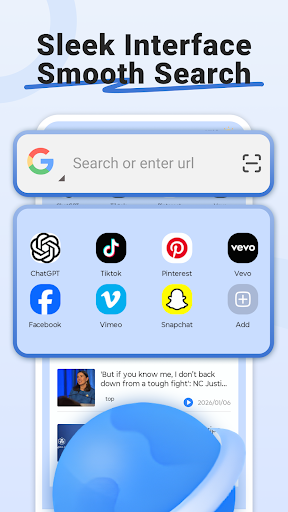

Aura Browser integrates a variety of essential tools to meet diverse needs such as browsing, cleaning, entertainment, and file management.
Why choose Aura Browser?
Web Browsing
• Enjoy a fast and secure browsing experience.
• Add your favorite websites to your homepage for one-click access.
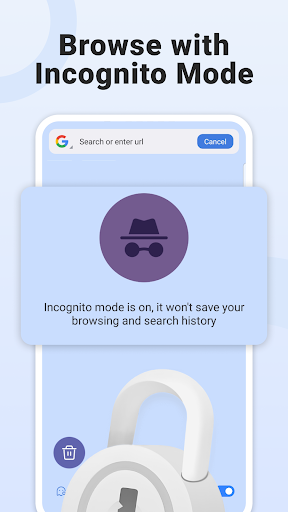
• Aura Browser provides private browsing mode, your browsing history will not be saved when you browse the internet.
News & Entertainment
• News & Information: Provides news articles from around the world, covering a wide range of news categories.
• Short Video Player: Integrated short video, providing information and entertainment for you.
File Management
• Clean Files: Clean unwanted picture, video and audio files.
• Large File Manager: Locate and manage large files that take up a lot of space.
• Image Compression: Compress images to save space.
• Similar Image Clean: Identifies similar photos to help you organize your photo album.
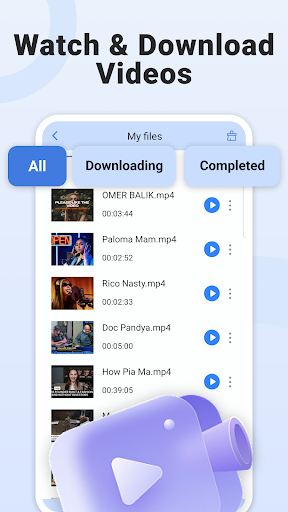
• Video Download: Download your favorite videos to your local storage and watch them anytime.
Download Aura Browser now and enjoy a smooth internet browsing experience.
We value your browsing experience and user experience. Please feel free to send your feedback to vkartouch@gmail.com. Enjoy using Aura Browser!
แสดงเพิ่มเติม

1. ดาวน์โหลดตัวติดตั้ง MEmu และสิ้นสุดการติดตั้ง

2. เริ่ม MEmu จากนั้นเปิด Google Play บนหน้าแรก

3. ค้นหา Aura Browser: Private Browsing ใน Google Play
Install
4. ดาวน์โหลดและติดตั้ง Aura Browser: Private Browsing
5. เมื่อติดตั้งเสร็จให้คลิกที่ไอคอนเพื่อเริ่มใช้งาน

6. ใช้ MEmu เพื่อสัมผัสประสบการณ์ Aura Browser: Private Browsing บนคอมพิวเตอร์ของคุณ
MEmu Play คือโปรแกรมจำลอง Android ที่ดีที่สุด มีผู้ใช้มากกว่า 50 ล้านคน มอบประสบการณ์การใช้งานแอป Android ขั้นสุดยอดให้กับคุณ เทคโนโลยีจำลองเสมือนของ MEmu ช่วยให้คุณรันแอป Android หลายพันแอปบนคอมพิวเตอร์ได้อย่างราบรื่น แม้แอปที่กินทรัพยากรเครื่องสูงที่สุด
จอใหญ่และกราฟฟิกสวยกว่า; เล่นได้นาน, ไม่ต้องใช้แบตเตอรี่โทรศัพท์หรือเน็ตโทรศัพท์.
ระบบปรับแต่งปุ่มคีย์บอร์ดและเม้าส์ตามที่คุณเลือก
เล่นมากกว่าหนึ่งเกมบน PC ในเวลาเดียวกันด้วยระบบหลายจอหรือ Multi-Instance manager.
Use Aura Browser: Private Browsing on PC by following steps: