Dome Keeper
อัปเดตเมื่อ
เวอร์ชันปัจจุบัน
ให้บริการโดย

เวลาคุณเล่น Dome Keeper, คุณอาจรู้สึกว่ามือคุณอาจบังจอแล้วทำให้ไม่ได้เล่นแบบเต็มที่. เล่นแบบไร้ขีดจำกัดด้วยเม้าส์และคีย์บอร์ด. MEmu มีตัวเลือกหลายอย่างให้คุณใช้งานเกมที่คุณเล่นแบบที่คุณต้องการ. ดาวน์โหลดและเล่น Dome Keeper บน PC. เล่นนานแค่ไหนก็ได้, ไม่ต้องชาร์จแบตเตอรี่, หรือเจอคนโทรเข้ามาระหว่างเล่น. MEmu 9 เป็นตัวเลือกสำหรับการเล่น Dome Keeper บน PC. ทางทีมงานเราได้ปรับแต่งเกม, ปรับให้เล่นเกมบางเกมได้เหมือนเล่น Dome Keeper เป็นเกม PC เช่นเล็งด้วยเม้าส์หรือใช้คีย์บอร์ด. ระบบของเรายังทำให้คุณสามารถเปิดเล่นได้มากกว่า 2 เกมพร้อมๆกันในคอมของคุณ. และที่สำคัญที่สุด, ระบบโปรแกรมของเราสามารถทำให้คุณใช้ระบบของ PC ทำให้เกมลื่นเหมือนกับใช้โทรศัพท์รุ่นล่าสุด. เราไม่ได้ดูแลเรื่องการเล่นเกม, แต่เราดูแลถึงความสนุกสนานที่คุณได้จากการเล่นด้วย.
แสดงเพิ่มเติม
ดาวน์โหลด Dome Keeper บน PC ด้วย MEmu Android Emulator สนุกกับการเล่นบนหน้าจอขนาดใหญ่ Defend against waves of alien monsters in this unique roguelike action mining game.
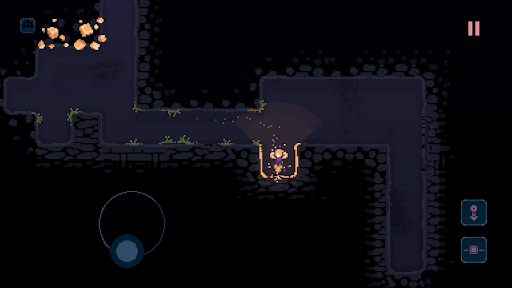
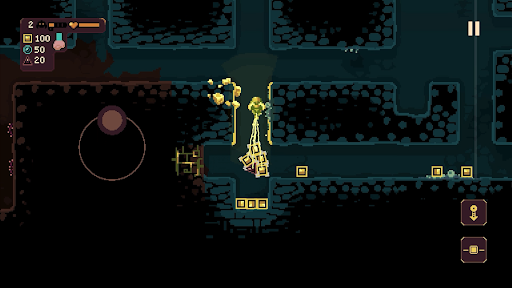
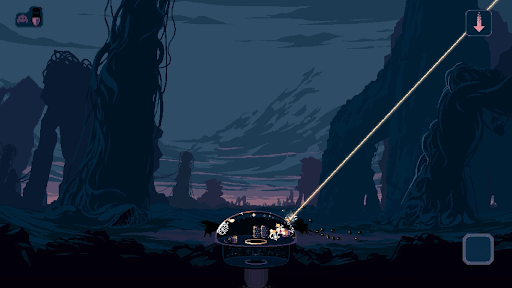
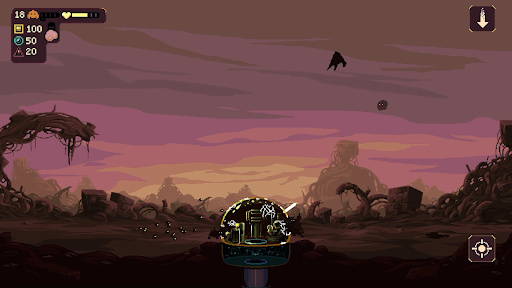
Defend against waves of alien monsters in this unique roguelike action mining game. Use the time between attacks to dig beneath the surface in search of valuable resources and relics – deliver them back to your dome to unlock powerful upgrades and useful new gadgets.
But it won’t be long until the relentless monsters return - do you risk delving deeper into the mine? Or return to base and prepare for imminent attack? The choice is yours, but make it quickly!
DIG
Use your drill and keeper equipment to quickly dig out tunnels and explore the depths beneath your dome. Each run has its own unique, procedurally generated map filled with resources and caves to discover, along with additional gadgets to obtain.
DEFEND
Protect your dome by operating its powerful weaponry to defend against waves of monster attacks. Upgrade, repair and repel a variety of enemy types that approach across air and ground, each with their own unique attack methods and movement patterns.
DEVELOP
Spend resources to unlock useful upgrades. Improve dome defences, enhance the impact of your drill, or increase movement speed – choose carefully and strategise to increase odds of survival.
DISCOVER
Customise your setup and find a playstyle that works for you by choosing from two unique keeper types, four different domes, and four primary gadgets. Pick a run modifier, adjust difficulty settings and discover dozens of secondary gadgets while you dig through the earth.
แสดงเพิ่มเติม

1. ดาวน์โหลดตัวติดตั้ง MEmu และสิ้นสุดการติดตั้ง

2. เริ่ม MEmu จากนั้นเปิด Google Play บนหน้าแรก

3. ค้นหา Dome Keeper ใน Google Play
Install
4. ดาวน์โหลดและติดตั้ง Dome Keeper
5. เมื่อติดตั้งเสร็จให้คลิกที่ไอคอนเพื่อเริ่มใช้งาน

6. สนุกกับการเล่น Dome Keeper บนพีซีด้วย MEmu
MEmu App Player เป็นอีมูเลเตอร์ Android ที่ดีที่สุดและผู้คนกว่า 50 ล้านคนเพลิดเพลินไปกับประสบการณ์การเล่นเกม Android ที่ยอดเยี่ยม เทคโนโลยีการจำลองเสมือนของ MEmu ช่วยให้คุณเล่นเกม Android หลายพันเกมได้อย่างราบรื่นบนพีซีของคุณแม้แต่เกมที่ต้องใช้กราฟิกมากที่สุด
จอใหญ่และกราฟฟิกสวยกว่า; เล่นได้นาน, ไม่ต้องใช้แบตเตอรี่โทรศัพท์หรือเน็ตโทรศัพท์.
ระบบปรับแต่งปุ่มคีย์บอร์ดและเม้าส์ตามที่คุณเลือก
เล่นมากกว่าหนึ่งเกมบน PC ในเวลาเดียวกันด้วยระบบหลายจอหรือ Multi-Instance manager.
Play Dome Keeper on PC by following steps: