
Hero RideGuide
อัปเดตเมื่อ
เวอร์ชันปัจจุบัน
8.36
ให้บริการโดย

เมื่อใช้ Hero RideGuide บนโทรศัพท์ของคุณไม่ต้องกังวลกับการชาร์จไฟมากเกินไปปลดปล่อยตัวคุณเองจากหน้าจอขนาดเล็กและสนุกกับการใช้แอพนี้บนหน้าจอขนาดใหญ่ จากนี้ไปรับประสบการณ์เต็มหน้าจอของแอปพลิเคชันของคุณด้วยคีย์บอร์ดและเมาส์ MEmu มีคุณสมบัติที่น่าแปลกใจที่คุณคาดหวัง: การติดตั้งที่รวดเร็วและการตั้งค่าที่ง่ายควบคุมได้ง่ายไม่ จำกัด แบตเตอรี่ข้อมูลมือถือและการโทรที่รบกวน MEmu 9 ใหม่ล่าสุดเป็นตัวเลือกที่ดีที่สุดสำหรับการใช้ Meitu – โปรแกรมแก้ไขภาพแนวธรรมชาติ บนคอมพิวเตอร์ของคุณ ด้วยรหัสการดูดซึมของเราผู้จัดการหลายอินสแตนซ์ทำให้สามารถเปิดบัญชี 2 บัญชีขึ้นไปในเวลาเดียวกันได้ และที่สำคัญที่สุดเอ็นจิ้นจำลองพิเศษของเราสามารถปลดปล่อยศักยภาพของPCของคุณและทำให้ทุกอย่างราบรื่นและสนุกสนาน
แสดงเพิ่มเติม
ดาวน์โหลด Hero RideGuide บน PC ด้วย MEmu Android Emulator สนุกกับการเล่นบนหน้าจอขนาดใหญ่ Introducing the Hero RideGuide App – your passport to a seamless and unparalleled customer experience.
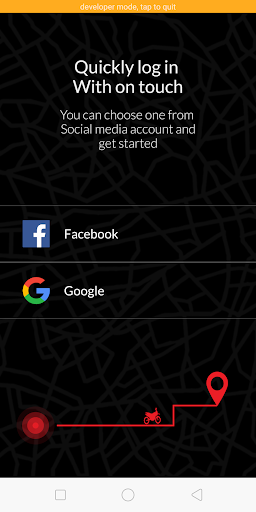
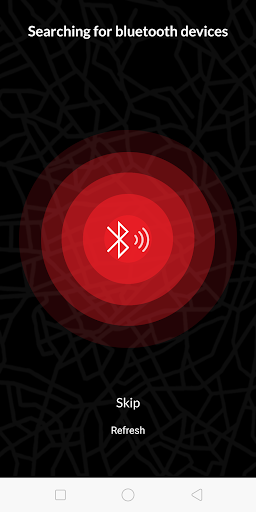
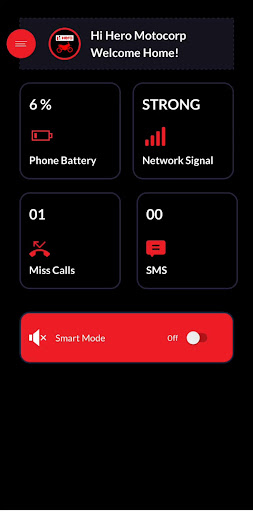
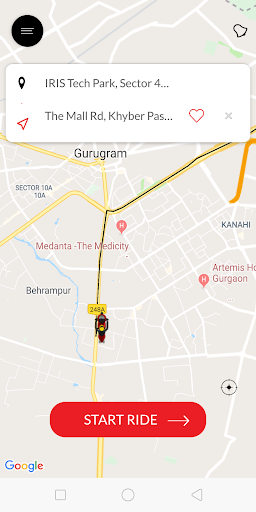
Introducing the Hero RideGuide App – your passport to a seamless and unparalleled customer experience. Elevate your journey with our user-friendly interface and super UI dashboard.
Effortlessly schedule services with our convenient service booking feature, putting control at your fingertips. Navigate through a world of possibilities, ensuring a global standard of excellence right from your device. Download now and experience a new era in convenience and connectivity.
Perform a variety of operations, including:
Navigation: Ensure accurate navigation to your destination's doorstep. Find precise directions to nearby places, including dealers and workshop locators, the nearest fuel pumps, pharmacies, and more.
Our app seamlessly connects with Speedometer devices to enhance user experience by displaying critical notifications on the Speedometer. This includes SMS messages and incoming call alerts for improved safety & convenience while on the go.
The key connectivity features of app are Turn-By-Turn navigation, Call receive/reject(hands free), Missed call alerts, SMS alerts,
Phone stats(Network, Battery & Connection with App)
We use the permission to read contacts only to display the caller's name. HMCL neither stores the contacts nor shares the information with any third party. This app needs SMS/Call permission.
Receive SMS: Allows the app to process SMS within the app, active only for SMS related features.
Send SMS: Enables automatic SMS responses when Do Not Disturb is active, only sending messages to callers when you cant answer. The app acts as a temporary default SMS handler and does not store or transmit SMS log.
Read Call Log: Used to count and display missed calls, accessing only the number of missed calls.
HMCL uses text messages (SMS) permission only to notify the cluster when the rider's mobile device receives an SMS. It allows the motorcycle cluster to get notified about a text message without the rider checking their mobile device.
แสดงเพิ่มเติม

1. ดาวน์โหลดตัวติดตั้ง MEmu และสิ้นสุดการติดตั้ง

2. เริ่ม MEmu จากนั้นเปิด Google Play บนหน้าแรก

3. ค้นหา Hero RideGuide ใน Google Play
Install
4. ดาวน์โหลดและติดตั้ง Hero RideGuide
5. เมื่อติดตั้งเสร็จให้คลิกที่ไอคอนเพื่อเริ่มใช้งาน

6. ใช้ MEmu เพื่อสัมผัสประสบการณ์ Hero RideGuide บนคอมพิวเตอร์ของคุณ
MEmu Play คือโปรแกรมจำลอง Android ที่ดีที่สุด มีผู้ใช้มากกว่า 50 ล้านคน มอบประสบการณ์การใช้งานแอป Android ขั้นสุดยอดให้กับคุณ เทคโนโลยีจำลองเสมือนของ MEmu ช่วยให้คุณรันแอป Android หลายพันแอปบนคอมพิวเตอร์ได้อย่างราบรื่น แม้แอปที่กินทรัพยากรเครื่องสูงที่สุด
จอใหญ่และกราฟฟิกสวยกว่า; เล่นได้นาน, ไม่ต้องใช้แบตเตอรี่โทรศัพท์หรือเน็ตโทรศัพท์.
ระบบปรับแต่งปุ่มคีย์บอร์ดและเม้าส์ตามที่คุณเลือก
เล่นมากกว่าหนึ่งเกมบน PC ในเวลาเดียวกันด้วยระบบหลายจอหรือ Multi-Instance manager.
Use Hero RideGuide on PC by following steps: