T Calc
อัปเดตเมื่อ
เวอร์ชันปัจจุบัน
1.4
ให้บริการโดย

เมื่อใช้ T Calc บนโทรศัพท์ของคุณไม่ต้องกังวลกับการชาร์จไฟมากเกินไปปลดปล่อยตัวคุณเองจากหน้าจอขนาดเล็กและสนุกกับการใช้แอพนี้บนหน้าจอขนาดใหญ่ จากนี้ไปรับประสบการณ์เต็มหน้าจอของแอปพลิเคชันของคุณด้วยคีย์บอร์ดและเมาส์ MEmu มีคุณสมบัติที่น่าแปลกใจที่คุณคาดหวัง: การติดตั้งที่รวดเร็วและการตั้งค่าที่ง่ายควบคุมได้ง่ายไม่ จำกัด แบตเตอรี่ข้อมูลมือถือและการโทรที่รบกวน MEmu 9 ใหม่ล่าสุดเป็นตัวเลือกที่ดีที่สุดสำหรับการใช้ Meitu – โปรแกรมแก้ไขภาพแนวธรรมชาติ บนคอมพิวเตอร์ของคุณ ด้วยรหัสการดูดซึมของเราผู้จัดการหลายอินสแตนซ์ทำให้สามารถเปิดบัญชี 2 บัญชีขึ้นไปในเวลาเดียวกันได้ และที่สำคัญที่สุดเอ็นจิ้นจำลองพิเศษของเราสามารถปลดปล่อยศักยภาพของPCของคุณและทำให้ทุกอย่างราบรื่นและสนุกสนาน
แสดงเพิ่มเติม
ดาวน์โหลด T Calc บน PC ด้วย MEmu Android Emulator สนุกกับการเล่นบนหน้าจอขนาดใหญ่ The Free Testosterone and Bioavailable Testosterone Calculator application is designed to assist clinicians in accurately determining circulating bioactive testosterone levels.
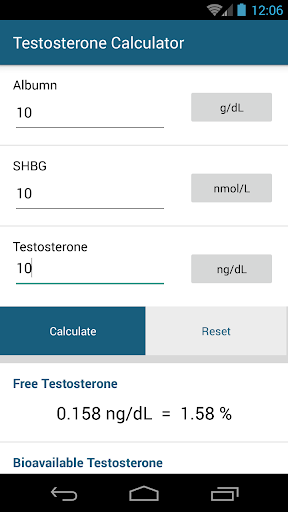
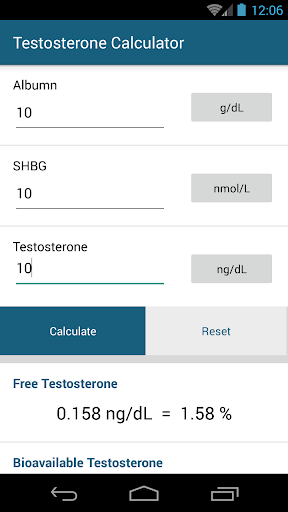
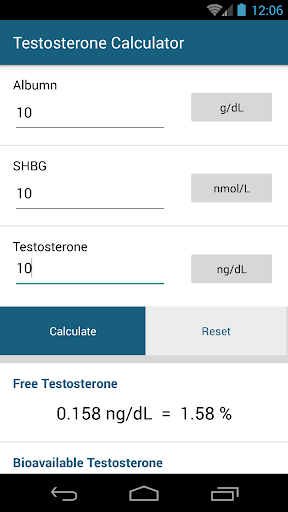
The Free Testosterone and Bioavailable Testosterone Calculator application is designed to assist clinicians in accurately determining circulating bioactive testosterone levels. Simply plug in the appropriate lab values and push a button for fast, accurate results.
- How to use the Free & Bioavailable Testosterone Calculator
The Free & Bioavailable Testosterone Calculator reduces the risk of errors that can occur when performing complicated calculations by hand. To use the app, input current lab values into the specified boxes for:
Albumin
SHBG
Testosterone
Once lab values are in place, press the calculate button and let the Free & Bioavailable Calculator app do the math.
Free & Bioavailable Testosterone
Testosterone and dihydrotestosterone (DHT) circulate in plasma unbound (free approximately 2-3 percent), bound to specific plasma proteins (SHBG), and weakly bound to nonspecific proteins such as albumin. The SHBG-bound fraction is biologically inactive because of the high binding affinity of SHBG for testosterone.
Bioavailable testosterone measurement includes the free plus the weakly bound.
Free testosterone measures the free fraction.
Certain health conditions and medications, such as corticosteroids, can affect SHBG levels, impacting total serum testosterone concentration. Combining albumin, sex hormone-binding globulin (SHBG) and testosterone levels provides a more precise measurement of total serum testosterone concentration.
Free Testosterone Reference Range
Males (16 years and above): 9-30 ng/dL
Females: 0.3–1.9 ng/dL
Bioavailable Testosterone Reference Range
Males:
20-29 years: 83-257 ng/dL
30-39 years: 72-235 ng/dL
40-49 years: 61-213 ng/dL
50-59 years: 50-190 ng/dL
60-69 years: 40-168 ng/dL
>69 years: not established
Females (non-oophorectomized)
20-50 years (on oral estrogen): 0.8-4.0 ng/dL
20-50 years (not on oral estrogen): 0.8-10 ng/dL
>50 years: not established
Disclaimer: Results from this calculator should NOT be solely relied upon in making (or refraining from making)
any decision in any case/ circumstances without the prior consultation of experts or professional persons. No
responsability whatsoever is assumed for its correctness or suitability for any given purpose.
WARNING! The calculated free and bioavailable testosterone are reliable in most clinical situations, but should
not be relied upon in situations with potential massive interference by steroids binding to SHBG; e.g. in women
during pregnancy, in men during treatment inducing high levels of DHT (e.g. transdermal DHT, oral
testosterone) or mesterolon
This calculator was developed at the Hormonology department, University Hospital of Ghent, Belgium. If you have
suggestions to improve this calculator, or for further questions or help contact us Dr. Tom Fiers or Prof. Dr. J.M.
Kaufman
Lab Source:
http://www.mayomedicallaboratories.com/test-catalog/Clinical+and+Interpretive/83686
แสดงเพิ่มเติม

1. ดาวน์โหลดตัวติดตั้ง MEmu และสิ้นสุดการติดตั้ง

2. เริ่ม MEmu จากนั้นเปิด Google Play บนหน้าแรก

3. ค้นหา T Calc ใน Google Play
Install
4. ดาวน์โหลดและติดตั้ง T Calc
5. เมื่อติดตั้งเสร็จให้คลิกที่ไอคอนเพื่อเริ่มใช้งาน

6. ใช้ MEmu เพื่อสัมผัสประสบการณ์ T Calc บนคอมพิวเตอร์ของคุณ
MEmu Play คือโปรแกรมจำลอง Android ที่ดีที่สุด มีผู้ใช้มากกว่า 50 ล้านคน มอบประสบการณ์การใช้งานแอป Android ขั้นสุดยอดให้กับคุณ เทคโนโลยีจำลองเสมือนของ MEmu ช่วยให้คุณรันแอป Android หลายพันแอปบนคอมพิวเตอร์ได้อย่างราบรื่น แม้แอปที่กินทรัพยากรเครื่องสูงที่สุด
จอใหญ่และกราฟฟิกสวยกว่า; เล่นได้นาน, ไม่ต้องใช้แบตเตอรี่โทรศัพท์หรือเน็ตโทรศัพท์.
ระบบปรับแต่งปุ่มคีย์บอร์ดและเม้าส์ตามที่คุณเลือก
เล่นมากกว่าหนึ่งเกมบน PC ในเวลาเดียวกันด้วยระบบหลายจอหรือ Multi-Instance manager.
Use T Calc on PC by following steps: