Bloodless
Güncellendi
Mevcut Sürüm
1.3.9
Sunan

Bloodless oynamak için bu kadar tutkuluyken, ellerin telefonunun küçük ekranıyla sınırlı kalmamalı.Bir profesyonel gibi oyna ve klavye ve fare ile oyununun tüm kontrolü sende olsun.MEmu sana beklediğin her şeyi sunuyor.PC'de Bloodless indir ve oyna. İstediğin kadar oyna, artık pil sınırlamaları, mobil veri ve rahatsız edici çağrılar yok.Yepyeni MEmu 9, PC'de Bloodless oynamak için en iyi seçim. Uzmanlığımızla hazırlanan zarif ön ayar tuş eşleme sistemi Bloodless oyununu gerçek bir PC oyununa dönüştürüyor.MEmu çoklu örnek yöneticisi, aynı cihazda 2 veya daha fazla hesap oynamayı mümkün kılıyor.Ve en önemlisi, özel emülasyon motorumuz PC'nizin tüm potansiyelini ortaya çıkarıyor, her şeyi sorunsuz hale getiriyor.
Daha fazla göster
Bloodless’i MEmu Android Emülatör ile PC’ye indirin. Büyük ekranda oynamanın keyfini çıkarın. Break the cycle of violence.
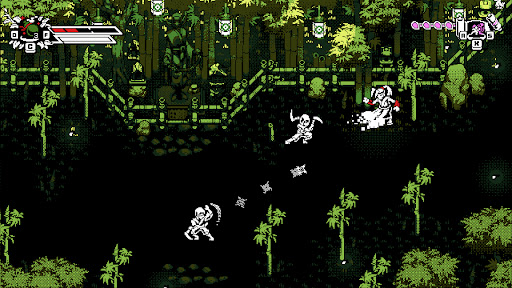
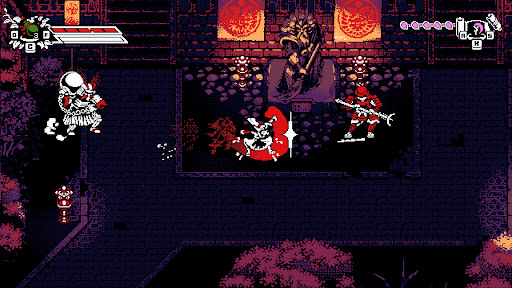
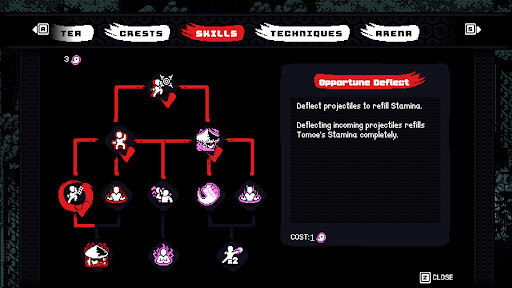
Break the cycle of violence.
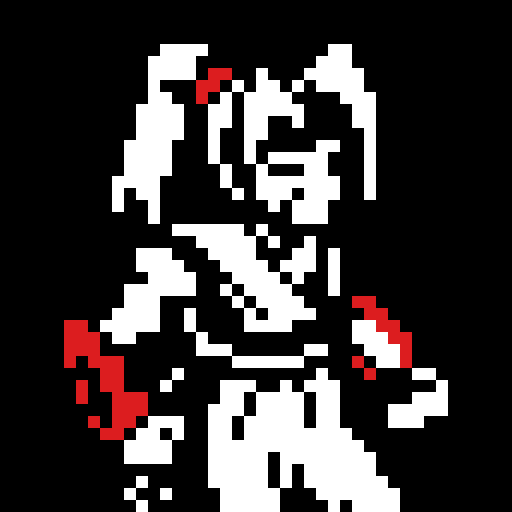
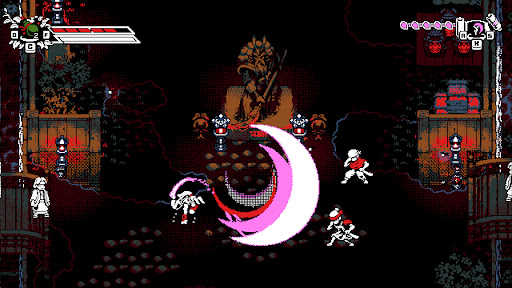
Bloodless is a stylish, retro-inspired 2D action-adventure featuring counter-based, non-lethal combat. Take control of Tomoe, a peaceful Ronin haunted by her bloody past, as she returns to her shattered homeland of Bakugawa.
Having witnessed all the blood a blade can shed, Tomoe has sworn never to take another life. To defeat the samurai army of her former master, Shogun Akechi, she must fight with nothing but her bare fists to disarm her former allies in a dance of precision and rhythm.
FEATURES
• Unique Non-Lethal Combat
Tomoe has sworn not to take another life and must instead disarm her enemies. Use a combination of counters and disarming ki attacks to defeat the shogun’s army.
• Depth and Customization
Develop your own fighting style using powerful ki techniques, combo variations, crests, and herb infusions discovered throughout Bakugawa.
• Namazu’s Wrath (Roguelike Mode)
Push your skills to the limit on a mysterious, shifting island. Guided by ancient gods, fight through waves of corruption and face off against "The Slasher", the manifestation of Tomoe’s violent past.
• Optimized for Mobile
Experience responsive touch controls designed for fast-paced action, plus full controller support.
• Assist Mode Included
Customize the experience with accessibility options including casual tuning and invincibility settings so players of any skill level can enjoy the journey.
Daha fazla göster

1. MEmu yükleyicisini indirin ve kurulumu tamamlayın

2. MEmu'yu başlatın ve ana sayfada Google Play'i açın

3. Google Play'de Bloodless arayın
Install
4. Bloodless indirin ve yükleyin
5. Kurulum tamamlandığında başlamak için simgeye tıklayın

6. PC’de MEmu ile Bloodless oyunun keyfini çıkarın
MEmu App Player, en iyi ücretsiz Android emülatörüdür ve 50 milyon insan zaten mükemmel Android oyun deneyimini yaşamaktadır. MEmu sanallaştırma teknolojisi, binlerce grafik oyunu hatta grafikte en yoğun olanları bile sorunsuz bir şekilde bilgisayarınızda oynamanızı sağlar.
Daha büyük ekranla daha iyi grafiklere sahip; Pil veya mobil veri sınırlaması olmaksızın uzun süre.
Keymapping klavye ve fare veya gamepad'in hassas kontrolü için destek verir.
Multi-Instance yöneticisi ile tek bir bilgisayarda aynı anda birden fazla oyun hesabı veya görev gerçekleşilebilir.
Play Bloodless on PC by following steps: