Bloodless
अपडेट किया गया
वर्तमान वर्शन
1.3.9
संसाधन

अपने सेलफोन पर Bloodless का उपयोग करते समय ओवरचार्ज के बारे में चिंता करना बंद करें, अपने आप को छोटी स्क्रीन से मुक्त करें और बहुत बड़े डिस्प्ले पर ऐप का उपयोग करने का आनंद लें। अब से, कीबोर्ड और माउस के साथ अपने ऐप का पूर्ण-स्क्रीन अनुभव प्राप्त करें। एमईएमयू आपको उन सभी आश्चर्यजनक सुविधाओं की पेशकश करता है जिनकी आपको उम्मीद थी: त्वरित इंस्टॉल और आसान सेटअप, सहज नियंत्रण, बैटरी की कोई सीमा नहीं, मोबाइल डेटा और परेशान कॉल। आपके कंप्यूटर पर Bloodless का उपयोग करने का सबसे अच्छा विकल्प नया MEmu 9 है। हमारे अवशोषण के साथ कोडित, बहु-उदाहरण प्रबंधक एक ही समय में 2 या अधिक खाते खोलना संभव बनाता है। और सबसे महत्वपूर्ण, हमारा अनन्य उत्सर्जन इंजन आपके पीसी की पूरी क्षमता को जारी कर सकता है, सब कुछ सुचारू और सुखद बना सकता है।
और दिखाएं
डाउनलोड करें Bloodless पीसी पर MEmu एंड्रॉयड एमुलेटर के साथ बड़े पर्दे पर खेलने का आनंद लें। Break the cycle of violence.
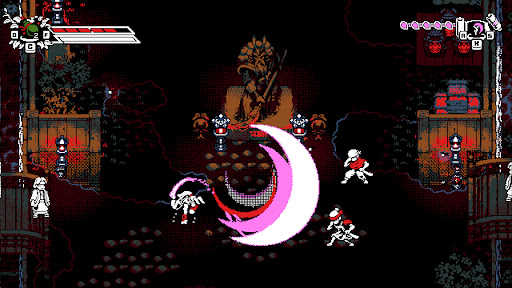
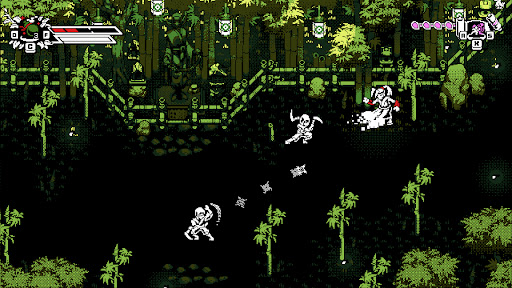
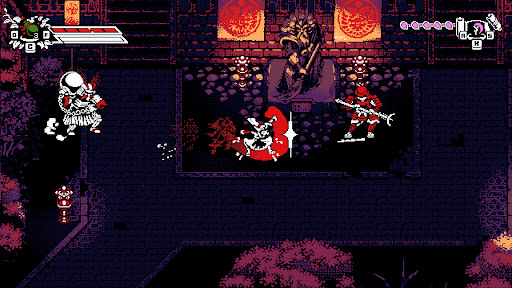
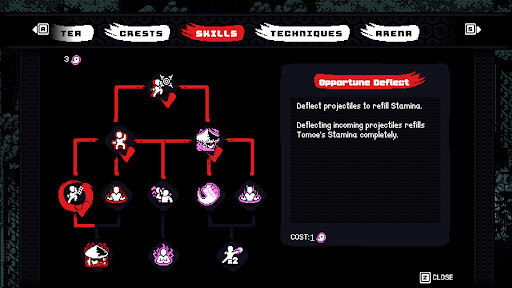
Break the cycle of violence.
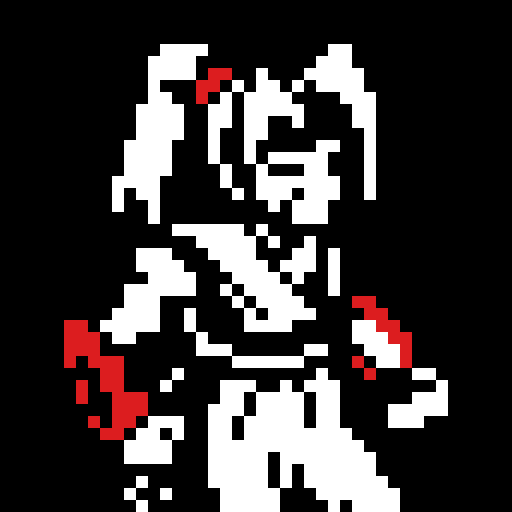
Bloodless is a stylish, retro-inspired 2D action-adventure featuring counter-based, non-lethal combat. Take control of Tomoe, a peaceful Ronin haunted by her bloody past, as she returns to her shattered homeland of Bakugawa.
Having witnessed all the blood a blade can shed, Tomoe has sworn never to take another life. To defeat the samurai army of her former master, Shogun Akechi, she must fight with nothing but her bare fists to disarm her former allies in a dance of precision and rhythm.
FEATURES
• Unique Non-Lethal Combat
Tomoe has sworn not to take another life and must instead disarm her enemies. Use a combination of counters and disarming ki attacks to defeat the shogun’s army.
• Depth and Customization
Develop your own fighting style using powerful ki techniques, combo variations, crests, and herb infusions discovered throughout Bakugawa.
• Namazu’s Wrath (Roguelike Mode)
Push your skills to the limit on a mysterious, shifting island. Guided by ancient gods, fight through waves of corruption and face off against "The Slasher", the manifestation of Tomoe’s violent past.
• Optimized for Mobile
Experience responsive touch controls designed for fast-paced action, plus full controller support.
• Assist Mode Included
Customize the experience with accessibility options including casual tuning and invincibility settings so players of any skill level can enjoy the journey.
और दिखाएं

1. MEmu इंस्टॉलर को डाउनलोड करें और इंस्टॉलेशन को पूरा करें

2. MEmu शुरू करें फिर होमपेज पर Google Play खोलें

3. Google Play में Bloodless खोजें
Install
4. Bloodless डाउनलोड कर इंस्टॉल करें
5. इंस्टॉल पूरा होने पर आइकन दबाएं

6. MEmu से पीसी पर Bloodless खेलने का आनंद लें
MEmu Play सबसे बेहतरीन मुफ़्त Android एमुलेटर है और 5 करोड़ लोग पहले ही इसके शानदार Android गेमिंग अनुभव का आनंद ले चुके हैं। MEmu 9 वर्चुअलाइज़ेशन तकनीक आपको अपने PC पर हज़ारों Android गेम, यहाँ तक कि सबसे ज़्यादा ग्राफ़िक्स वाले गेम भी, आसानी से खेलने की सुविधा देती है।
असीमित बैटरी या मोबाइल डेटा के साथ बेहतर ग्राफिक्स के साथ बड़ी स्क्रीन; लंबी अवधि।
कीबोर्ड और माउस या गेमपैड के उत्तम नियंत्रण के लिए संपूर्ण कीमैपिंग का समर्थन करता हैं।
एक ही पीसी पर मल्टी-इंस्टेंस मैनेजर के साथ एक समय में कई गेम खाते या कार्य कर सकते हैं।
Play Bloodless on PC by following steps: