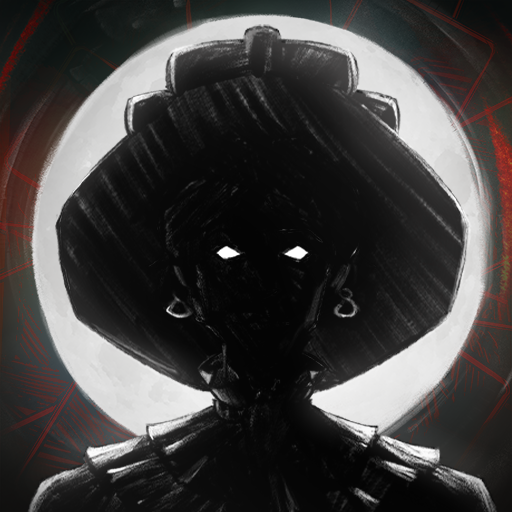
Clash of Heroes - Marvel vs Capcom
Güncellendi
Mevcut Sürüm
1.0.1-marvel
Sunan

Clash of Heroes - Marvel vs Capcom oynamak için bu kadar tutkuluyken, ellerin telefonunun küçük ekranıyla sınırlı kalmamalı.Bir profesyonel gibi oyna ve klavye ve fare ile oyununun tüm kontrolü sende olsun.MEmu sana beklediğin her şeyi sunuyor.PC'de Clash of Heroes - Marvel vs Capcom indir ve oyna. İstediğin kadar oyna, artık pil sınırlamaları, mobil veri ve rahatsız edici çağrılar yok.Yepyeni MEmu 9, PC'de Clash of Heroes - Marvel vs Capcom oynamak için en iyi seçim. Uzmanlığımızla hazırlanan zarif ön ayar tuş eşleme sistemi Clash of Heroes - Marvel vs Capcom oyununu gerçek bir PC oyununa dönüştürüyor.MEmu çoklu örnek yöneticisi, aynı cihazda 2 veya daha fazla hesap oynamayı mümkün kılıyor.Ve en önemlisi, özel emülasyon motorumuz PC'nizin tüm potansiyelini ortaya çıkarıyor, her şeyi sorunsuz hale getiriyor.
Daha fazla göster
Clash of Heroes - Marvel vs Capcom’i MEmu Android Emülatör ile PC’ye indirin. Büyük ekranda oynamanın keyfini çıkarın. [X] Description - Clash of Heroes - Marvel vs CapcomPlayers select a team of characters from the Marvel and Capcom universes to engage in combat and attempt to knock out their opponents.
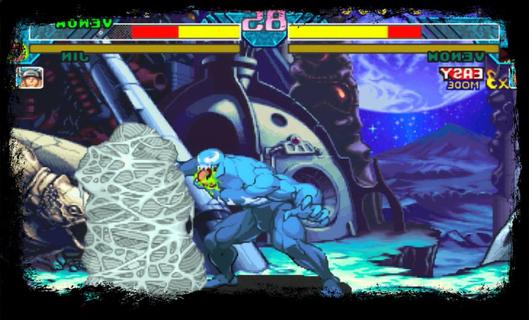
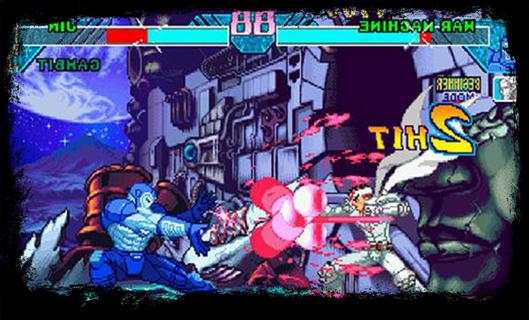
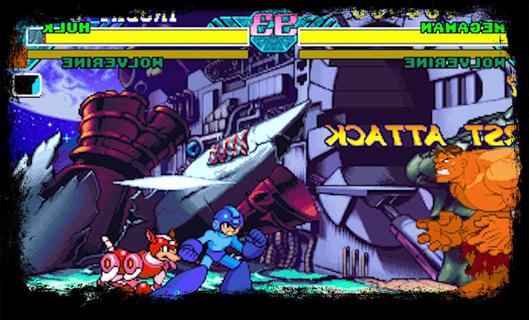
[X] Description - Clash of Heroes - Marvel vs CapcomPlayers select a team of characters from the Marvel and Capcom universes to engage in combat and attempt to knock out their opponents. In contrast to the series previous entry, Marvel Super Heroes, the game features characters from numerous Capcom video game franchises, rather than strictly Street characters. While the gameplay is largely identical to its predecessor, Clash of Super Heroes features two distinct changes: the removal of the traditional character assist system and the introduction of the "Variable Cross" attack.The Dreamcast version of the game was praised for its visuals, gameplay, and translation of the original arcade experience. Due to the PlayStation's limited RAM capacity, Capcom removed tag team battles in an attempt to preserve the game's speed and graphical integrity. Consequently, the PlayStation port received positive reviews, just not as much as the Dreamcast version. [X] Gameplay - Clash of Heroes - Marvel vs CapcomClash of Heroes - Marvel vs Capcom is the third entry in the Marvel vs Capcom series of 2D fighting games. The game utilizes similar tag team-based game mechanics to its predecessorBefore starting each match, the player selects a team of two fighters to compete in one-on-one combat. The player is free to swap between their characters at any point during battle. While one character fights, their teammate resting off-screen slowly regenerates their life gauge. The first team to exhaust their opponent's vitality wins the match; however, if the timer runs out before either team is knocked out, the player with the most remaining health is declared the winner.[X] Feature - Clash of Heroes - Marvel vs CapcomGame features two significant gameplay changes. The game removes the "Variable Assist" feature used in the previous installment, which allows the player to summon their offscreen teammate to perform a special attack, in favor of the "Guest Character/Special Partner" system. While similar in function, guest characters are randomly allocated to each player at the beginning of a match. They are also limited to a few uses per round. Clash of Heroes introduces a new technique called the "Variable Cross", also known as a "Duo Team Attack". When executing a Variable Cross, the player can attack their opponent with both characters simultaneously for a limited time. In addition, the player is given unlimited use of the "Hyper Combo Gauge", a colored meter towards the bottom of the screen which allows the player to perform several special techniques, allowing them to pull off multiple Hyper Combos, moves which deliver heavy damage to the opponent, in quick succession.
Daha fazla göster

1. MEmu yükleyicisini indirin ve kurulumu tamamlayın

2. MEmu'yu başlatın ve ana sayfada Google Play'i açın

3. Google Play'de Clash of Heroes - Marvel vs Capcom arayın
Install
4. Clash of Heroes - Marvel vs Capcom indirin ve yükleyin
5. Kurulum tamamlandığında başlamak için simgeye tıklayın

6. PC’de MEmu ile Clash of Heroes - Marvel vs Capcom oyunun keyfini çıkarın
MEmu App Player, en iyi ücretsiz Android emülatörüdür ve 50 milyon insan zaten mükemmel Android oyun deneyimini yaşamaktadır. MEmu sanallaştırma teknolojisi, binlerce grafik oyunu hatta grafikte en yoğun olanları bile sorunsuz bir şekilde bilgisayarınızda oynamanızı sağlar.
Daha büyük ekranla daha iyi grafiklere sahip; Pil veya mobil veri sınırlaması olmaksızın uzun süre.
Keymapping klavye ve fare veya gamepad'in hassas kontrolü için destek verir.
Multi-Instance yöneticisi ile tek bir bilgisayarda aynı anda birden fazla oyun hesabı veya görev gerçekleşilebilir.
Play Clash of Heroes - Marvel vs Capcom on PC by following steps: