Clash of Heroes - Marvel vs Capcom
अपडेट किया गया
वर्तमान वर्शन
1.0.1-marvel
संसाधन

अपने सेलफोन पर Clash of Heroes - Marvel vs Capcom का उपयोग करते समय ओवरचार्ज के बारे में चिंता करना बंद करें, अपने आप को छोटी स्क्रीन से मुक्त करें और बहुत बड़े डिस्प्ले पर ऐप का उपयोग करने का आनंद लें। अब से, कीबोर्ड और माउस के साथ अपने ऐप का पूर्ण-स्क्रीन अनुभव प्राप्त करें। एमईएमयू आपको उन सभी आश्चर्यजनक सुविधाओं की पेशकश करता है जिनकी आपको उम्मीद थी: त्वरित इंस्टॉल और आसान सेटअप, सहज नियंत्रण, बैटरी की कोई सीमा नहीं, मोबाइल डेटा और परेशान कॉल। आपके कंप्यूटर पर Clash of Heroes - Marvel vs Capcom का उपयोग करने का सबसे अच्छा विकल्प नया MEmu 9 है। हमारे अवशोषण के साथ कोडित, बहु-उदाहरण प्रबंधक एक ही समय में 2 या अधिक खाते खोलना संभव बनाता है। और सबसे महत्वपूर्ण, हमारा अनन्य उत्सर्जन इंजन आपके पीसी की पूरी क्षमता को जारी कर सकता है, सब कुछ सुचारू और सुखद बना सकता है।
और दिखाएं
डाउनलोड करें Clash of Heroes - Marvel vs Capcom पीसी पर MEmu एंड्रॉयड एमुलेटर के साथ बड़े पर्दे पर खेलने का आनंद लें। [X] Description - Clash of Heroes - Marvel vs CapcomPlayers select a team of characters from the Marvel and Capcom universes to engage in combat and attempt to knock out their opponents.
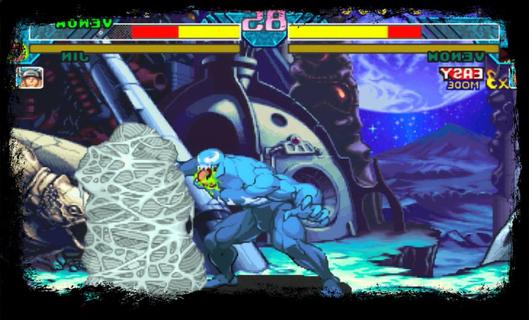
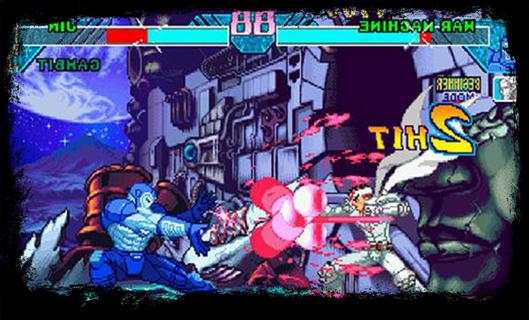
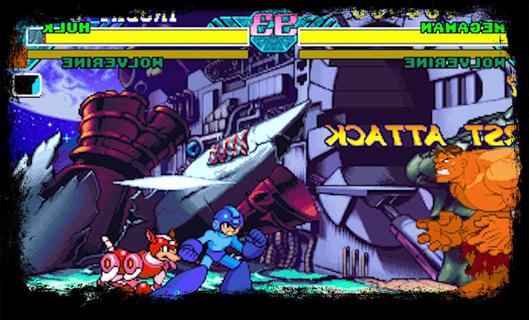
[X] Description - Clash of Heroes - Marvel vs CapcomPlayers select a team of characters from the Marvel and Capcom universes to engage in combat and attempt to knock out their opponents. In contrast to the series previous entry, Marvel Super Heroes, the game features characters from numerous Capcom video game franchises, rather than strictly Street characters. While the gameplay is largely identical to its predecessor, Clash of Super Heroes features two distinct changes: the removal of the traditional character assist system and the introduction of the "Variable Cross" attack.The Dreamcast version of the game was praised for its visuals, gameplay, and translation of the original arcade experience. Due to the PlayStation's limited RAM capacity, Capcom removed tag team battles in an attempt to preserve the game's speed and graphical integrity. Consequently, the PlayStation port received positive reviews, just not as much as the Dreamcast version. [X] Gameplay - Clash of Heroes - Marvel vs CapcomClash of Heroes - Marvel vs Capcom is the third entry in the Marvel vs Capcom series of 2D fighting games. The game utilizes similar tag team-based game mechanics to its predecessorBefore starting each match, the player selects a team of two fighters to compete in one-on-one combat. The player is free to swap between their characters at any point during battle. While one character fights, their teammate resting off-screen slowly regenerates their life gauge. The first team to exhaust their opponent's vitality wins the match; however, if the timer runs out before either team is knocked out, the player with the most remaining health is declared the winner.[X] Feature - Clash of Heroes - Marvel vs CapcomGame features two significant gameplay changes. The game removes the "Variable Assist" feature used in the previous installment, which allows the player to summon their offscreen teammate to perform a special attack, in favor of the "Guest Character/Special Partner" system. While similar in function, guest characters are randomly allocated to each player at the beginning of a match. They are also limited to a few uses per round. Clash of Heroes introduces a new technique called the "Variable Cross", also known as a "Duo Team Attack". When executing a Variable Cross, the player can attack their opponent with both characters simultaneously for a limited time. In addition, the player is given unlimited use of the "Hyper Combo Gauge", a colored meter towards the bottom of the screen which allows the player to perform several special techniques, allowing them to pull off multiple Hyper Combos, moves which deliver heavy damage to the opponent, in quick succession.
और दिखाएं

1. MEmu इंस्टॉलर को डाउनलोड करें और इंस्टॉलेशन को पूरा करें

2. MEmu शुरू करें फिर होमपेज पर Google Play खोलें

3. Google Play में Clash of Heroes - Marvel vs Capcom खोजें
Install
4. Clash of Heroes - Marvel vs Capcom डाउनलोड कर इंस्टॉल करें
5. इंस्टॉल पूरा होने पर आइकन दबाएं

6. MEmu से पीसी पर Clash of Heroes - Marvel vs Capcom खेलने का आनंद लें
MEmu Play सबसे बेहतरीन मुफ़्त Android एमुलेटर है और 5 करोड़ लोग पहले ही इसके शानदार Android गेमिंग अनुभव का आनंद ले चुके हैं। MEmu 9 वर्चुअलाइज़ेशन तकनीक आपको अपने PC पर हज़ारों Android गेम, यहाँ तक कि सबसे ज़्यादा ग्राफ़िक्स वाले गेम भी, आसानी से खेलने की सुविधा देती है।
असीमित बैटरी या मोबाइल डेटा के साथ बेहतर ग्राफिक्स के साथ बड़ी स्क्रीन; लंबी अवधि।
कीबोर्ड और माउस या गेमपैड के उत्तम नियंत्रण के लिए संपूर्ण कीमैपिंग का समर्थन करता हैं।
एक ही पीसी पर मल्टी-इंस्टेंस मैनेजर के साथ एक समय में कई गेम खाते या कार्य कर सकते हैं।
Play Clash of Heroes - Marvel vs Capcom on PC by following steps: