Port of Jumanah
Güncellendi
Mevcut Sürüm
Sunan

Port of Jumanah oynamak için bu kadar tutkuluyken, ellerin telefonunun küçük ekranıyla sınırlı kalmamalı.Bir profesyonel gibi oyna ve klavye ve fare ile oyununun tüm kontrolü sende olsun.MEmu sana beklediğin her şeyi sunuyor.PC'de Port of Jumanah indir ve oyna. İstediğin kadar oyna, artık pil sınırlamaları, mobil veri ve rahatsız edici çağrılar yok.Yepyeni MEmu 9, PC'de Port of Jumanah oynamak için en iyi seçim. Uzmanlığımızla hazırlanan zarif ön ayar tuş eşleme sistemi Port of Jumanah oyununu gerçek bir PC oyununa dönüştürüyor.MEmu çoklu örnek yöneticisi, aynı cihazda 2 veya daha fazla hesap oynamayı mümkün kılıyor.Ve en önemlisi, özel emülasyon motorumuz PC'nizin tüm potansiyelini ortaya çıkarıyor, her şeyi sorunsuz hale getiriyor.
Daha fazla göster
Port of Jumanah’i MEmu Android Emülatör ile PC’ye indirin. Büyük ekranda oynamanın keyfini çıkarın. Is it wise to go on long voyages by yourself?
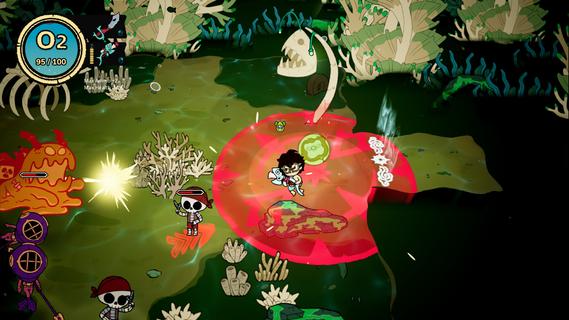
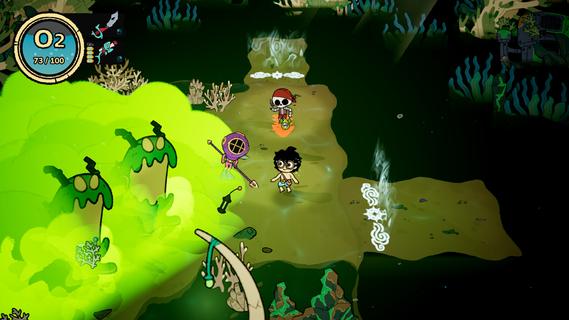
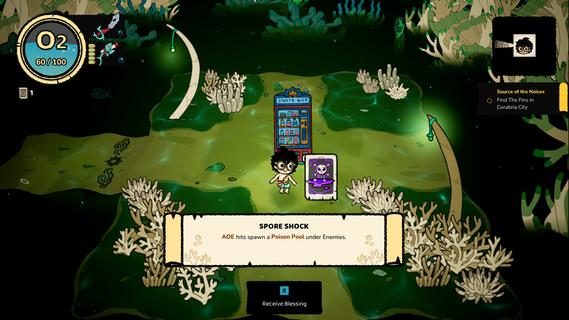
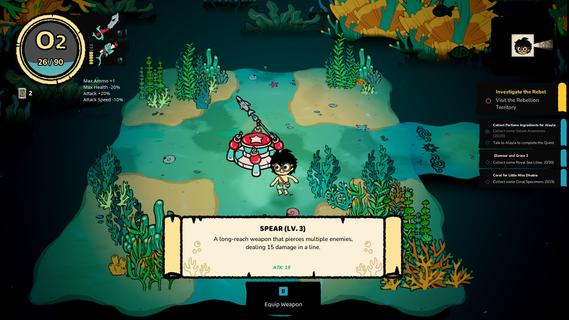
Is it wise to go on long voyages by yourself? Maybe. But a crew behind your back makes you look a little cooler. Recruit your friends to your vessel, and they will help you on your journeys. There is also a cat! What do they bring to the table? The only way to find out is to recruit them, but no way you're getting a CV out of any of them.Sail Away, Sail AwayExplore a multitude of oceans, each with a different environment and unique species. Find treasures, defeat whatever is lurking beneath the surface, and be on your merry way!Whatâs in the waters?The depths of the oceans hide many questions, and among them - the most important one - why is everything in there so salty?! Prepare to meet unexpected friends and foes, have deep & meaningful conversations, or simply kick them right in their fins. Will you let the seas push you around, or will your not-so-elegant breast strokes push you through the currents and challenges?Rise from zero toâ¦?Complete missions to upgrade your kit to complete even more missions. Thatâs called a gameplay loop, baby! Unlock new abilities and gear to help you out during your descents into the unknown.
Daha fazla göster

1. MEmu yükleyicisini indirin ve kurulumu tamamlayın

2. MEmu'yu başlatın ve ana sayfada Google Play'i açın

3. Google Play'de Port of Jumanah arayın
Install
4. Port of Jumanah indirin ve yükleyin
5. Kurulum tamamlandığında başlamak için simgeye tıklayın

6. PC’de MEmu ile Port of Jumanah oyunun keyfini çıkarın
MEmu App Player, en iyi ücretsiz Android emülatörüdür ve 50 milyon insan zaten mükemmel Android oyun deneyimini yaşamaktadır. MEmu sanallaştırma teknolojisi, binlerce grafik oyunu hatta grafikte en yoğun olanları bile sorunsuz bir şekilde bilgisayarınızda oynamanızı sağlar.
Daha büyük ekranla daha iyi grafiklere sahip; Pil veya mobil veri sınırlaması olmaksızın uzun süre.
Keymapping klavye ve fare veya gamepad'in hassas kontrolü için destek verir.
Multi-Instance yöneticisi ile tek bir bilgisayarda aynı anda birden fazla oyun hesabı veya görev gerçekleşilebilir.
Play Port of Jumanah on PC by following steps: