Port of Jumanah
अपडेट किया गया
वर्तमान वर्शन
संसाधन

अपने सेलफोन पर Port of Jumanah का उपयोग करते समय ओवरचार्ज के बारे में चिंता करना बंद करें, अपने आप को छोटी स्क्रीन से मुक्त करें और बहुत बड़े डिस्प्ले पर ऐप का उपयोग करने का आनंद लें। अब से, कीबोर्ड और माउस के साथ अपने ऐप का पूर्ण-स्क्रीन अनुभव प्राप्त करें। एमईएमयू आपको उन सभी आश्चर्यजनक सुविधाओं की पेशकश करता है जिनकी आपको उम्मीद थी: त्वरित इंस्टॉल और आसान सेटअप, सहज नियंत्रण, बैटरी की कोई सीमा नहीं, मोबाइल डेटा और परेशान कॉल। आपके कंप्यूटर पर Port of Jumanah का उपयोग करने का सबसे अच्छा विकल्प नया MEmu 9 है। हमारे अवशोषण के साथ कोडित, बहु-उदाहरण प्रबंधक एक ही समय में 2 या अधिक खाते खोलना संभव बनाता है। और सबसे महत्वपूर्ण, हमारा अनन्य उत्सर्जन इंजन आपके पीसी की पूरी क्षमता को जारी कर सकता है, सब कुछ सुचारू और सुखद बना सकता है।
और दिखाएं
डाउनलोड करें Port of Jumanah पीसी पर MEmu एंड्रॉयड एमुलेटर के साथ बड़े पर्दे पर खेलने का आनंद लें। Is it wise to go on long voyages by yourself?
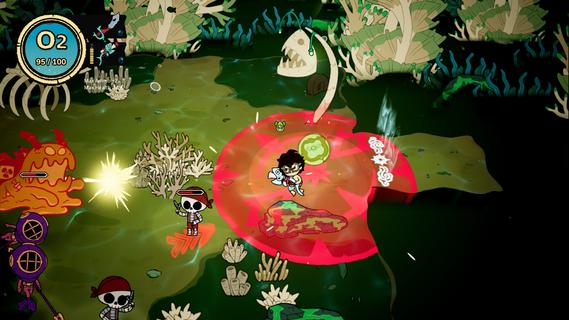
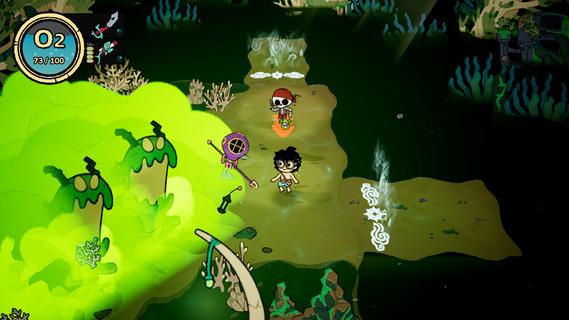
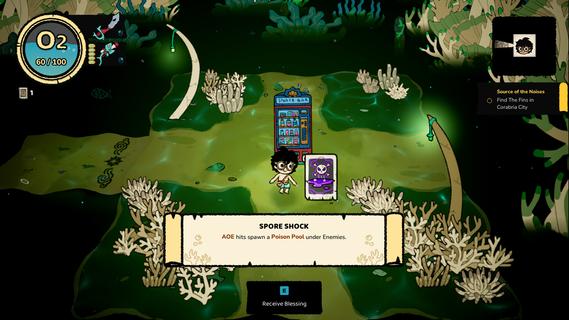
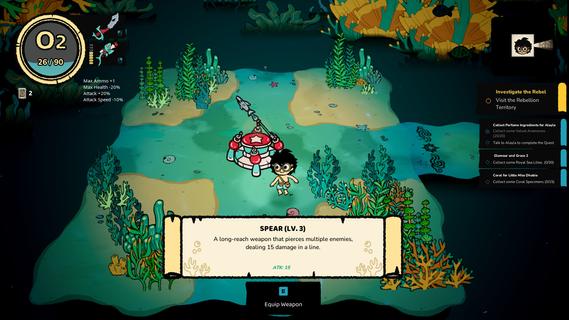
Is it wise to go on long voyages by yourself? Maybe. But a crew behind your back makes you look a little cooler. Recruit your friends to your vessel, and they will help you on your journeys. There is also a cat! What do they bring to the table? The only way to find out is to recruit them, but no way you're getting a CV out of any of them.Sail Away, Sail AwayExplore a multitude of oceans, each with a different environment and unique species. Find treasures, defeat whatever is lurking beneath the surface, and be on your merry way!Whatâs in the waters?The depths of the oceans hide many questions, and among them - the most important one - why is everything in there so salty?! Prepare to meet unexpected friends and foes, have deep & meaningful conversations, or simply kick them right in their fins. Will you let the seas push you around, or will your not-so-elegant breast strokes push you through the currents and challenges?Rise from zero toâ¦?Complete missions to upgrade your kit to complete even more missions. Thatâs called a gameplay loop, baby! Unlock new abilities and gear to help you out during your descents into the unknown.
और दिखाएं

1. MEmu इंस्टॉलर को डाउनलोड करें और इंस्टॉलेशन को पूरा करें

2. MEmu शुरू करें फिर होमपेज पर Google Play खोलें

3. Google Play में Port of Jumanah खोजें
Install
4. Port of Jumanah डाउनलोड कर इंस्टॉल करें
5. इंस्टॉल पूरा होने पर आइकन दबाएं

6. MEmu से पीसी पर Port of Jumanah खेलने का आनंद लें
MEmu Play सबसे बेहतरीन मुफ़्त Android एमुलेटर है और 5 करोड़ लोग पहले ही इसके शानदार Android गेमिंग अनुभव का आनंद ले चुके हैं। MEmu 9 वर्चुअलाइज़ेशन तकनीक आपको अपने PC पर हज़ारों Android गेम, यहाँ तक कि सबसे ज़्यादा ग्राफ़िक्स वाले गेम भी, आसानी से खेलने की सुविधा देती है।
असीमित बैटरी या मोबाइल डेटा के साथ बेहतर ग्राफिक्स के साथ बड़ी स्क्रीन; लंबी अवधि।
कीबोर्ड और माउस या गेमपैड के उत्तम नियंत्रण के लिए संपूर्ण कीमैपिंग का समर्थन करता हैं।
एक ही पीसी पर मल्टी-इंस्टेंस मैनेजर के साथ एक समय में कई गेम खाते या कार्य कर सकते हैं।
Play Port of Jumanah on PC by following steps: