Port of Jumanah
Zaktualizowano
Aktualna wersja
Sprzedawca

Przy całej swojej pasji do grania w Port of Jumanah, twoje ręce nie powinny być ograniczone na małym ekranie telefonu. Graj jak zawodowiec i uzyskaj pełną kontrolę nad grą za pomocą klawiatury i myszy. MEmu oferuje ci wszystko, czego oczekujesz. Pobierz i graj Port of Jumanah na PC. Graj tak długo, jak chcesz, bez ograniczeń baterii, danych komórkowych i niepokojących połączeń. Zupełnie nowy MEmu 9 to najlepszy wybór do grania w Port of Jumanah na PC. Przygotowany dzięki naszej wiedzy, znakomity, wstępnie ustawiony system mapowania klawiszy sprawia, że Port of Jumanah jest prawdziwą grą na PC. Zakodowany naszą absorpcją, menedżer wielu instancji umożliwia granie na 2 lub więcej kontach na tym samym urządzeniu. A co najważniejsze, nasz emulator może uwolnić pełny potencjał twojego komputera, sprawić, że wszystko będzie płynne. Dbamy nie tylko o to, jak grasz, ale także o cały proces czerpania radości z grania.
Pokaż więcej
Ciesz się wspaniałym doświadczeniem podczas grania w Port of Jumanah na komputerze z aplikacją MEMU App Player. Jest to potężny darmowy emulator Androida pozwalający grać w tysiące gier na Androida. Is it wise to go on long voyages by yourself?
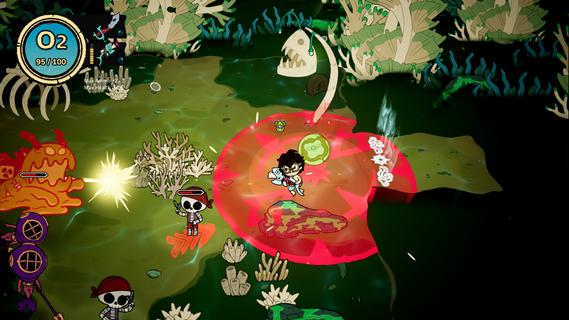
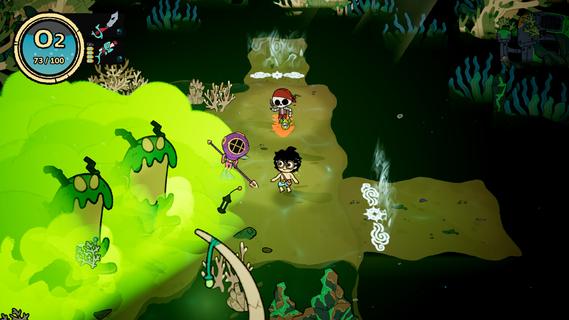
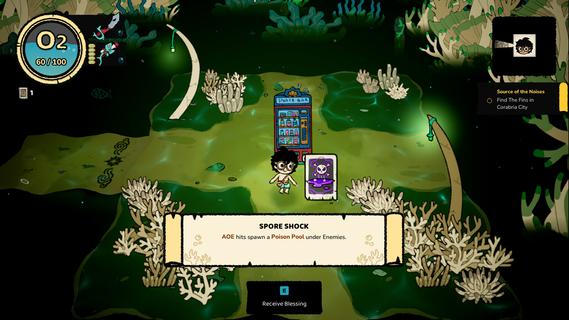
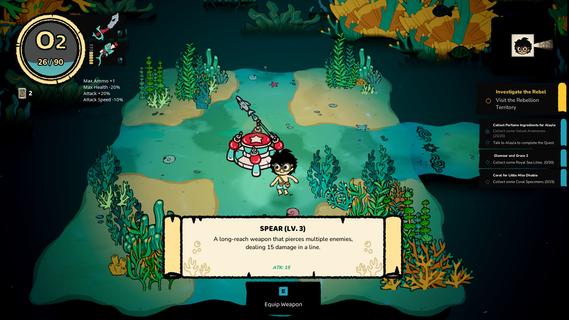
Is it wise to go on long voyages by yourself? Maybe. But a crew behind your back makes you look a little cooler. Recruit your friends to your vessel, and they will help you on your journeys. There is also a cat! What do they bring to the table? The only way to find out is to recruit them, but no way you're getting a CV out of any of them.Sail Away, Sail AwayExplore a multitude of oceans, each with a different environment and unique species. Find treasures, defeat whatever is lurking beneath the surface, and be on your merry way!Whatâs in the waters?The depths of the oceans hide many questions, and among them - the most important one - why is everything in there so salty?! Prepare to meet unexpected friends and foes, have deep & meaningful conversations, or simply kick them right in their fins. Will you let the seas push you around, or will your not-so-elegant breast strokes push you through the currents and challenges?Rise from zero toâ¦?Complete missions to upgrade your kit to complete even more missions. Thatâs called a gameplay loop, baby! Unlock new abilities and gear to help you out during your descents into the unknown.
Pokaż więcej

1. Pobierz instalator MEmu i zakończ instalację

2. Uruchom MEmu, a następnie otwórz Google Play na pulpicie

3. Wyszukaj Port of Jumanah w Google Play
Install
4. Pobierz i zainstaluj Port of Jumanah
5. Po zakończeniu instalacji kliknij ikonę, aby rozpocząć

6. Ciesz się grą Port of Jumanah na PC z MEmu
MEmu Play to najlepszy emulator Androida, a 100 milionów ludzi już korzysta z jego i dosta doskonałe wrażenia z gier na Androida. Technologia wirtualizacji MEmu umożliwia płynne granie w tysiące gier Androida na komputerze, nawet tych najbardziej wymagających grafiki.
Większy ekran z lepszą grafiką; Długi czas, bez ograniczeń baterii lub danych mobilnych.
Pełna obsługa mapowania klawiszy dla precyzyjnego sterowania klawiaturą i myszą lub gamepadem.
Wiele kont gier lub zadań na jednym komputerze jednocześnie z menedżerem wielu instancji.
Play Port of Jumanah on PC by following steps: