Port of Jumanah
Mise à jour
Version actuelle
Proposée par

Avec toute la passion que vous avez à jouer Port of Jumanah, vos mains ne sont pas sensées se limiter à l’infime écran de votre téléphone. Jouez comme un pro et ayez le contrôle total de votre jeu à l’aide du clavier et de la souris. MEmu satisfait toutes vos attentes. Téléchargez et jouez Port of Jumanah sur PC. Jouez aussi longtemps que vous souhaitez sans aucune limitation de batterie, de données mobiles et d’appels embêtants. La toute nouvelle version de MEmu 9 est la meilleure option de jouer Port of Jumanah sur PC. Réalisé par nos experts, l’e magnifique système d’affectation de touches prédéfini fait de Port of Jumanah un jeu réaliste sur PC. Le gestionnaire multi-instances de MEmu permet 2 ou plusieurs comptes de jeu sur le même appareil. Et le plus important, le moteur d’émulation exclusif peut libérer le plein potentiel de votre PC, ce qui facilite tout.
Afficher plus
Téléchargez Port of Jumanah avec le simulateur d’Android MEmu sur votre PC. Profitez de jouer sur un grand écran. Is it wise to go on long voyages by yourself?
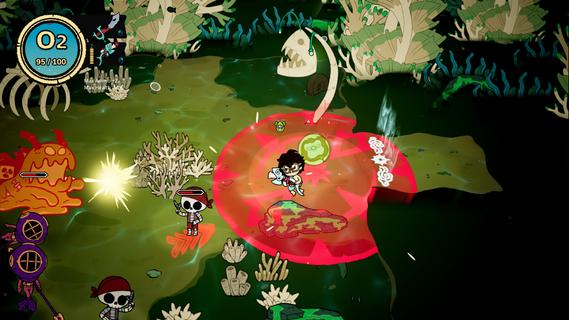
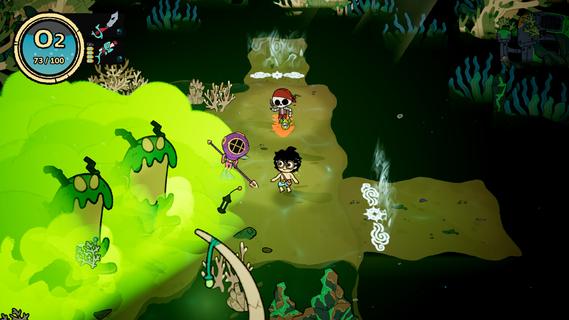
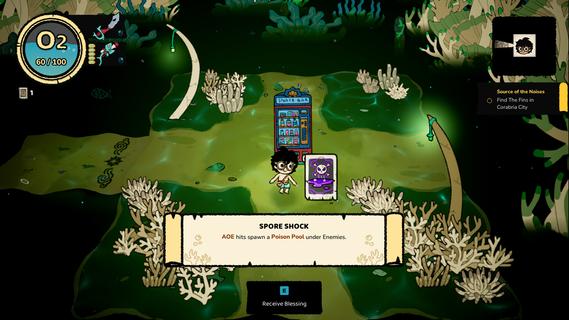
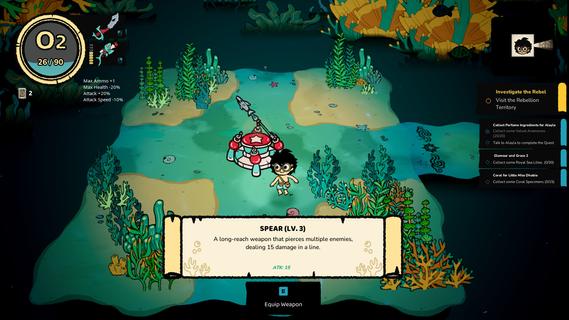
Is it wise to go on long voyages by yourself? Maybe. But a crew behind your back makes you look a little cooler. Recruit your friends to your vessel, and they will help you on your journeys. There is also a cat! What do they bring to the table? The only way to find out is to recruit them, but no way you're getting a CV out of any of them.Sail Away, Sail AwayExplore a multitude of oceans, each with a different environment and unique species. Find treasures, defeat whatever is lurking beneath the surface, and be on your merry way!Whatâs in the waters?The depths of the oceans hide many questions, and among them - the most important one - why is everything in there so salty?! Prepare to meet unexpected friends and foes, have deep & meaningful conversations, or simply kick them right in their fins. Will you let the seas push you around, or will your not-so-elegant breast strokes push you through the currents and challenges?Rise from zero toâ¦?Complete missions to upgrade your kit to complete even more missions. Thatâs called a gameplay loop, baby! Unlock new abilities and gear to help you out during your descents into the unknown.
Afficher plus

1. Téléchargez l'installateur MEmu et terminez l'installation

2. Démarrez MEmu puis ouvrez Google Play sur la page d'accueil

3. Recherchez Port of Jumanah dans Google Play
Install
4. Téléchargez et installez Port of Jumanah
5. Une fois l'installation terminée, cliquez sur l'icône pour démarrer

6. Profitez de jouer Port of Jumanah sur PC avec MEmu
Le lecteur d'application MEmu est le meilleur émulateur Android gratuit, et 50 millions de personnes profitent déjà de sa fantastique expérience de jeu Android. La technologie de virtualisation MEmu vous donne la possibilité de jouer à des milliers de jeux Android sur votre PC sans aucune difficulté, même aux plus gourmands.
L’écran plus grand avec de meilleurs graphismes; Une longue durée, sans limitation de batterie ou de données mobiles.
Soutien du Keymapping pour un contrôle précis du clavier et de la souris ou de la manette de jeu
Plusieurs comptes de jeu ou tâches sur un seul PC en même temps avec le gestionnaire de multi-instance.
Play Port of Jumanah on PC by following steps: