Shroom and Gloom
Güncellendi
Mevcut Sürüm
Sunan

Shroom and Gloom oynamak için bu kadar tutkuluyken, ellerin telefonunun küçük ekranıyla sınırlı kalmamalı.Bir profesyonel gibi oyna ve klavye ve fare ile oyununun tüm kontrolü sende olsun.MEmu sana beklediğin her şeyi sunuyor.PC'de Shroom and Gloom indir ve oyna. İstediğin kadar oyna, artık pil sınırlamaları, mobil veri ve rahatsız edici çağrılar yok.Yepyeni MEmu 9, PC'de Shroom and Gloom oynamak için en iyi seçim. Uzmanlığımızla hazırlanan zarif ön ayar tuş eşleme sistemi Shroom and Gloom oyununu gerçek bir PC oyununa dönüştürüyor.MEmu çoklu örnek yöneticisi, aynı cihazda 2 veya daha fazla hesap oynamayı mümkün kılıyor.Ve en önemlisi, özel emülasyon motorumuz PC'nizin tüm potansiyelini ortaya çıkarıyor, her şeyi sorunsuz hale getiriyor.
Daha fazla göster
Shroom and Gloom’i MEmu Android Emülatör ile PC’ye indirin. Büyük ekranda oynamanın keyfini çıkarın. Shroom and Gloom is a first-person, roguelike double-deckbuilder that brings you mobs of monstrous mushrooms and mountains of mega-combos!
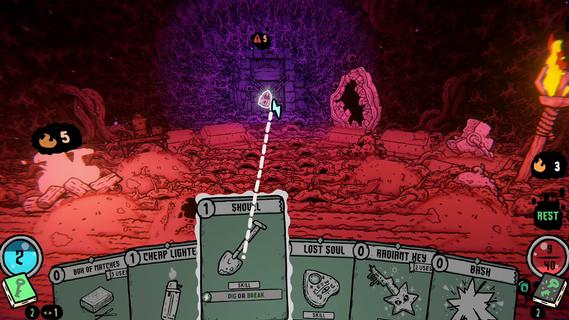
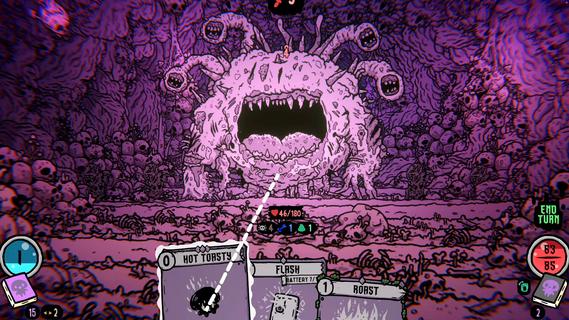
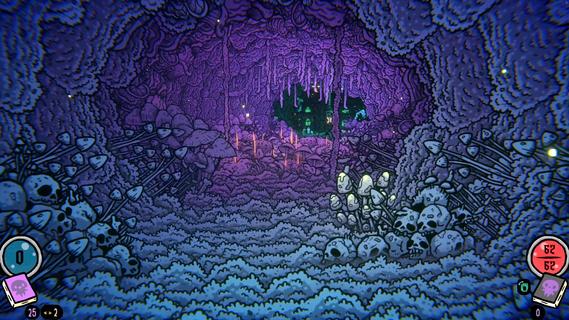
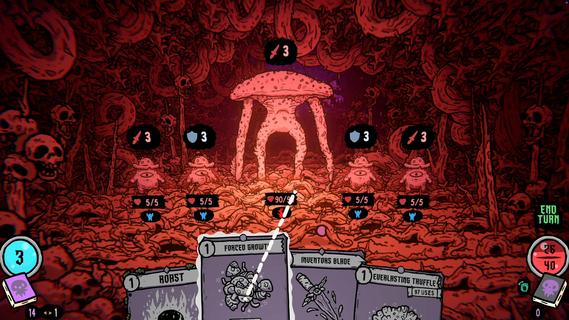
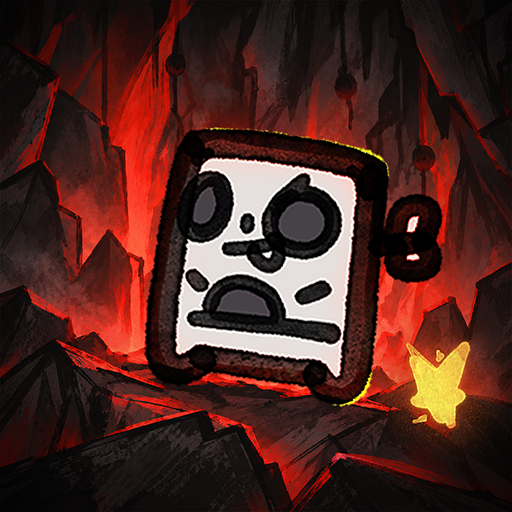
Shroom and Gloom is a first-person, roguelike double-deckbuilder that brings you mobs of monstrous mushrooms and mountains of mega-combos!Unleash hundreds of cards to hack, slash and roast your way through hand drawn dungeons of fungal foes! Build devastating decks, and grow cards into massive abominations as you fight your way into the heart of The Gloom!Double-Deckbuilding!Build 2 distinct decks! Use the combat deck to survive fierce battles! Use the explore deck to navigate dungeons, modify your cards, and unlock new weapons and abilities!Eye-ball melting art!Hand-drawn art and animations collide with dozens of rich 3D spaces, bringing you into a surreal world of mushrooms and madness!Infinite growth and monstrous mega-combos!Shroom and Gloom offers unique ways for players to grow and modify their cards infinitely. Grow low level starting cards into over-powered attacks, or modify rare cards into game-breaking super-weapons!Less blocking, more eating!Why block your enemies when you could eat them instead! Shroom and Gloom features a bounty of ways for you to season, skewer or roast your foes, then eat them to restore lost health. Better yet, throw your roasted enemies into a pot, and cook up some game-changing soups!
Daha fazla göster

1. MEmu yükleyicisini indirin ve kurulumu tamamlayın

2. MEmu'yu başlatın ve ana sayfada Google Play'i açın

3. Google Play'de Shroom and Gloom arayın
Install
4. Shroom and Gloom indirin ve yükleyin
5. Kurulum tamamlandığında başlamak için simgeye tıklayın

6. PC’de MEmu ile Shroom and Gloom oyunun keyfini çıkarın
MEmu App Player, en iyi ücretsiz Android emülatörüdür ve 50 milyon insan zaten mükemmel Android oyun deneyimini yaşamaktadır. MEmu sanallaştırma teknolojisi, binlerce grafik oyunu hatta grafikte en yoğun olanları bile sorunsuz bir şekilde bilgisayarınızda oynamanızı sağlar.
Daha büyük ekranla daha iyi grafiklere sahip; Pil veya mobil veri sınırlaması olmaksızın uzun süre.
Keymapping klavye ve fare veya gamepad'in hassas kontrolü için destek verir.
Multi-Instance yöneticisi ile tek bir bilgisayarda aynı anda birden fazla oyun hesabı veya görev gerçekleşilebilir.
Play Shroom and Gloom on PC by following steps: