Shroom and Gloom
Aktualisiert
Aktuelle Version
Angeboten von

Bei all Ihrer Leidenschaft für das Spielen von Shroom and Gloom sollten Ihre Hände nicht auf einen winzigen Bildschirm Ihres Telefons beschränkt sein. Spielen Sie wie ein Profi und übernehmen Sie die volle Kontrolle über Ihr Spiel mit Tastatur und Maus. MEmu bietet Ihnen all die Dinge, die Sie erwarten. Laden Sie Shroom and Gloom herunter und spielen Sie es auf dem PC. Spielen Sie so lange, wie Sie wollen, ohne Grenzwerte für Akku, mobile Daten und störende Anrufe. Das brandneue MEmu 9 ist die beste Wahl, um Shroom and Gloom auf dem PC zu spielen. Das exquisite voreingestellte Tastaturbelegungssystem, das mit unserem Fachwissen vorbereitet wurde, macht Shroom and Gloom zu einem echten PC-Spiel. Der MEmu Multi-Instanz-Manager ermöglicht das Spielen von 2 oder mehr Konten auf demselben Gerät. Und das Wichtigste: Unsere exklusive Emulations-Engine kann das volle Potenzial Ihres PCs freisetzen und für reibungslose Abläufe sorgen.
Mehr anzeigen
Laden Sie Play Shroom and Gloom auf dem PC mit MEmu Android Emulator. Viel Spaß beim Spielen auf großmundieren. Shroom and Gloom is a first-person, roguelike double-deckbuilder that brings you mobs of monstrous mushrooms and mountains of mega-combos!
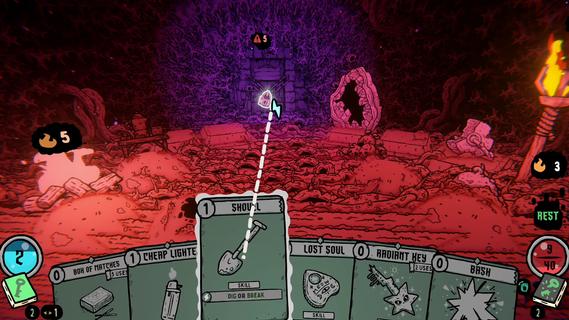
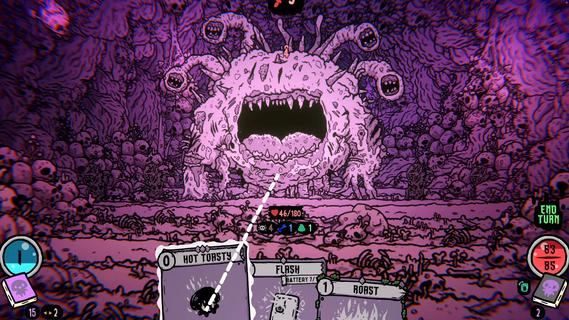
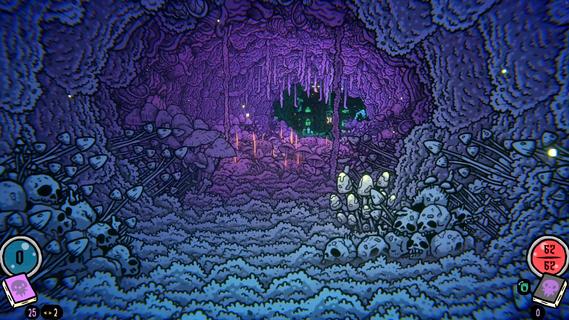
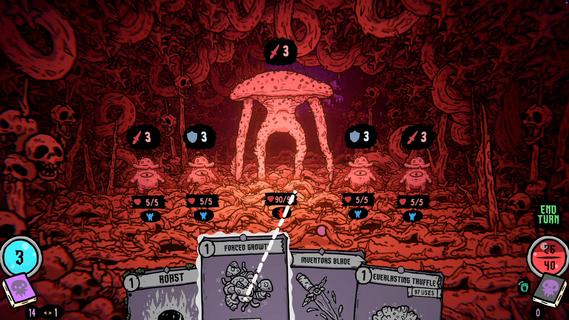
Shroom and Gloom is a first-person, roguelike double-deckbuilder that brings you mobs of monstrous mushrooms and mountains of mega-combos!Unleash hundreds of cards to hack, slash and roast your way through hand drawn dungeons of fungal foes! Build devastating decks, and grow cards into massive abominations as you fight your way into the heart of The Gloom!Double-Deckbuilding!Build 2 distinct decks! Use the combat deck to survive fierce battles! Use the explore deck to navigate dungeons, modify your cards, and unlock new weapons and abilities!Eye-ball melting art!Hand-drawn art and animations collide with dozens of rich 3D spaces, bringing you into a surreal world of mushrooms and madness!Infinite growth and monstrous mega-combos!Shroom and Gloom offers unique ways for players to grow and modify their cards infinitely. Grow low level starting cards into over-powered attacks, or modify rare cards into game-breaking super-weapons!Less blocking, more eating!Why block your enemies when you could eat them instead! Shroom and Gloom features a bounty of ways for you to season, skewer or roast your foes, then eat them to restore lost health. Better yet, throw your roasted enemies into a pot, and cook up some game-changing soups!
Mehr anzeigen

1. Laden das MEmu-Installationsprogramm herunter und beenden die Installation

2. MEmu starten und Google Play auf der Homepage öffnen

3. Suchen Shroom and Gloom in Google Play
Install
4. Herunterladen und Installieren Shroom and Gloom
5. Klicken nach Abschluss der Installation auf das Symbol, um es zu starten

6. Viel Spaß beim Spielen von Shroom and Gloom auf dem PC mit MEmu
MEmu App Player ist der beste kostenlose Android-Emulator und 50 Millionen Menschen genießen bereits seine hervorragende Android-Gaming-Erfahrung. Mit der MEmu-Virtualisierungstechnologie können Sie Tausende von Android-Spielen problemlos auf Ihrem PC spielen, selbst bei grafikintensiven Spielen.
BGrößeres Bild mit besserer Grafik; Keine unterbrechungen, keine sorgen um Akku
Komplette Tastenbelegung unterstützt mit Maus und Tastatur oder Controller
Mit dem „Multi-Instance-Manager“ können Sie mehrere Spielkonten oder Spiele gleichzeitig auf einem PC ausführen.
Play Shroom and Gloom on PC by following steps: