SlashZero
Güncellendi
Mevcut Sürüm
Sunan

SlashZero oynamak için bu kadar tutkuluyken, ellerin telefonunun küçük ekranıyla sınırlı kalmamalı.Bir profesyonel gibi oyna ve klavye ve fare ile oyununun tüm kontrolü sende olsun.MEmu sana beklediğin her şeyi sunuyor.PC'de SlashZero indir ve oyna. İstediğin kadar oyna, artık pil sınırlamaları, mobil veri ve rahatsız edici çağrılar yok.Yepyeni MEmu 9, PC'de SlashZero oynamak için en iyi seçim. Uzmanlığımızla hazırlanan zarif ön ayar tuş eşleme sistemi SlashZero oyununu gerçek bir PC oyununa dönüştürüyor.MEmu çoklu örnek yöneticisi, aynı cihazda 2 veya daha fazla hesap oynamayı mümkün kılıyor.Ve en önemlisi, özel emülasyon motorumuz PC'nizin tüm potansiyelini ortaya çıkarıyor, her şeyi sorunsuz hale getiriyor.
Daha fazla göster
SlashZero’i MEmu Android Emülatör ile PC’ye indirin. Büyük ekranda oynamanın keyfini çıkarın. SlashZero is a 3D anime-style side-scrolling action roguelike game.
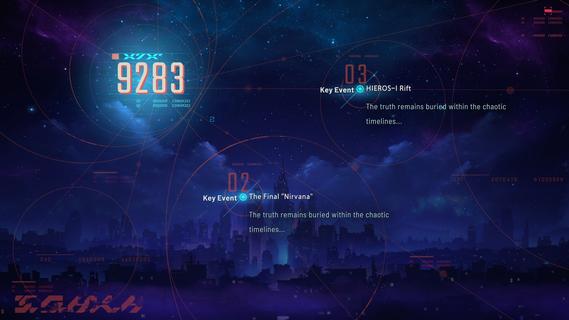
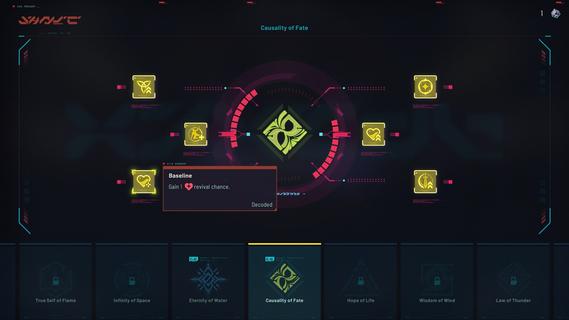
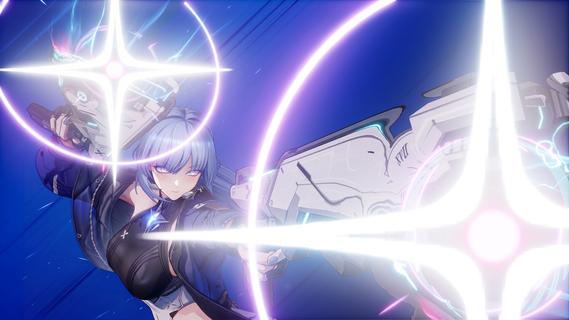
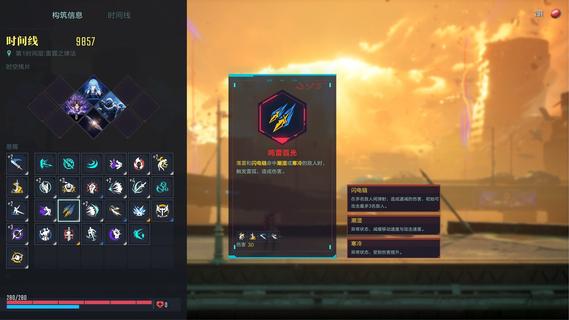
SlashZero is a 3D anime-style side-scrolling action roguelike game. In this game, you can unleash flashy moves, dive into thrilling combat and customize endless builds to suit your playstyle. Fight, power up, collect items and uncover the hidden truth beneath this stunning cyberpunk world!Master rich movesets and in-depth combat combos featuring signature aerial strings. Dash, vault, and fight across multi-layered maps for smooth, parkour-style action!Feel every strike with precise hit feedback. Diverse level designs keep every battle fresh and challenging. Dominate foes by blending acrobatic finesse with tactical combat strategy to claim victory!Try out different Timehackers and find the combat playstyle that suits you best. Are you a melee expert? A ranged specialist? Or do you prefer something more flexible in both offense and defense? Find your style as you experience each character's unique movesets and explore their stories!Mix and match a wide range of in-run and out-of-run systems to shape your own combat build. In every run, you can choose a path and grow stronger as you follow it. Combine the power of Blessings from different Authorities, harness the run-changing effects of Temporal Fragments, and equip Upgrade Chips that can fundamentally reshape how your character plays. Back at the base, unlock permanent progression options to prepare for what comes next. Increase your stats, acquire Dual Blessings, gain additional rerolls, and more! You may even get to bring your own preset builds into future runs!As the timelines collapse, HIEROS-I descends, and he intends to drag every timeline toward destruction. As a Timehacker, the fate of the world falls to you. Guided by the mysterious voice known as Silver, travel across timelines, gather greater power, seek out Timeline Zero, hunt down the Lord of the Void, and put an end to HIEROS-I before everything is lost.
Daha fazla göster

1. MEmu yükleyicisini indirin ve kurulumu tamamlayın

2. MEmu'yu başlatın ve ana sayfada Google Play'i açın

3. Google Play'de SlashZero arayın
Install
4. SlashZero indirin ve yükleyin
5. Kurulum tamamlandığında başlamak için simgeye tıklayın

6. PC’de MEmu ile SlashZero oyunun keyfini çıkarın
MEmu App Player, en iyi ücretsiz Android emülatörüdür ve 50 milyon insan zaten mükemmel Android oyun deneyimini yaşamaktadır. MEmu sanallaştırma teknolojisi, binlerce grafik oyunu hatta grafikte en yoğun olanları bile sorunsuz bir şekilde bilgisayarınızda oynamanızı sağlar.
Daha büyük ekranla daha iyi grafiklere sahip; Pil veya mobil veri sınırlaması olmaksızın uzun süre.
Keymapping klavye ve fare veya gamepad'in hassas kontrolü için destek verir.
Multi-Instance yöneticisi ile tek bir bilgisayarda aynı anda birden fazla oyun hesabı veya görev gerçekleşilebilir.
Play SlashZero on PC by following steps: