
SlashZero
อัปเดตเมื่อ
เวอร์ชันปัจจุบัน
ให้บริการโดย

เวลาคุณเล่น SlashZero, คุณอาจรู้สึกว่ามือคุณอาจบังจอแล้วทำให้ไม่ได้เล่นแบบเต็มที่. เล่นแบบไร้ขีดจำกัดด้วยเม้าส์และคีย์บอร์ด. MEmu มีตัวเลือกหลายอย่างให้คุณใช้งานเกมที่คุณเล่นแบบที่คุณต้องการ. ดาวน์โหลดและเล่น SlashZero บน PC. เล่นนานแค่ไหนก็ได้, ไม่ต้องชาร์จแบตเตอรี่, หรือเจอคนโทรเข้ามาระหว่างเล่น. MEmu 9 เป็นตัวเลือกสำหรับการเล่น SlashZero บน PC. ทางทีมงานเราได้ปรับแต่งเกม, ปรับให้เล่นเกมบางเกมได้เหมือนเล่น SlashZero เป็นเกม PC เช่นเล็งด้วยเม้าส์หรือใช้คีย์บอร์ด. ระบบของเรายังทำให้คุณสามารถเปิดเล่นได้มากกว่า 2 เกมพร้อมๆกันในคอมของคุณ. และที่สำคัญที่สุด, ระบบโปรแกรมของเราสามารถทำให้คุณใช้ระบบของ PC ทำให้เกมลื่นเหมือนกับใช้โทรศัพท์รุ่นล่าสุด. เราไม่ได้ดูแลเรื่องการเล่นเกม, แต่เราดูแลถึงความสนุกสนานที่คุณได้จากการเล่นด้วย.
แสดงเพิ่มเติม
ดาวน์โหลด SlashZero บน PC ด้วย MEmu Android Emulator สนุกกับการเล่นบนหน้าจอขนาดใหญ่ SlashZero is a 3D anime-style side-scrolling action roguelike game.
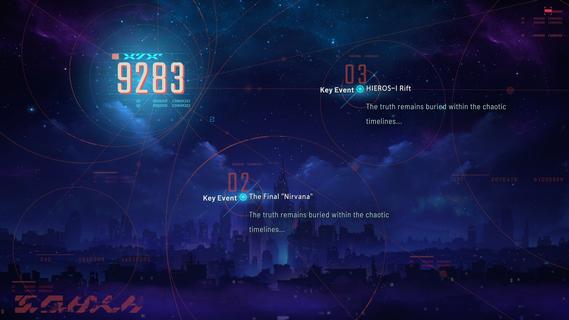
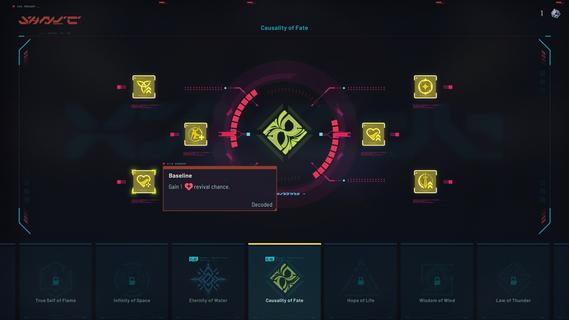
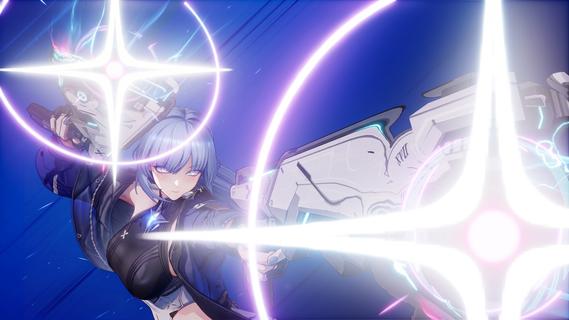
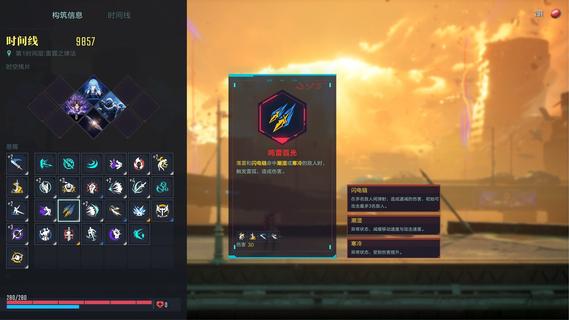
SlashZero is a 3D anime-style side-scrolling action roguelike game. In this game, you can unleash flashy moves, dive into thrilling combat and customize endless builds to suit your playstyle. Fight, power up, collect items and uncover the hidden truth beneath this stunning cyberpunk world!Master rich movesets and in-depth combat combos featuring signature aerial strings. Dash, vault, and fight across multi-layered maps for smooth, parkour-style action!Feel every strike with precise hit feedback. Diverse level designs keep every battle fresh and challenging. Dominate foes by blending acrobatic finesse with tactical combat strategy to claim victory!Try out different Timehackers and find the combat playstyle that suits you best. Are you a melee expert? A ranged specialist? Or do you prefer something more flexible in both offense and defense? Find your style as you experience each character's unique movesets and explore their stories!Mix and match a wide range of in-run and out-of-run systems to shape your own combat build. In every run, you can choose a path and grow stronger as you follow it. Combine the power of Blessings from different Authorities, harness the run-changing effects of Temporal Fragments, and equip Upgrade Chips that can fundamentally reshape how your character plays. Back at the base, unlock permanent progression options to prepare for what comes next. Increase your stats, acquire Dual Blessings, gain additional rerolls, and more! You may even get to bring your own preset builds into future runs!As the timelines collapse, HIEROS-I descends, and he intends to drag every timeline toward destruction. As a Timehacker, the fate of the world falls to you. Guided by the mysterious voice known as Silver, travel across timelines, gather greater power, seek out Timeline Zero, hunt down the Lord of the Void, and put an end to HIEROS-I before everything is lost.
แสดงเพิ่มเติม

1. ดาวน์โหลดตัวติดตั้ง MEmu และสิ้นสุดการติดตั้ง

2. เริ่ม MEmu จากนั้นเปิด Google Play บนหน้าแรก

3. ค้นหา SlashZero ใน Google Play
Install
4. ดาวน์โหลดและติดตั้ง SlashZero
5. เมื่อติดตั้งเสร็จให้คลิกที่ไอคอนเพื่อเริ่มใช้งาน

6. สนุกกับการเล่น SlashZero บนพีซีด้วย MEmu
MEmu App Player เป็นอีมูเลเตอร์ Android ที่ดีที่สุดและผู้คนกว่า 50 ล้านคนเพลิดเพลินไปกับประสบการณ์การเล่นเกม Android ที่ยอดเยี่ยม เทคโนโลยีการจำลองเสมือนของ MEmu ช่วยให้คุณเล่นเกม Android หลายพันเกมได้อย่างราบรื่นบนพีซีของคุณแม้แต่เกมที่ต้องใช้กราฟิกมากที่สุด
จอใหญ่และกราฟฟิกสวยกว่า; เล่นได้นาน, ไม่ต้องใช้แบตเตอรี่โทรศัพท์หรือเน็ตโทรศัพท์.
ระบบปรับแต่งปุ่มคีย์บอร์ดและเม้าส์ตามที่คุณเลือก
เล่นมากกว่าหนึ่งเกมบน PC ในเวลาเดียวกันด้วยระบบหลายจอหรือ Multi-Instance manager.
Play SlashZero on PC by following steps:























![[ไกด์เกม] CookieRun Classic แนะนำ 5 คุกกี้น่าปั้น น่าลงทุน ที่มือใหม่ห้ามพลาด! (เล่นบน PC ผ่าน MEmu ให้ลื่นสุด ๆ) PC](https://www.memuplay.com/blog/wp-content/uploads/2026/08/579c01ab-a953-45b3-8115-9b6279b7d6f9.png)