Shadow PC
Güncellendi
Mevcut Sürüm
3.35.2
Sunan

Cep telefonunda Shadow PC kullanırken fazla şarjlardan endişelenme, kendini küçük ekrandan kurtar ve uygulamayı çok daha büyük bir ekranda kullanmanın tadını çıkar. Şu andan itibaren, klavye ve fare ile uygulamayı tam ekran da kullanmayı dene. MEmu, beklediğin tüm şaşırtıcı özellikleri sunar: hızlı ve kolay kurulum, sezgisel kontroller, bunun dışında pil sınırı, mobil veri ve rahatsız edici aramalar artık yok. Yepyeni MEmu 9, bilgisayarında Shadow PC kullanmanın en iyi seçimidir. Emilimimizle kodlanan çok örnekli yönetici, aynı anda 2 veya daha fazla hesap açmayı mümkün kılar. Ve en önemlisi, özel emülasyon motorumuz PC'nin tüm potansiyelini serbest bırakabilir, her şeyi pürüzsüz ve eğlenceli hale getirebilir.
Daha fazla göster
MEmu Play ile bilgisayarınızda Shadow PC kullanmanın mükemmel deneyimini yaşayın. Masaüstü sürümleri için binlerce Android uygulaması sunan güçlü ve ücretsiz bir Android emülatörüdür. Arkadaşlarınızla bağlantı kurmanın ve çalışmalarınızı daha verimli bir şekilde geliştirmenin keyfini çıkarın! Put the power of a high-end gaming desktop right at your fingertips.
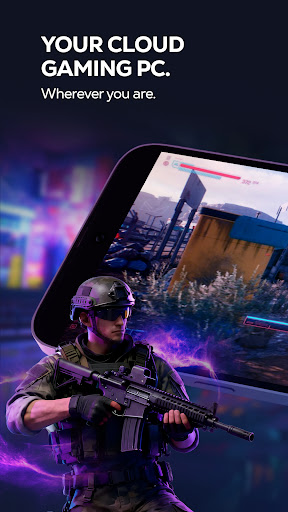
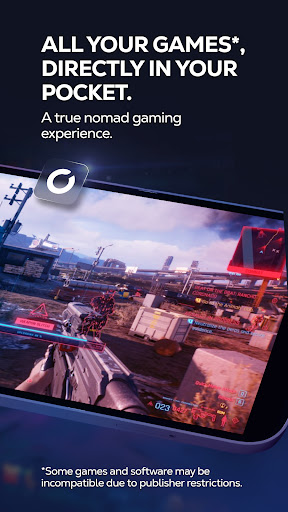
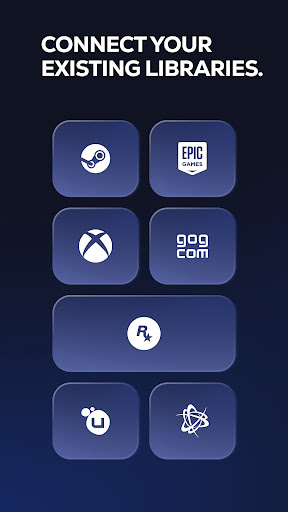
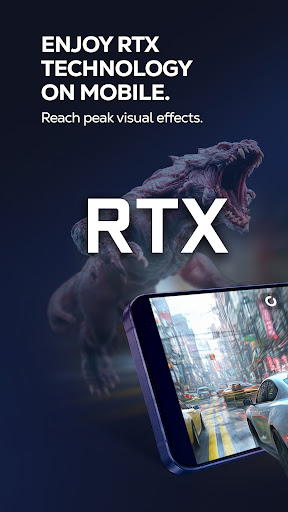
Put the power of a high-end gaming desktop right at your fingertips. Shadow PC gives you access to a real Windows 11 PC in the cloud, capable of running your most demanding games and software. Forget hardware limitations and turn your smartphone, tablet, or Android TV into an ultra-powerful gaming machine.
BUILT FOR PERFORMANCE
Enjoy stunning graphics and exceptional smoothness. Shadow PC lets you play with Ultra settings, enjoy Ray Tracing in supported games, and reach up to 4K / 120 Hz on compatible displays. Experience true console-like gameplay thanks to support for PlayStation, Xbox, and MFi controllers, as well as keyboard and mouse via Bluetooth. Use the built-in virtual controller with customizable touch controls to play wherever you are.
A FULL PC, WITH NO RESTRICTIONS
Shadow PC is not just a game streaming service with a predefined catalog. It’s your PC. Log in to your Steam, Epic Games, Ubisoft, Battle.net, or GOG accounts. Download and play the games you already own, install mods, and use your usual launchers and tools. Beyond gaming, Shadow PC also lets you work, create, and stream: Photoshop, OBS, Discord, editing or development software—just like on a local computer.
TECHNOLOGY ADAPTED TO YOUR CONNECTION
Thanks to our proprietary streaming protocol, Shadow PC delivers optimized smoothness and responsiveness over 4G, 5G, and Wi-Fi. Low Bandwidth Mode automatically adjusts streaming quality to ensure a stable session, even on the go. Latency is minimized for an experience close to a physical PC.
KEY FEATURES
* Full Windows 11 PC in the cloud
* High-end graphics performance, Ray Tracing compatible
* Ready for 4K and 120 Hz on supported displays
* Built-in virtual touch controller
* Controller, keyboard, and mouse support via Bluetooth or wired, with full keyboard control via Android's accessibility service
* Second screen: use your mobile to manage chats or streams
* Companion mode: use your mobile as a keyboard during PC or TV sessions
HOW IT WORKS
1. Subscribe on shadow.tech
2. Download the Shadow PC app
3. Connect a controller or use touch controls
4. Launch your virtual PC and play
Daha fazla göster

1. MEmu yükleyicisini indirin ve kurulumu tamamlayın

2. MEmu'yu başlatın ve ana sayfada Google Play'i açın

3. Google Play'de Shadow PC arayın
Install
4. Shadow PC indirin ve yükleyin
5. Kurulum tamamlandığında başlamak için simgeye tıklayın

6. Shadow PC'i PC'de için MEmu'yu kullanın
MEmu Play, 50 milyon kullanıcısıyla en iyi ücretsiz Android emülatörüdür ve en üst düzey Android uygulama deneyiminin keyfini çıkarır. MEmu'nun sanallaştırma teknolojisi, en zorlu uygulamalar da dahil olmak üzere binlerce uygulamayı bilgisayarınızda sorunsuz bir şekilde çalıştırmanızı sağlar.
Daha büyük ekranla daha iyi grafiklere sahip; Pil veya mobil veri sınırlaması olmaksızın uzun süre.
Keymapping klavye ve fare veya gamepad'in hassas kontrolü için destek verir.
Multi-Instance yöneticisi ile tek bir bilgisayarda aynı anda birden fazla oyun hesabı veya görev gerçekleşilebilir.
Use Shadow PC on PC by following steps: