Shadow PC
อัปเดตเมื่อ
เวอร์ชันปัจจุบัน
3.35.2
ให้บริการโดย

เมื่อใช้ Shadow PC บนโทรศัพท์ของคุณไม่ต้องกังวลกับการชาร์จไฟมากเกินไปปลดปล่อยตัวคุณเองจากหน้าจอขนาดเล็กและสนุกกับการใช้แอพนี้บนหน้าจอขนาดใหญ่ จากนี้ไปรับประสบการณ์เต็มหน้าจอของแอปพลิเคชันของคุณด้วยคีย์บอร์ดและเมาส์ MEmu มีคุณสมบัติที่น่าแปลกใจที่คุณคาดหวัง: การติดตั้งที่รวดเร็วและการตั้งค่าที่ง่ายควบคุมได้ง่ายไม่ จำกัด แบตเตอรี่ข้อมูลมือถือและการโทรที่รบกวน MEmu 9 ใหม่ล่าสุดเป็นตัวเลือกที่ดีที่สุดสำหรับการใช้ Meitu – โปรแกรมแก้ไขภาพแนวธรรมชาติ บนคอมพิวเตอร์ของคุณ ด้วยรหัสการดูดซึมของเราผู้จัดการหลายอินสแตนซ์ทำให้สามารถเปิดบัญชี 2 บัญชีขึ้นไปในเวลาเดียวกันได้ และที่สำคัญที่สุดเอ็นจิ้นจำลองพิเศษของเราสามารถปลดปล่อยศักยภาพของPCของคุณและทำให้ทุกอย่างราบรื่นและสนุกสนาน
แสดงเพิ่มเติม
สัมผัสประสบการณ์สุดยอดการใช้งาน Shadow PC บนพีซีด้วย MEmu Play นี่คือโปรแกรมจำลอง Android ฟรีที่ทรงพลัง ให้คุณใช้งานแอป Android นับพันบนเดสก์ท็อป สนุกกับการเชื่อมต่อกับเพื่อนๆ และขัดเกลาผลงานของคุณอย่างมีประสิทธิภาพยิ่งขึ้น! Put the power of a high-end gaming desktop right at your fingertips.
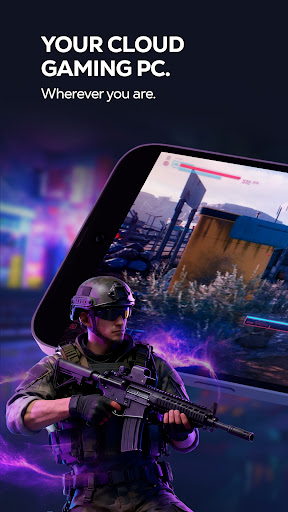
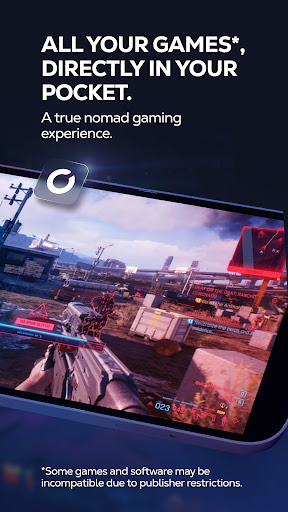
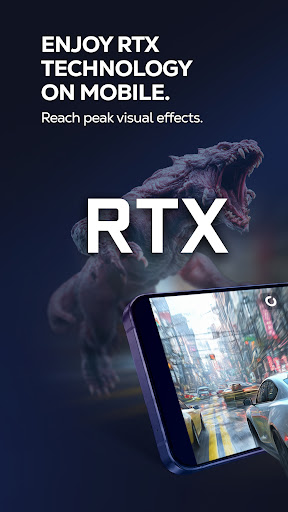
Put the power of a high-end gaming desktop right at your fingertips. Shadow PC gives you access to a real Windows 11 PC in the cloud, capable of running your most demanding games and software. Forget hardware limitations and turn your smartphone, tablet, or Android TV into an ultra-powerful gaming machine.
BUILT FOR PERFORMANCE
Enjoy stunning graphics and exceptional smoothness. Shadow PC lets you play with Ultra settings, enjoy Ray Tracing in supported games, and reach up to 4K / 120 Hz on compatible displays. Experience true console-like gameplay thanks to support for PlayStation, Xbox, and MFi controllers, as well as keyboard and mouse via Bluetooth. Use the built-in virtual controller with customizable touch controls to play wherever you are.
A FULL PC, WITH NO RESTRICTIONS
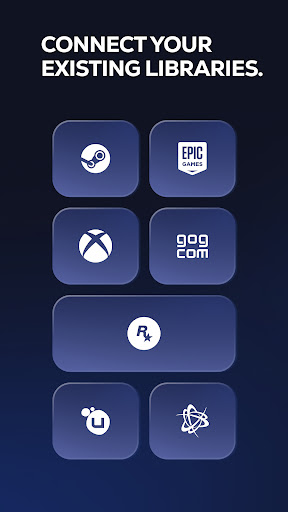
Shadow PC is not just a game streaming service with a predefined catalog. It’s your PC. Log in to your Steam, Epic Games, Ubisoft, Battle.net, or GOG accounts. Download and play the games you already own, install mods, and use your usual launchers and tools. Beyond gaming, Shadow PC also lets you work, create, and stream: Photoshop, OBS, Discord, editing or development software—just like on a local computer.
TECHNOLOGY ADAPTED TO YOUR CONNECTION
Thanks to our proprietary streaming protocol, Shadow PC delivers optimized smoothness and responsiveness over 4G, 5G, and Wi-Fi. Low Bandwidth Mode automatically adjusts streaming quality to ensure a stable session, even on the go. Latency is minimized for an experience close to a physical PC.
KEY FEATURES
* Full Windows 11 PC in the cloud
* High-end graphics performance, Ray Tracing compatible
* Ready for 4K and 120 Hz on supported displays
* Built-in virtual touch controller
* Controller, keyboard, and mouse support via Bluetooth or wired, with full keyboard control via Android's accessibility service
* Second screen: use your mobile to manage chats or streams
* Companion mode: use your mobile as a keyboard during PC or TV sessions
HOW IT WORKS
1. Subscribe on shadow.tech
2. Download the Shadow PC app
3. Connect a controller or use touch controls
4. Launch your virtual PC and play
แสดงเพิ่มเติม

1. ดาวน์โหลดตัวติดตั้ง MEmu และสิ้นสุดการติดตั้ง

2. เริ่ม MEmu จากนั้นเปิด Google Play บนหน้าแรก

3. ค้นหา Shadow PC ใน Google Play
Install
4. ดาวน์โหลดและติดตั้ง Shadow PC
5. เมื่อติดตั้งเสร็จให้คลิกที่ไอคอนเพื่อเริ่มใช้งาน

6. ใช้ MEmu เพื่อสัมผัสประสบการณ์ Shadow PC บนคอมพิวเตอร์ของคุณ
MEmu Play คือโปรแกรมจำลอง Android ที่ดีที่สุด มีผู้ใช้มากกว่า 50 ล้านคน มอบประสบการณ์การใช้งานแอป Android ขั้นสุดยอดให้กับคุณ เทคโนโลยีจำลองเสมือนของ MEmu ช่วยให้คุณรันแอป Android หลายพันแอปบนคอมพิวเตอร์ได้อย่างราบรื่น แม้แอปที่กินทรัพยากรเครื่องสูงที่สุด
จอใหญ่และกราฟฟิกสวยกว่า; เล่นได้นาน, ไม่ต้องใช้แบตเตอรี่โทรศัพท์หรือเน็ตโทรศัพท์.
ระบบปรับแต่งปุ่มคีย์บอร์ดและเม้าส์ตามที่คุณเลือก
เล่นมากกว่าหนึ่งเกมบน PC ในเวลาเดียวกันด้วยระบบหลายจอหรือ Multi-Instance manager.
Use Shadow PC on PC by following steps: