Mastram: Web Series & More
更新日期
目前版本
2.0.8
提供者

想體驗Mastram: Web Series & More,可是手機熒幕太小,一載軟體就變燙,怎麼辦?透過逍遙模擬器,在電腦的大熒幕上暢快體驗!用鍵鼠操作更精準流暢,逍遙模擬器滿足您的所有期待。在電腦上下載安裝Mastram: Web Series & More,不用擔心電池當掉,想體驗多久就多久,順暢跑一天~全新的逍遙模擬器9,絕對是您體驗Mastram: Web Series & More電腦版的最佳選擇。完美的按鍵映射系統讓Mastram: Web Series & More如PC軟體般順手;強大的多開功能可同時執行多個任務;獨家虛擬化技術更能徹底釋放電腦效能,保障長時間穩定運作。我們致力於不讓設備限制您的體驗,助您輕鬆高效,暢快無比!
更多
使用逍遙模擬器在電腦上享受Mastram: Web Series & More的卓越體驗。這是一款功能強大的免費安卓模擬器,為您提供數千款安卓應用程式的桌面版本。與好友互動,有效率完成工作,盡情享受! 歡迎來到 Mastram,這是一個基於訂閱的 OTT 平台,提供海量的電影和網路連續劇庫,以滿足不同的品味和偏好。


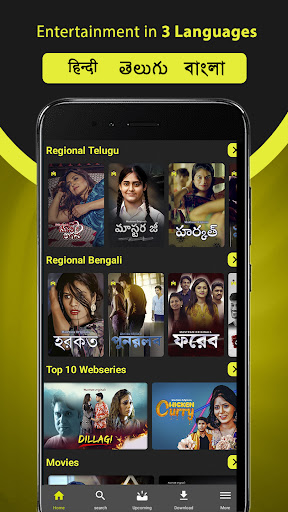

歡迎來到 Mastram,這是一個基於訂閱的 OTT 平台,提供海量的電影和網路連續劇庫,以滿足不同的品味和偏好。我們的平台旨在為用戶提供無縫的觀看體驗,提供高品質的內容和個人化的推薦。
探索我們的內容
- 電影:探索原創電影、永恆經典以及介於兩者之間的一切。
- 網路系列:盡情觀看您最喜歡的節目,從原創內容到授權系列。我們的網路影集會定期更新,讓您盡情娛樂。
訂閱計劃
我們提供靈活的訂閱方案以滿足您的觀看需求:
- 每週計劃:100 盧比(7 天有效)
- 每月計畫:200 盧比(30 天內有效)
- 年度計劃:400 盧比(365 天有效)
主要特點
- 高品質串流媒體:享受高品質無縫串流媒體,確保身臨其境的觀看體驗。
- 個人化推薦:根據您的觀看歷史記錄獲取建議,幫助您發現適合您口味的新內容。
- 使用者友善的介面:我們直覺的介面使您可以輕鬆導航和找到您喜歡的內容。
- 定期更新內容庫:定期新增電影和網路連續劇,確保總是有新內容可看。
為什麼選擇馬斯特拉姆?
- 無與倫比的娛樂體驗:我們的平台提供電影和網路影集的獨特融合,迎合不同的品味和偏好。
- 便利的訂閱方案:我們靈活的方案可讓您選擇適合您需求的訂閱期。
- 造訪海量內容庫:擁有大量電影和網路連續劇,您永遠不會用完選擇。
開始使用
立即下載 Mastram,解鎖娛樂世界。訂閱我們的平台,即可無限制地存取我們龐大的電影和網路連續劇庫。
更多

1. 下載逍遙安裝器並完成設置

2. 啟動逍遙後打開位於桌面上的谷歌商店

3. 在谷歌商店中搜尋Mastram: Web Series & More
Install
4. 下載並安裝Mastram: Web Series & More
5. 下載完成後點擊圖標來啟動

6. 透過逍遙享受在電腦上體驗Mastram: Web Series & More
逍遙安卓是優秀的安卓模擬器,全球超過5000萬用戶的優先選擇。逍遙安卓以虛擬化技術為核心,為用户打造突破手機配備局限的應用平台!
大屏精細展示;無限待機,超越電池和流量限制
鍵鼠,手把操作全面支持,操作更精準
用逍遙多開同時運行多個遊戲、應用。
Use Mastram: Web Series & More on PC by following steps: