Krita
更新日期
目前版本
5.2.8
提供者

想體驗Krita,可是手機熒幕太小,一載軟體就變燙,怎麼辦?透過逍遙模擬器,在電腦的大熒幕上暢快體驗!用鍵鼠操作更精準流暢,逍遙模擬器滿足您的所有期待。在電腦上下載安裝Krita,不用擔心電池當掉,想體驗多久就多久,順暢跑一天~全新的逍遙模擬器9,絕對是您體驗Krita電腦版的最佳選擇。完美的按鍵映射系統讓Krita如PC軟體般順手;強大的多開功能可同時執行多個任務;獨家虛擬化技術更能徹底釋放電腦效能,保障長時間穩定運作。我們致力於不讓設備限制您的體驗,助您輕鬆高效,暢快無比!
更多
透過逍遙模擬器,在電腦上下載Krita,享受大熒幕的暢快體驗。 Krita is a full-featured digital painting application designed for artists.
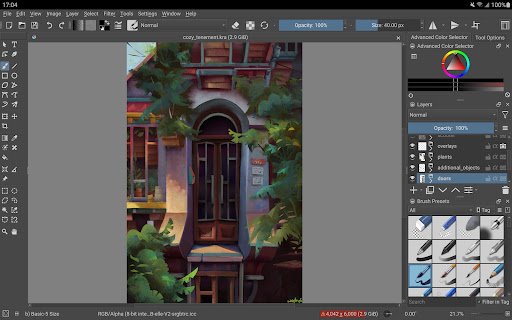
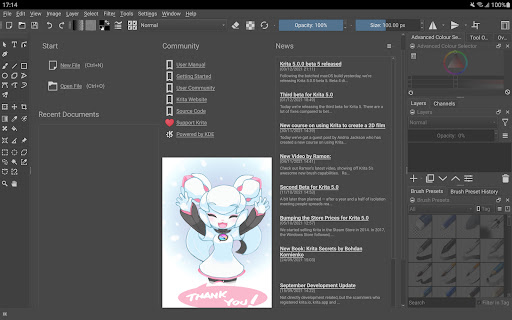
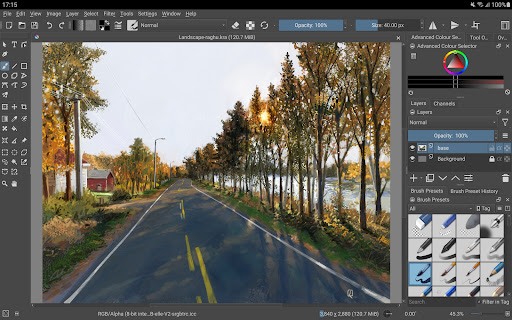
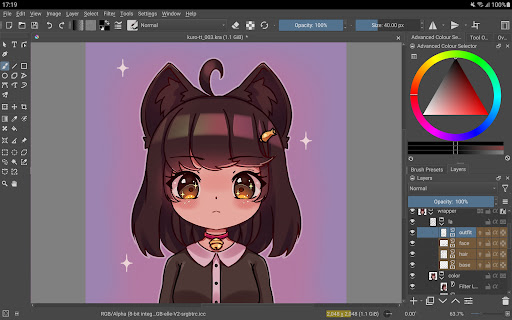
Krita is a full-featured digital painting application designed for artists. Whether you create illustrations, comics, animations, concept art or storyboards – Krita will be a powerful tool for you.
Krita offers many common and innovative features to make painting more fun and more productive. There are great brush engines for sketching and painting, stabilizers for freehand inking, assistants for constructing complex scenes, a distraction-free canvas-only mode for painting without bother, clone layers, layer styles, filter and transform masks for non-destructive editing. Krita supports all the most used file formats, including PSD.
Krita supports animation with onion skinning, storyboarding, comic book project management, scripting in Python, many powerful filters, selection tools, colorizing tools, color managed workflows, flexible workspaces… And much, much more. Discover the full feature set of Krita at https://krita.org!
This is a beta release of Krita and is not suitable for real work yet. Since the interface is currently optimized for big screen devices (tablets and chromebooks) we are not making it available for phones yet.
Krita is created by the Krita Foundation and Halla Rempt Software. The Krita project is part of the KDE community.
更多

1. 下載逍遙安裝器並完成設置

2. 啟動逍遙後打開位於桌面上的谷歌商店

3. 在谷歌商店中搜尋Krita
Install
4. 下載並安裝Krita
5. 下載完成後點擊圖標來啟動

6. 透過逍遙享受在電腦上體驗Krita
逍遙安卓是優秀的安卓模擬器,全球超過5000萬用戶的優先選擇。逍遙安卓以虛擬化技術為核心,為用户打造突破手機配備局限的應用平台!
大屏精細展示;無限待機,超越電池和流量限制
鍵鼠,手把操作全面支持,操作更精準
用逍遙多開同時運行多個遊戲、應用。
Use Krita on PC by following steps: