Krita
更新日
現在のバージョン
5.3.1.1
提供元

スマートフォンは不要!パソコンと同じようにキーボードとマウスで操作できます。MEmu Playは、あなたが待ち望んでいたすべての楽しみをお届けします。バッテリー残量や小さな画面を気にすることなく、Kritaをご利用ください。最新のMEmu 9は、KritaをPCで体験するのに最適です!完璧なキーマッピングシステムにより、PCのようなスムーズな操作性を実現します。マルチインスタンス機能により、複数のアプリケーションを同時に実行できます。独自の仮想化エンジンがPCのパフォーマンスを最大限に引き出します。アプリを使用するだけでなく、高品質な体験を得ることができます。
もっと見る
KritaをPCでダウンロード!大画面でより楽しむ。電源が落ちてしまうとか通信料が足りないとかの問題を心配する必要がなく、PCの大画面でより快適にゲームを楽しましょう! Krita は、アーティスト向けに設計されたフル機能のデジタル ペイント アプリケーションです。
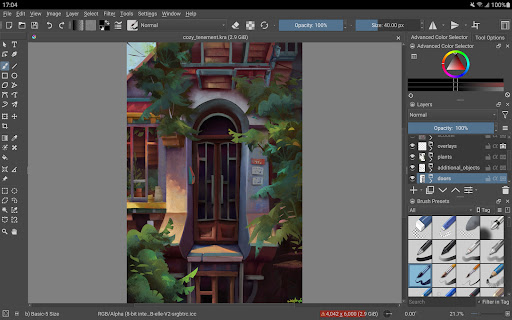
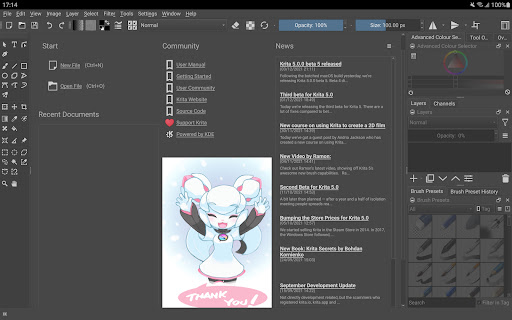

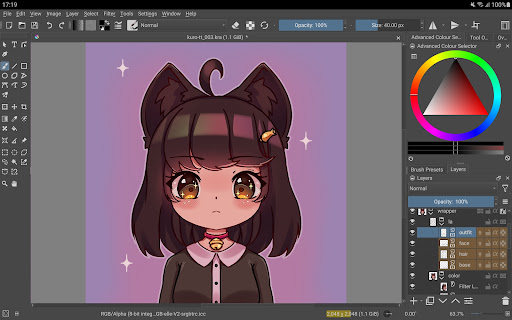
Krita は、アーティスト向けに設計されたフル機能のデジタル ペイント アプリケーションです。イラスト、コミック、アニメーション、コンセプト アート、ストーリーボードのいずれを作成する場合でも、Krita は強力なツールになります。
Krita は、ペイントをより楽しく、より生産的にするための多くの共通かつ革新的な機能を提供します。スケッチとペイントのための優れたブラシ エンジン、フリーハンド インクのためのスタビライザー、複雑なシーンを構築するためのアシスタント、手間をかけずにペイントできる気を散らすことのないキャンバス専用モード、レイヤーのクローン、レイヤー スタイル、非破壊編集のためのフィルターと変換マスクがあります。 Krita は、PSD を含む、最もよく使用されるすべてのファイル形式をサポートしています。
Krita は、オニオン スキニングによるアニメーション、ストーリーボード、コミック プロジェクト管理、Python でのスクリプト作成、多くの強力なフィルター、選択ツール、色付けツール、カラー管理ワークフロー、柔軟なワークスペースなどをサポートしています。 https://krita.org で Krita の全機能セットをご覧ください。
これは Krita のベータ版リリースであり、実際の作業にはまだ適していません。現在、インターフェースは大画面デバイス (タブレットやクロームブック) 向けに最適化されているため、携帯電話ではまだ利用できません。
Krita は、Krita Foundation と Halla Rempt Software によって作成されました。 Krita プロジェクトは KDE コミュニティの一部です。
もっと見る

1. MEmuインストーラーをダウンロードしてセットアップを完了する

2. MEmuを起動し、デスクトップでのPlayストアを開く

3. PlayストアでKritaを検索する
Install
4. Kritaをダウンロードしてインストールする
5. インストールが完了したら、アイコンをクリックしてスタート

6. MEmuを使ってパソコンでKritaを体験する
MEmu Playは現在、最高の無料Androidエミュレーターであり、5,000万人のユーザーが優れたAndroidアプリ体験を楽しんでいます。MEmuの仮想化テクノロジーにより、数千ものAndroidアプリをコンピューターでスムーズに実行できます。
大画面でより精細;無限の待機、電池とドラフィックの極限を超え
キーボード・マウス・コントローラーを全力でサポート、より快適
マルチインスタンスで複数のゲームを同時に実行
Use Krita on PC by following steps: