Devastate
Оновлено
Поточна версія
1.0
Постачальник

Перестаньте турбуватися про надмірні витрати, використовуючи ххх на своєму мобільному телефоні, звільніться від крихітного екрану і насолоджуйтеся використанням програми на набагато більшому дисплеї. Відтепер отримуйте повний екран свого додатка за допомогою клавіатури та миші. MEmu пропонує вам усі дивовижні функції, які ви очікували: швидка установка та просте налаштування, інтуїтивно зрозумілі елементи керування, більше обмежень від акумулятора, мобільних даних та тривожних дзвінків. Новий MEmu 9 - найкращий вибір використання Devastate на вашому комп’ютері. За допомогою нашого поглинання менеджер із кількома примірниками одночасно дозволяє відкрити 2 або більше рахунків. І найголовніше, наш ексклюзивний емуляційний двигун може вивільнити весь потенціал вашого ПК, зробити все гладким і приємним.
Show more
Насолоджуйтесь чудовим досвідом Devastate гри на ПК за допомогою програми MEMU App Player. Це потужний безкоштовний емулятор Android, який дозволяє вам грати в тисячі ігор Android. Devastate features a 2D anime art style and focuses on interactive character development.
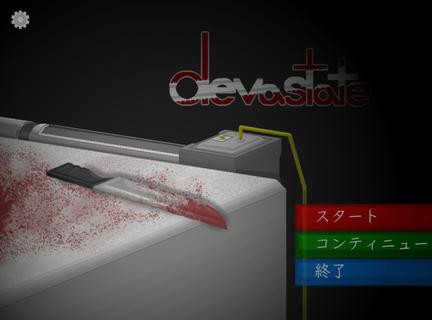
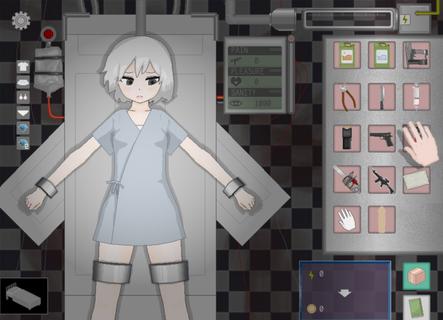
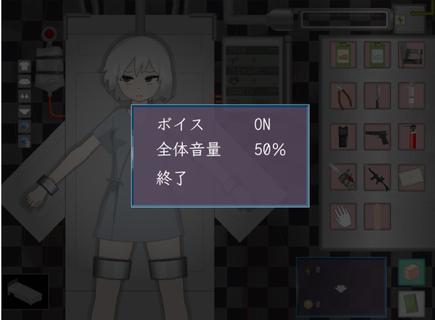
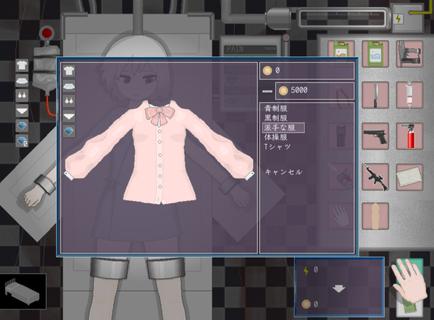
Devastate features a 2D anime art style and focuses on interactive character development. Players can interact with a mysterious, beautiful girl lying in a laboratory bed, learning her story through dialogue and offering companionship and care. Devastate offers items such as stun guns, buckets, and stimulants, each with different functions. A variety of exquisite outfits are also available for customization, allowing players to create adorable looks, strengthen their bond, and help her regain her smile and vitality. Devastate Beginner's Guide1. Interacting with the little girl character is crucial; warm, everyday actions will influence subsequent events.2. Pay close attention to special parameters such as "Sanity" in the game; reaching zero may lead to negative consequences.3. When using items, carefully observe environmental changes and the character's reactions. Strategic item usage will make it easier to control the game's direction. How to unlock outfits in Devastate:1. Tap the little girl to trigger interactive actions such as patting her head and having a conversation;2. When a danger warning appears, tap the corresponding item in the bottom inventory to defend or heal;3. Enter the "Wardrobe" interface and drag and drop outfits onto your character to change clothes. Multiple outfits can be saved;4. Claim daily goals on the "Tasks" or "Events" page and receive coin rewards upon completion;5. Use coins to purchase new outfits in the shop. Some rare outfits require specific conditions to unlock.
Show more

1. Download MEmu installer and finish the setup

2. Start MEmu then open Google Play on the desktop

3. Search Devastate in Google Play
Install
4. Download and Install Devastate
5. On install completion click the icon to start

6. Enjoy playing Devastate on PC with MEmu
MEmu App Player є кращим безкоштовним емулятором Android, і 50 мільйонів людей вже користуються його чудовим ігровим досвідом Android. Технологія віртуалізації MEmu дає вам змогу відтворювати тисячі ігор Android на вашому комп'ютері, навіть найбільш насичених графікою.
Bigger screen with better graphics; Long duration, without limitation of battery or mobile data.
Full Keymapping support for precise control of keyboard and mouse or gamepad.
Multiple game accounts or tasks on single PC at one time with Multi-Instance manager.
Play Devastate on PC by following steps: