Devastate
อัปเดตเมื่อ
เวอร์ชันปัจจุบัน
1.0
ให้บริการโดย

เวลาคุณเล่น Devastate, คุณอาจรู้สึกว่ามือคุณอาจบังจอแล้วทำให้ไม่ได้เล่นแบบเต็มที่. เล่นแบบไร้ขีดจำกัดด้วยเม้าส์และคีย์บอร์ด. MEmu มีตัวเลือกหลายอย่างให้คุณใช้งานเกมที่คุณเล่นแบบที่คุณต้องการ. ดาวน์โหลดและเล่น Devastate บน PC. เล่นนานแค่ไหนก็ได้, ไม่ต้องชาร์จแบตเตอรี่, หรือเจอคนโทรเข้ามาระหว่างเล่น. MEmu 9 เป็นตัวเลือกสำหรับการเล่น Devastate บน PC. ทางทีมงานเราได้ปรับแต่งเกม, ปรับให้เล่นเกมบางเกมได้เหมือนเล่น Devastate เป็นเกม PC เช่นเล็งด้วยเม้าส์หรือใช้คีย์บอร์ด. ระบบของเรายังทำให้คุณสามารถเปิดเล่นได้มากกว่า 2 เกมพร้อมๆกันในคอมของคุณ. และที่สำคัญที่สุด, ระบบโปรแกรมของเราสามารถทำให้คุณใช้ระบบของ PC ทำให้เกมลื่นเหมือนกับใช้โทรศัพท์รุ่นล่าสุด. เราไม่ได้ดูแลเรื่องการเล่นเกม, แต่เราดูแลถึงความสนุกสนานที่คุณได้จากการเล่นด้วย.
แสดงเพิ่มเติม
ดาวน์โหลด Devastate บน PC ด้วย MEmu Android Emulator สนุกกับการเล่นบนหน้าจอขนาดใหญ่ Devastate features a 2D anime art style and focuses on interactive character development.
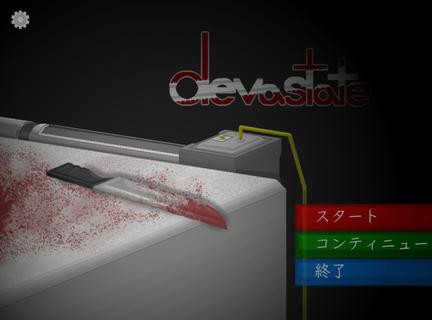
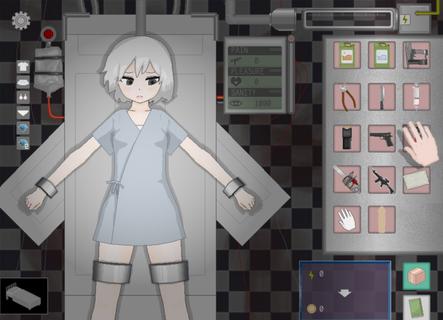
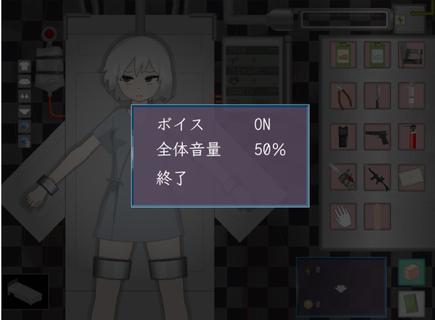
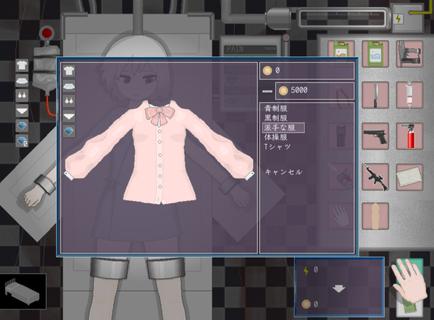
Devastate features a 2D anime art style and focuses on interactive character development. Players can interact with a mysterious, beautiful girl lying in a laboratory bed, learning her story through dialogue and offering companionship and care. Devastate offers items such as stun guns, buckets, and stimulants, each with different functions. A variety of exquisite outfits are also available for customization, allowing players to create adorable looks, strengthen their bond, and help her regain her smile and vitality. Devastate Beginner's Guide1. Interacting with the little girl character is crucial; warm, everyday actions will influence subsequent events.2. Pay close attention to special parameters such as "Sanity" in the game; reaching zero may lead to negative consequences.3. When using items, carefully observe environmental changes and the character's reactions. Strategic item usage will make it easier to control the game's direction. How to unlock outfits in Devastate:1. Tap the little girl to trigger interactive actions such as patting her head and having a conversation;2. When a danger warning appears, tap the corresponding item in the bottom inventory to defend or heal;3. Enter the "Wardrobe" interface and drag and drop outfits onto your character to change clothes. Multiple outfits can be saved;4. Claim daily goals on the "Tasks" or "Events" page and receive coin rewards upon completion;5. Use coins to purchase new outfits in the shop. Some rare outfits require specific conditions to unlock.
แสดงเพิ่มเติม

1. ดาวน์โหลดตัวติดตั้ง MEmu และสิ้นสุดการติดตั้ง

2. เริ่ม MEmu จากนั้นเปิด Google Play บนหน้าแรก

3. ค้นหา Devastate ใน Google Play
Install
4. ดาวน์โหลดและติดตั้ง Devastate
5. เมื่อติดตั้งเสร็จให้คลิกที่ไอคอนเพื่อเริ่มใช้งาน

6. สนุกกับการเล่น Devastate บนพีซีด้วย MEmu
MEmu App Player เป็นอีมูเลเตอร์ Android ที่ดีที่สุดและผู้คนกว่า 50 ล้านคนเพลิดเพลินไปกับประสบการณ์การเล่นเกม Android ที่ยอดเยี่ยม เทคโนโลยีการจำลองเสมือนของ MEmu ช่วยให้คุณเล่นเกม Android หลายพันเกมได้อย่างราบรื่นบนพีซีของคุณแม้แต่เกมที่ต้องใช้กราฟิกมากที่สุด
จอใหญ่และกราฟฟิกสวยกว่า; เล่นได้นาน, ไม่ต้องใช้แบตเตอรี่โทรศัพท์หรือเน็ตโทรศัพท์.
ระบบปรับแต่งปุ่มคีย์บอร์ดและเม้าส์ตามที่คุณเลือก
เล่นมากกว่าหนึ่งเกมบน PC ในเวลาเดียวกันด้วยระบบหลายจอหรือ Multi-Instance manager.
Play Devastate on PC by following steps: