NetMirror
Оновлено
Поточна версія
1.0.0
Постачальник

Перестаньте турбуватися про надмірні витрати, використовуючи ххх на своєму мобільному телефоні, звільніться від крихітного екрану і насолоджуйтеся використанням програми на набагато більшому дисплеї. Відтепер отримуйте повний екран свого додатка за допомогою клавіатури та миші. MEmu пропонує вам усі дивовижні функції, які ви очікували: швидка установка та просте налаштування, інтуїтивно зрозумілі елементи керування, більше обмежень від акумулятора, мобільних даних та тривожних дзвінків. Зовсім новий MEmu 9 – найкращий вибір для використання Єдина Школа на вашому комп’ютері. За допомогою нашого поглинання менеджер із кількома примірниками одночасно дозволяє відкрити 2 або більше рахунків. І найголовніше, наш ексклюзивний емуляційний двигун може вивільнити весь потенціал вашого ПК, зробити все гладким і приємним.
Show more
Насолоджуйтесь чудовим досвідом використання NetMirror на ПК за допомогою MEmu Play. Це потужний безкоштовний емулятор Android, який пропонує тисячі програм Android для настільних комп'ютерів. Насолоджуйтесь спілкуванням з друзями та покращенням своєї роботи з більшою ефективністю! NetMirror suits moments when you need quick guidance on what to watch next.
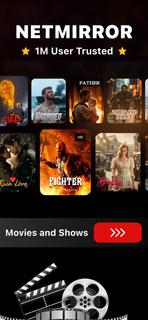

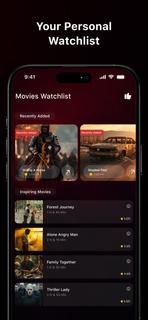
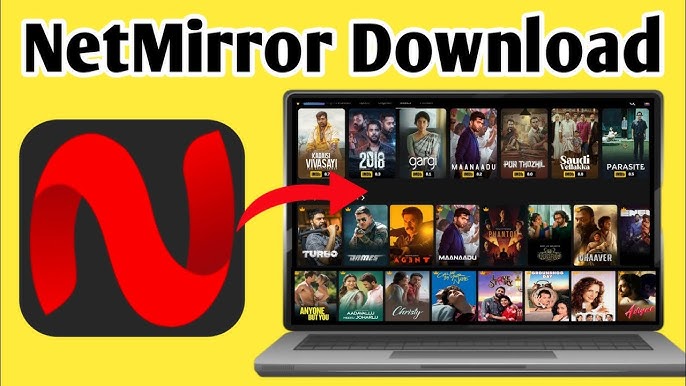
NetMirror suits moments when you need quick guidance on what to watch next. It focuses on discovery and planning, so you can scan current trends and keep track of titles in one place. The app presents essential details in a clear layout and leaves viewing decisions to you. It provides information only and does not host or stream videos. If you plan to download NetMirror, check that its information-focused approach fits your viewing habits. NetMirror featuresBrowse charts for fast discoveryNetMirror lets you look through curated lists such as popular, top-rated, and upcoming. This view helps you spot trending films and series in seconds. It is a quick way to scan highlights before you dive into details.Filter by genre and categoryAfter checking the main charts, you can narrow results with simple category and genre filters. Choose the types you like to reduce noise and surface titles that match your taste. This keeps browsing focused when the catalog feels large.Search with keywords and criteriaYou can find specific titles by typing keywords and combining basic filters. The search helps when you remember only part of a name or want to explore by theme. Results refresh quickly, so you can refine terms as you go.Open rich title pagesWhen a title stands out, open its page to read a short synopsis and see release and rating info. Cast and creator sections add context, and series entries include episode or season structure where available. Scroll further to view similar recommendations that relate to what you are checking.Multiple language options and historyTo support daily use, NetMirror includes multiple language choices in its interface. A simple history keeps a record of what you viewed, which makes it easier to revisit items and continue planning later. This helps maintain a consistent watch shortlist over time. NetMirror's scopeNetMirror is designed as an information and discovery tool. It does not provide video playback, file hosting, or content downloads. Always choose lawful viewing options in your region and use the app to research titles, compare basic facts, and plan a watchlist. How to use NetMirror on AndroidAfter the NetMirror APK is installed, the home screen presents charts and categories for quick access. You can move between sections to explore before opening any title for details.Open the app and look over the charts on the home screen to get an overview of what is trending.Tap a chart like Popular or Upcoming to see the full list, then swipe between sections to compare options.Use the filter or category controls to pick genres and adjust the sort so results match your preferences.Select a title to open its page, read the synopsis, check the cast and ratings, and scroll to similar suggestions.Return to the main view to continue browsing, then open the history section to revisit recent titles and refine your plan. Start exploring todayNetMirror helps you browse film and series information, compare basics, and build a personal shortlist without video playback. To keep features current, consider downloading the NetMirror latest version APK from APKPure when it becomes available. Open the app and start exploring titles that match your interests.
Show more

1. Download MEmu installer and finish the setup

2. Start MEmu then open Google Play on the desktop

3. Search NetMirror in Google Play
Install
4. Download and Install NetMirror
5. On install completion click the icon to start

6. Enjoy using NetMirror on PC with MEmu
MEmu App Player є кращим безкоштовним емулятором Android, і 50 мільйонів людей вже користуються його чудовим ігровим досвідом Android. Технологія віртуалізації MEmu дає вам змогу відтворювати тисячі ігор Android на вашому комп'ютері, навіть найбільш насичених графікою.
Bigger screen with better graphics; Long duration, without limitation of battery or mobile data.
Full Keymapping support for precise control of keyboard and mouse or gamepad.
Multiple game accounts or tasks on single PC at one time with Multi-Instance manager.
Use NetMirror on PC by following steps: