KARLSON
تازہ کاری
موجودہ ورژن
پیشکش بذریعہ

KARLSON کھیلنے کے اپنے پورے جنون کے دوران آپ کے ہاتھ آپ کے فون کی ایک چھوٹی سی اسکرین تک محدود نہیں ہونے چاہئیں۔ پرو کی طرح کھیلیں اور کی بورڈ اور ماؤس کے سہارے اپنے گیم پر مکمل کنٹرول حاصل کریں۔ MEmu آپ کو وہ تمام چیزیں پیش کرتا ہے جس کی آپ امید کرتے ہیں۔ پی سی پر KARLSON ڈاؤن لوڈ کریں اور کھیلیں۔ جتنی دیر تک آپ چاہیں کھیلیں، بیٹری، موبائل ڈیٹا کی کوئی حد نہیں ہے اور پریشان کن کالز نہیں ہیں۔ نئے برانڈ کا MEmu 9 پی سی پر KARLSON کھیلنے کا بہترین اختیار ہے۔ ہماری مہارت کی مدد سے تیار کردہ، شاندار پری سیٹ کی میپنگ سسٹم KARLSON کو ایک ریئل پی سی گیم بناتا ہے۔ MEmu کثیر نظیری منیجرایک ہی ڈیوائس پر 2 یا زیادہ اکاؤنٹس پلے کرنا ممکن بناتا ہے۔ اور سب سے اہم بات یہ ہے کہ، ہمارا خصوصی ایمولیشن انجن آپ کے پی سی کی مکمل طاقت ریلیز کرتے ہوئے ہر چیز ہموار بنا سکتا ہے۔
مزید دکھائیں
Download KARLSON on PC with MEmu Android Emulator. Enjoy playing on big screen. KARLSON is a unique and exhilarating first-person shooter (FPS) game that combines fast-paced action, fluid parkour mechanics, stylish slow-motion sequences, and an unusual obsession with milk.
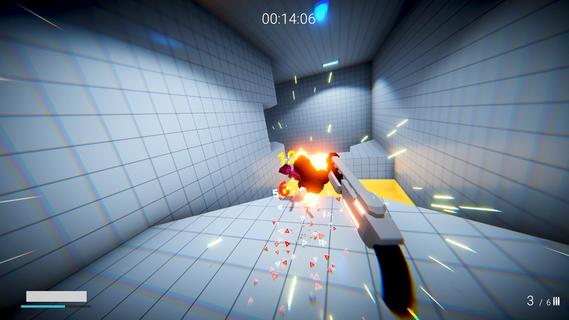
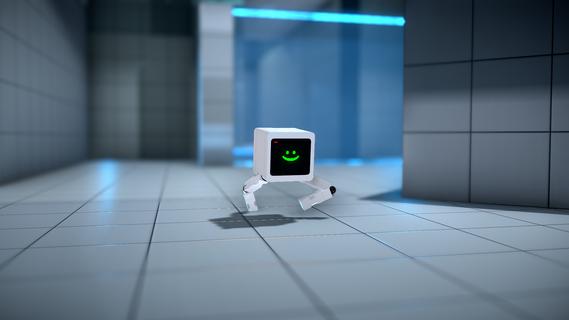
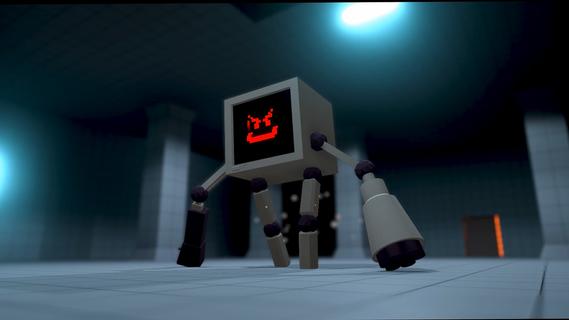
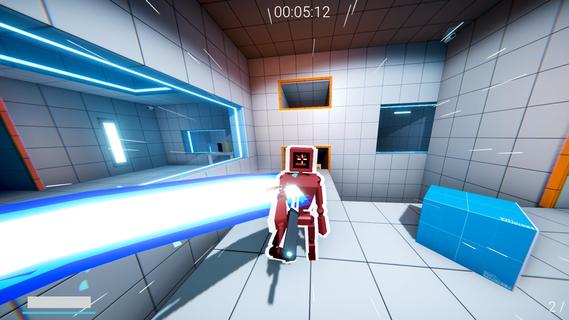
KARLSON is a unique and exhilarating first-person shooter (FPS) game that combines fast-paced action, fluid parkour mechanics, stylish slow-motion sequences, and an unusual obsession with milk. Developed by Dani, an indie game creator known for his creative and engaging projects, KARLSON offers players a fresh and entertaining experience that stands out in the crowded FPS genre. At its core, KARLSON is about a quirky protagonist named Karlson, a milk-loving man on a relentless quest to find and drink his favorite beverage. This seemingly simple premise is elevated by the game's dynamic gameplay, which blends intense shooting mechanics with agile movement and cinematic slow-motion effects. The result is an adrenaline-fueled adventure where players must navigate complex environments, outsmart enemies, and maintain their thirst for milk. One of the standout features of KARLSON is its parkour system. Unlike traditional shooters where movement can feel clunky or limited, KARLSON emphasizes fluidity and speed. Players can run, jump, wall-run, and slide through levels with ease, allowing for creative approaches to combat and exploration. This parkour element not only adds depth to the gameplay but also keeps the pace fast and exciting, encouraging players to think on their feet and master the environment. The slow-motion mechanic is another highlight that adds a cinematic flair to the game. At key moments, players can trigger slow motion to dodge bullets, line up perfect shots, or execute stylish kills. This feature enhances the visual spectacle and strategic depth, giving players a satisfying sense of control and coolness during chaotic firefights. KARLSON’s levels are designed with verticality and complexity in mind, featuring a variety of urban and industrial settings filled with platforms, obstacles, and hidden paths. This design encourages exploration and rewards players who master the parkour skills to reach advantageous positions or secret areas. The game also includes a range of weapons and gadgets that complement the fast-paced movement, from pistols and shotguns to more inventive tools that suit the game's quirky tone. The narrative, while minimalistic, adds charm and humor to the experience. Karlson’s obsession with milk drives the story forward, leading to absurd and entertaining scenarios. This lighthearted approach contrasts with the intense gameplay, creating a unique balance that appeals to players looking for both action and personality. KARLSON also benefits from its indie roots, showcasing a distinctive art style that blends simple yet effective visuals with smooth animations. The game's soundtrack and sound effects contribute to the energetic atmosphere, keeping players engaged and immersed throughout their milk-fueled journey. In addition to its single-player campaign, KARLSON has garnered attention for its modding community. Players have created custom levels, challenges, and even multiplayer modes, expanding the game's replayability and fostering a passionate fanbase. Overall, KARLSON is a refreshing take on the FPS genre, combining parkour, slow-motion, and a quirky narrative into a cohesive and thrilling package. Its emphasis on movement and style, paired with a humorous storyline centered around milk, makes it a memorable and enjoyable experience for players seeking something different from traditional shooters. Whether you’re a fan of fast-paced action, creative level design, or just looking for a fun and offbeat game, KARLSON delivers a unique blend of excitement and charm that’s hard to find elsewhere.
مزید دکھائیں

1. MEmu انسٹالر ڈاؤن لوڈ کریں اور سیٹ اپ مکمل کریں

2. MEmu شروع کریں اسکے بعد ڈیسکٹاپ پر Google Play کھولیں

3. Google Play میں KARLSON تلاش کریں
Install
4. KARLSON ڈاؤن لوڈ کریں اور انسٹال کریں
5. انسٹال مکمل ہونے کے بعد سٹارٹ کرنے کے لیے آئیکن پر کلک کریں

6. MEmu کے ساتھ پی سی پر KARLSON کھیلنے کا لطف لیں
MEmu پلے بہترین اینڈرائڈ ایمولیٹر ہے اور 100 ملین لوگ اس کے زبردست اینڈرائڈ گیمنگ تجربہ سے لطف اندوز ہو رہے ہیں۔ MEmu کی ورچولائزیشن ٹیکنالوجی آپ کو اپنے PC پر ہزاروں اینڈرائڈ گیمز یہاں تک کہ انتہائی گرافک والے گیمز باسہولت کھیلنے کی طاقت دیتی ہے۔
بہتر گرافکس کے ساتھ بڑی اسکرین؛ طویل دورانیہ، بیٹری یا لامحدود موبائل ڈیٹا کے بغیر۔
کی بورڈ اور ماؤس یا گیم پیڈ کے عین مطابق کنٹرول کے لیے کی میپنگ کا پورا سپورٹ۔
کثیر مثالی منیجر کے ساتھ بیک وقت ایک پی سی پر متعدد گیم اکاؤنٹس یا ٹاسکس۔
پی سی پر درج ذیل مراحل پر عمل کرتے ہوئے KARLSON کھیلیں: