KARLSON
Aktualisiert
Aktuelle Version
Angeboten von

Bei all Ihrer Leidenschaft für das Spielen von KARLSON sollten Ihre Hände nicht auf einen winzigen Bildschirm Ihres Telefons beschränkt sein. Spielen Sie wie ein Profi und übernehmen Sie die volle Kontrolle über Ihr Spiel mit Tastatur und Maus. MEmu bietet Ihnen all die Dinge, die Sie erwarten. Laden Sie KARLSON herunter und spielen Sie es auf dem PC. Spielen Sie so lange, wie Sie wollen, ohne Grenzwerte für Akku, mobile Daten und störende Anrufe. Das brandneue MEmu 9 ist die beste Wahl, um KARLSON auf dem PC zu spielen. Das exquisite voreingestellte Tastaturbelegungssystem, das mit unserem Fachwissen vorbereitet wurde, macht KARLSON zu einem echten PC-Spiel. Der MEmu Multi-Instanz-Manager ermöglicht das Spielen von 2 oder mehr Konten auf demselben Gerät. Und das Wichtigste: Unsere exklusive Emulations-Engine kann das volle Potenzial Ihres PCs freisetzen und für reibungslose Abläufe sorgen.
Mehr anzeigen
Laden Sie Play KARLSON auf dem PC mit MEmu Android Emulator. Viel Spaß beim Spielen auf großmundieren. KARLSON is a unique and exhilarating first-person shooter (FPS) game that combines fast-paced action, fluid parkour mechanics, stylish slow-motion sequences, and an unusual obsession with milk.
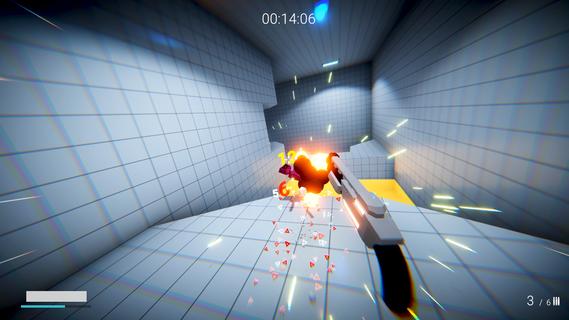
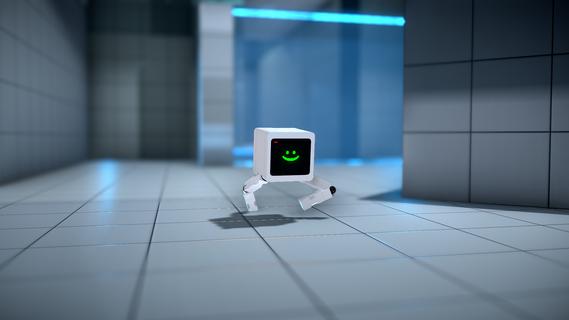
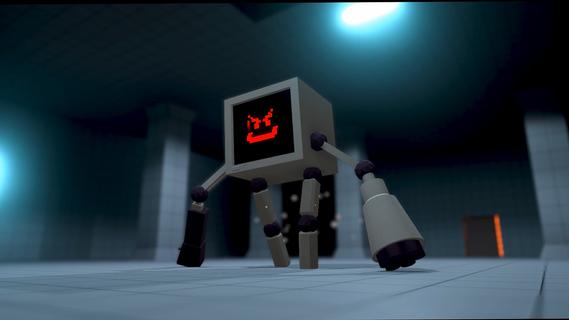
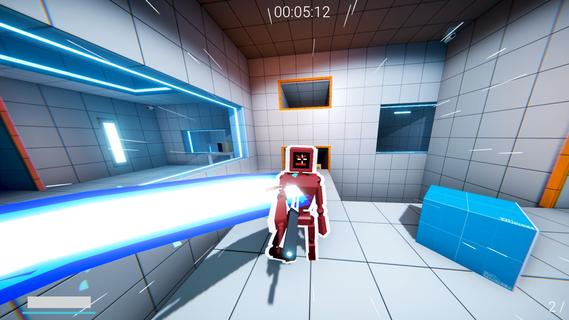
KARLSON is a unique and exhilarating first-person shooter (FPS) game that combines fast-paced action, fluid parkour mechanics, stylish slow-motion sequences, and an unusual obsession with milk. Developed by Dani, an indie game creator known for his creative and engaging projects, KARLSON offers players a fresh and entertaining experience that stands out in the crowded FPS genre. At its core, KARLSON is about a quirky protagonist named Karlson, a milk-loving man on a relentless quest to find and drink his favorite beverage. This seemingly simple premise is elevated by the game's dynamic gameplay, which blends intense shooting mechanics with agile movement and cinematic slow-motion effects. The result is an adrenaline-fueled adventure where players must navigate complex environments, outsmart enemies, and maintain their thirst for milk. One of the standout features of KARLSON is its parkour system. Unlike traditional shooters where movement can feel clunky or limited, KARLSON emphasizes fluidity and speed. Players can run, jump, wall-run, and slide through levels with ease, allowing for creative approaches to combat and exploration. This parkour element not only adds depth to the gameplay but also keeps the pace fast and exciting, encouraging players to think on their feet and master the environment. The slow-motion mechanic is another highlight that adds a cinematic flair to the game. At key moments, players can trigger slow motion to dodge bullets, line up perfect shots, or execute stylish kills. This feature enhances the visual spectacle and strategic depth, giving players a satisfying sense of control and coolness during chaotic firefights. KARLSON’s levels are designed with verticality and complexity in mind, featuring a variety of urban and industrial settings filled with platforms, obstacles, and hidden paths. This design encourages exploration and rewards players who master the parkour skills to reach advantageous positions or secret areas. The game also includes a range of weapons and gadgets that complement the fast-paced movement, from pistols and shotguns to more inventive tools that suit the game's quirky tone. The narrative, while minimalistic, adds charm and humor to the experience. Karlson’s obsession with milk drives the story forward, leading to absurd and entertaining scenarios. This lighthearted approach contrasts with the intense gameplay, creating a unique balance that appeals to players looking for both action and personality. KARLSON also benefits from its indie roots, showcasing a distinctive art style that blends simple yet effective visuals with smooth animations. The game's soundtrack and sound effects contribute to the energetic atmosphere, keeping players engaged and immersed throughout their milk-fueled journey. In addition to its single-player campaign, KARLSON has garnered attention for its modding community. Players have created custom levels, challenges, and even multiplayer modes, expanding the game's replayability and fostering a passionate fanbase. Overall, KARLSON is a refreshing take on the FPS genre, combining parkour, slow-motion, and a quirky narrative into a cohesive and thrilling package. Its emphasis on movement and style, paired with a humorous storyline centered around milk, makes it a memorable and enjoyable experience for players seeking something different from traditional shooters. Whether you’re a fan of fast-paced action, creative level design, or just looking for a fun and offbeat game, KARLSON delivers a unique blend of excitement and charm that’s hard to find elsewhere.
Mehr anzeigen

1. Laden das MEmu-Installationsprogramm herunter und beenden die Installation

2. MEmu starten und Google Play auf der Homepage öffnen

3. Suchen KARLSON in Google Play
Install
4. Herunterladen und Installieren KARLSON
5. Klicken nach Abschluss der Installation auf das Symbol, um es zu starten

6. Viel Spaß beim Spielen von KARLSON auf dem PC mit MEmu
MEmu App Player ist der beste kostenlose Android-Emulator und 50 Millionen Menschen genießen bereits seine hervorragende Android-Gaming-Erfahrung. Mit der MEmu-Virtualisierungstechnologie können Sie Tausende von Android-Spielen problemlos auf Ihrem PC spielen, selbst bei grafikintensiven Spielen.
BGrößeres Bild mit besserer Grafik; Keine unterbrechungen, keine sorgen um Akku
Komplette Tastenbelegung unterstützt mit Maus und Tastatur oder Controller
Mit dem „Multi-Instance-Manager“ können Sie mehrere Spielkonten oder Spiele gleichzeitig auf einem PC ausführen.
Play KARLSON on PC by following steps: