KARLSON
อัปเดตเมื่อ
เวอร์ชันปัจจุบัน
ให้บริการโดย

เวลาคุณเล่น KARLSON, คุณอาจรู้สึกว่ามือคุณอาจบังจอแล้วทำให้ไม่ได้เล่นแบบเต็มที่. เล่นแบบไร้ขีดจำกัดด้วยเม้าส์และคีย์บอร์ด. MEmu มีตัวเลือกหลายอย่างให้คุณใช้งานเกมที่คุณเล่นแบบที่คุณต้องการ. ดาวน์โหลดและเล่น KARLSON บน PC. เล่นนานแค่ไหนก็ได้, ไม่ต้องชาร์จแบตเตอรี่, หรือเจอคนโทรเข้ามาระหว่างเล่น. MEmu 9 เป็นตัวเลือกสำหรับการเล่น KARLSON บน PC. ทางทีมงานเราได้ปรับแต่งเกม, ปรับให้เล่นเกมบางเกมได้เหมือนเล่น KARLSON เป็นเกม PC เช่นเล็งด้วยเม้าส์หรือใช้คีย์บอร์ด. ระบบของเรายังทำให้คุณสามารถเปิดเล่นได้มากกว่า 2 เกมพร้อมๆกันในคอมของคุณ. และที่สำคัญที่สุด, ระบบโปรแกรมของเราสามารถทำให้คุณใช้ระบบของ PC ทำให้เกมลื่นเหมือนกับใช้โทรศัพท์รุ่นล่าสุด. เราไม่ได้ดูแลเรื่องการเล่นเกม, แต่เราดูแลถึงความสนุกสนานที่คุณได้จากการเล่นด้วย.
แสดงเพิ่มเติม
ดาวน์โหลด KARLSON บน PC ด้วย MEmu Android Emulator สนุกกับการเล่นบนหน้าจอขนาดใหญ่ KARLSON is a unique and exhilarating first-person shooter (FPS) game that combines fast-paced action, fluid parkour mechanics, stylish slow-motion sequences, and an unusual obsession with milk.
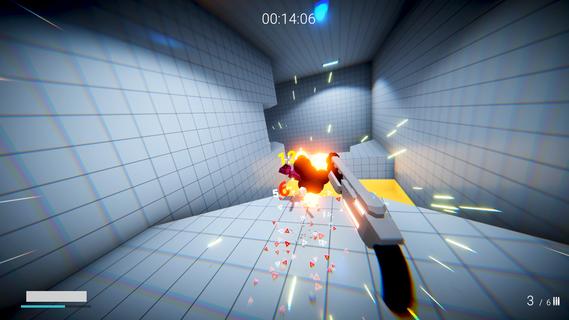
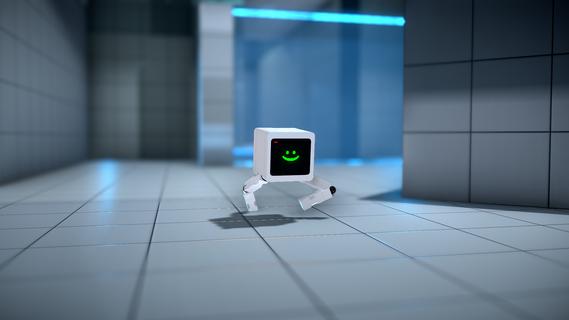
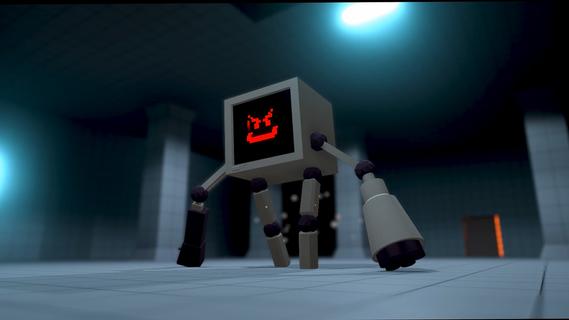
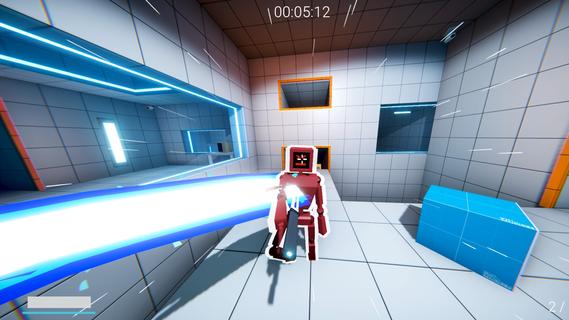
KARLSON is a unique and exhilarating first-person shooter (FPS) game that combines fast-paced action, fluid parkour mechanics, stylish slow-motion sequences, and an unusual obsession with milk. Developed by Dani, an indie game creator known for his creative and engaging projects, KARLSON offers players a fresh and entertaining experience that stands out in the crowded FPS genre. At its core, KARLSON is about a quirky protagonist named Karlson, a milk-loving man on a relentless quest to find and drink his favorite beverage. This seemingly simple premise is elevated by the game's dynamic gameplay, which blends intense shooting mechanics with agile movement and cinematic slow-motion effects. The result is an adrenaline-fueled adventure where players must navigate complex environments, outsmart enemies, and maintain their thirst for milk. One of the standout features of KARLSON is its parkour system. Unlike traditional shooters where movement can feel clunky or limited, KARLSON emphasizes fluidity and speed. Players can run, jump, wall-run, and slide through levels with ease, allowing for creative approaches to combat and exploration. This parkour element not only adds depth to the gameplay but also keeps the pace fast and exciting, encouraging players to think on their feet and master the environment. The slow-motion mechanic is another highlight that adds a cinematic flair to the game. At key moments, players can trigger slow motion to dodge bullets, line up perfect shots, or execute stylish kills. This feature enhances the visual spectacle and strategic depth, giving players a satisfying sense of control and coolness during chaotic firefights. KARLSON’s levels are designed with verticality and complexity in mind, featuring a variety of urban and industrial settings filled with platforms, obstacles, and hidden paths. This design encourages exploration and rewards players who master the parkour skills to reach advantageous positions or secret areas. The game also includes a range of weapons and gadgets that complement the fast-paced movement, from pistols and shotguns to more inventive tools that suit the game's quirky tone. The narrative, while minimalistic, adds charm and humor to the experience. Karlson’s obsession with milk drives the story forward, leading to absurd and entertaining scenarios. This lighthearted approach contrasts with the intense gameplay, creating a unique balance that appeals to players looking for both action and personality. KARLSON also benefits from its indie roots, showcasing a distinctive art style that blends simple yet effective visuals with smooth animations. The game's soundtrack and sound effects contribute to the energetic atmosphere, keeping players engaged and immersed throughout their milk-fueled journey. In addition to its single-player campaign, KARLSON has garnered attention for its modding community. Players have created custom levels, challenges, and even multiplayer modes, expanding the game's replayability and fostering a passionate fanbase. Overall, KARLSON is a refreshing take on the FPS genre, combining parkour, slow-motion, and a quirky narrative into a cohesive and thrilling package. Its emphasis on movement and style, paired with a humorous storyline centered around milk, makes it a memorable and enjoyable experience for players seeking something different from traditional shooters. Whether you’re a fan of fast-paced action, creative level design, or just looking for a fun and offbeat game, KARLSON delivers a unique blend of excitement and charm that’s hard to find elsewhere.
แสดงเพิ่มเติม

1. ดาวน์โหลดตัวติดตั้ง MEmu และสิ้นสุดการติดตั้ง

2. เริ่ม MEmu จากนั้นเปิด Google Play บนหน้าแรก

3. ค้นหา KARLSON ใน Google Play
Install
4. ดาวน์โหลดและติดตั้ง KARLSON
5. เมื่อติดตั้งเสร็จให้คลิกที่ไอคอนเพื่อเริ่มใช้งาน

6. สนุกกับการเล่น KARLSON บนพีซีด้วย MEmu
MEmu App Player เป็นอีมูเลเตอร์ Android ที่ดีที่สุดและผู้คนกว่า 50 ล้านคนเพลิดเพลินไปกับประสบการณ์การเล่นเกม Android ที่ยอดเยี่ยม เทคโนโลยีการจำลองเสมือนของ MEmu ช่วยให้คุณเล่นเกม Android หลายพันเกมได้อย่างราบรื่นบนพีซีของคุณแม้แต่เกมที่ต้องใช้กราฟิกมากที่สุด
จอใหญ่และกราฟฟิกสวยกว่า; เล่นได้นาน, ไม่ต้องใช้แบตเตอรี่โทรศัพท์หรือเน็ตโทรศัพท์.
ระบบปรับแต่งปุ่มคีย์บอร์ดและเม้าส์ตามที่คุณเลือก
เล่นมากกว่าหนึ่งเกมบน PC ในเวลาเดียวกันด้วยระบบหลายจอหรือ Multi-Instance manager.
Play KARLSON on PC by following steps: