Google Play Store
تازہ کاری
موجودہ ورژن
پیشکش بذریعہ

Google Play Store کھیلنے کے اپنے پورے جنون کے دوران آپ کے ہاتھ آپ کے فون کی ایک چھوٹی سی اسکرین تک محدود نہیں ہونے چاہئیں۔ پرو کی طرح کھیلیں اور کی بورڈ اور ماؤس کے سہارے اپنے گیم پر مکمل کنٹرول حاصل کریں۔ MEmu آپ کو وہ تمام چیزیں پیش کرتا ہے جس کی آپ امید کرتے ہیں۔ پی سی پر Google Play Store ڈاؤن لوڈ کریں اور کھیلیں۔ جتنی دیر تک آپ چاہیں کھیلیں، بیٹری، موبائل ڈیٹا کی کوئی حد نہیں ہے اور پریشان کن کالز نہیں ہیں۔ نئے برانڈ کا MEmu 9 پی سی پر Google Play Store کھیلنے کا بہترین اختیار ہے۔ ہماری مہارت کی مدد سے تیار کردہ، شاندار پری سیٹ کی میپنگ سسٹم Google Play Store کو ایک ریئل پی سی گیم بناتا ہے۔ MEmu کثیر نظیری منیجرایک ہی ڈیوائس پر 2 یا زیادہ اکاؤنٹس پلے کرنا ممکن بناتا ہے۔ اور سب سے اہم بات یہ ہے کہ، ہمارا خصوصی ایمولیشن انجن آپ کے پی سی کی مکمل طاقت ریلیز کرتے ہوئے ہر چیز ہموار بنا سکتا ہے۔
مزید دکھائیں
MEmu Play کے ساتھ PC پر Google Play Store ڈاؤن لوڈ کریں۔ بڑی اسکرین پر کھیلنے کا لطف اٹھائیں۔ The Google Play Store app is an essential application for Android users that allows them to browse, download, and update a variety of apps and games on their mobile devices.
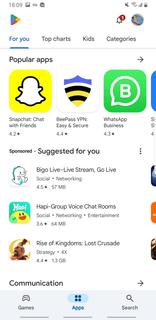
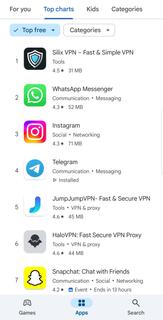
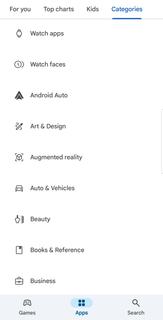
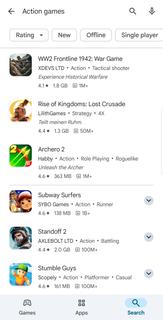
The Google Play Store app is an essential application for Android users that allows them to browse, download, and update a variety of apps and games on their mobile devices. With over 3 million apps, games, music, movies, TV shows, and books, the Google Play Store app is the largest mobile marketplace. Google Play Store interface is user-friendly and straightforward, making it easy for users to navigate and find the content they are looking for. There is a range of categories, such as top charts, new releases, and staff picks, which allow users to quickly discover new and popular apps. Moreover, the ratings and reviews given by other users help to give an idea of the app's quality and usefulness, making it easier for users to make informed decisions when downloading apps. In addition to apps and games, the Google Play Store app provides access to movies, TV shows, music, and books in various formats. Users can buy or rent movies and TV shows, watch them on their mobile devices or online on a TV or computer. Users can also stream music, discover new artists, or purchase individual songs or albums from their favorite artists. Additionally, users can find and purchase e-books and audiobooks to read or listen to offline. The Google Play Store app also allows users to manage their digital content effectively. The My Apps & Games section makes it easy for users to see the status of their app downloads, updates, and disable auto-update, if required. Users can also manage their notifications, subscriptions, and view their purchase history. The Google Play Store app ensures that the content shared on its platform is safe and secure for users to access. All apps and games are reviewed for functionality and security before being made available on the platform. Additionally, Google Play Protect constantly scans for malware and other malicious behavior to ensure that users remain safe.Google Play Store app is not available at Google Play Store for download. So you can install APK file of Google Play Store from APKPure.com for your Android devices .
مزید دکھائیں

1. MEmu انسٹالر ڈاؤن لوڈ کریں اور سیٹ اپ مکمل کریں

2. MEmu شروع کریں اسکے بعد ڈیسکٹاپ پر Google Play کھولیں

3. Google Play میں Google Play Store تلاش کریں
Install
4. Google Play Store ڈاؤن لوڈ کریں اور انسٹال کریں
5. انسٹال مکمل ہونے کے بعد سٹارٹ کرنے کے لیے آئیکن پر کلک کریں

6. MEmu کے ساتھ پی سی پر Google Play Store کھیلنے کا لطف لیں
MEmu پلے بہترین اینڈرائڈ ایمولیٹر ہے اور 100 ملین لوگ اس کے زبردست اینڈرائڈ گیمنگ تجربہ سے لطف اندوز ہو رہے ہیں۔ MEmu کی ورچولائزیشن ٹیکنالوجی آپ کو اپنے PC پر ہزاروں اینڈرائڈ گیمز یہاں تک کہ انتہائی گرافک والے گیمز باسہولت کھیلنے کی طاقت دیتی ہے۔
بہتر گرافکس کے ساتھ بڑی اسکرین؛ طویل دورانیہ، بیٹری یا لامحدود موبائل ڈیٹا کے بغیر۔
کی بورڈ اور ماؤس یا گیم پیڈ کے عین مطابق کنٹرول کے لیے کی میپنگ کا پورا سپورٹ۔
کثیر مثالی منیجر کے ساتھ بیک وقت ایک پی سی پر متعدد گیم اکاؤنٹس یا ٹاسکس۔
پی سی پر درج ذیل مراحل پر عمل کرتے ہوئے Google Play Store کھیلیں: