
MOBOX
تازہ کاری
موجودہ ورژن
1.6.2
پیشکش بذریعہ

اپنے موبائل فون پر MOBOX کا استعمال کرتے وقت زیادہ چارج ہونے کی فکر نہ کریں، خود کو چھوٹی اسکرین سے آزاد کریں اور ایپ کو زیادہ بڑے ڈسپلے پر استعمال کرنے کا لطف اٹھائیں۔ اس کے بعد سے کی بورڈ اور ماؤس کے ساتھ اپنے ایپ کا فل اسکرین کا تجربہ حاصل کریں۔ MEmu آپ کو وہ تمام حیران کن خصوصیات پیش کرتا ہے جن کی آپ کو توقع کرتے ہیں: فوری انسٹال اور آسان سیٹ اپ، وجدانی کنٹرول، مزید بیٹری، موبائل ڈیٹا کی کوئی حد نہیں اور اب مزید پریشان کن کالز نہیں۔ نئے برانڈ کا MEmu 9 آپ کے کمپیوٹر پر MOBOX استعمال کرنے کے لیے بہترین اختیار ہے۔ MEmu کثیر نظیری منیجر بیک وقت 2 یا اس سے زیادہ اکاؤنٹس کھولنا ممکن بناتا ہے۔ اور سب اہم بات، ہمارا خصوصی ایمولیشن انجن آپ کے پی سی کی پوری طاقت ریلیز کرتے ہوئے ہر چیز ہموار اور قابل تفریح بناتا ہے۔
مزید دکھائیں
Download MOBOX on PC with MEmu Android Emulator. Enjoy playing on big screen. MOBOX is a community-driven GameFi platform empowering users by rewarding them for their engagement and enjoyment.
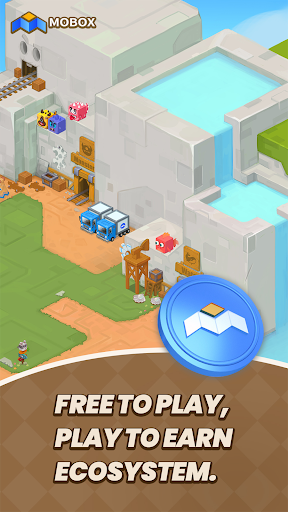
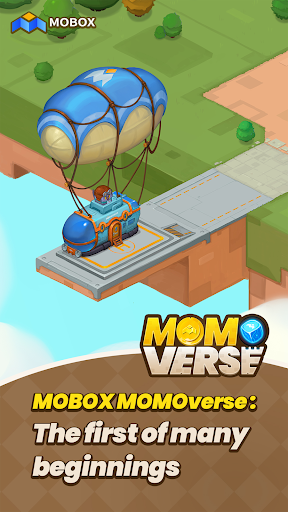
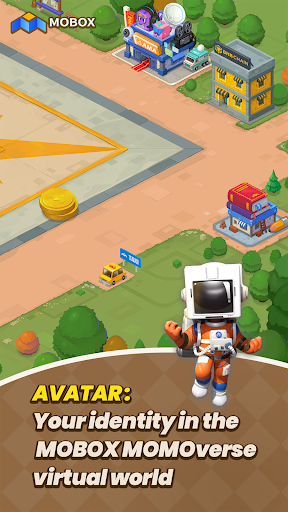
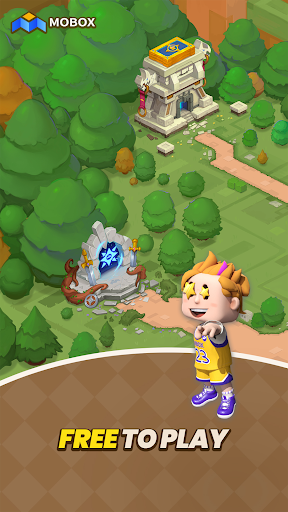
MOBOX is a community-driven GameFi platform empowering users by rewarding them for their engagement and enjoyment. By using innovative tokenomics ($MBOX allocation), utilizing finance and games. Whilst also combining the best of DeFi and NFTs to create a truly unique and everlasting FREE TO PLAY, PLAY TO EARN ECOSYSTEM.
MOBOX vision is that no NFT metaverse should be singular but rather each metaverse can be interconnected giving each unique NFT increased utility through NFT interoperability between games and platforms.
Wallet : The MOBOX platform comes with a decentralized and centralized wallet that allows for a seamless experience for every application on the platform. User’s can also choose to register/login with their social media accounts and having their private keys saved to the cloud. This gives user an onboarding process they are already familiar with while keeping everything decentralized and secure, ensuring that their keys is their money.
Crates : With the goal of providing the best returns for liquidity providers, MOBOX Crates are a set of optimized yield farming Smart Contracts that automatically seek the best yield for users.
NFT Ecosystem : To build a truly user driver NFT ecosystem, the MOBOX platform provides a set of tools for the community to use. Whether you are a game developer, artist, or an NFT collector users can make use of the MOBOX platform to not just create but also to earn.
- The NFT Creator is a platform for artists and designers to create their own unique MOMOs to be used across the MOBOX Games. By removing all the technical barriers with understanding Smart Contracts, MOBOX makes the process as simple as possible and gives all the tools required for the user to be rewarded for their creations.
- The MOBOX NFT marketplace is a decentralized exchange where users can buy and sell MOMO NFTs.
Asset Portfolio Manager : To ensure that user’s get the most relevant information about their assets across platforms, MOBOX provides an easy to use portfolio manager for a range of assets including cryptocurrency, NFTs, and DeFi investments. User’s also have the option to connect to their centralized exchange, giving them a top to bottom breakdown of all their assets across platforms and blockchains. Making it much easier and transparent across the board.
Achievements : MOBOX rewards users just by simply enjoying and interacting with the platform. Whether it is simply signing up for a MOBOX account, collecting MOMOs, or interacting through MOBOX social users can claim MBOX token rewards through the Achievement System.
**The app contains Push Notifications and will collect "Installed Application" information from your phone.
مزید دکھائیں

1. MEmu انسٹالر ڈاؤن لوڈ کریں اور سیٹ اپ مکمل کریں

2. MEmu شروع کریں اسکے بعد ڈیسکٹاپ پر Google Play کھولیں

3. Google Play میں MOBOX تلاش کریں
Install
4. MOBOX ڈاؤن لوڈ کریں اور انسٹال کریں
5. انسٹال مکمل ہونے کے بعد سٹارٹ کرنے کے لیے آئیکن پر کلک کریں

6. MEmu کے ساتھ پی سی پر MOBOX کھیلنے کا لطف لیں
MEmu پلے بہترین اینڈرائڈ ایمولیٹر ہے اور 100 ملین لوگ اس کے زبردست اینڈرائڈ گیمنگ تجربہ سے لطف اندوز ہو رہے ہیں۔ MEmu کی ورچولائزیشن ٹیکنالوجی آپ کو اپنے PC پر ہزاروں اینڈرائڈ گیمز یہاں تک کہ انتہائی گرافک والے گیمز باسہولت کھیلنے کی طاقت دیتی ہے۔
بہتر گرافکس کے ساتھ بڑی اسکرین؛ طویل دورانیہ، بیٹری یا لامحدود موبائل ڈیٹا کے بغیر۔
کی بورڈ اور ماؤس یا گیم پیڈ کے عین مطابق کنٹرول کے لیے کی میپنگ کا پورا سپورٹ۔
کثیر مثالی منیجر کے ساتھ بیک وقت ایک پی سی پر متعدد گیم اکاؤنٹس یا ٹاسکس۔
پی سی پر درج ذیل مراحل پر عمل کرتے ہوئے پر MOBOX استعمال کریں: u003c/p>