MOBOX
更新日
現在のバージョン
1.6.2
提供元

スマートフォンは不要!パソコンと同じようにキーボードとマウスで操作できます。MEmu Playは、あなたが待ち望んでいたすべての楽しみをお届けします。バッテリー残量や小さな画面を気にすることなく、MOBOXをご利用ください。最新のMEmu 9は、MOBOXをPCで体験するのに最適です!完璧なキーマッピングシステムにより、PCのようなスムーズな操作性を実現します。マルチインスタンス機能により、複数のアプリケーションを同時に実行できます。独自の仮想化エンジンがPCのパフォーマンスを最大限に引き出します。アプリを使用するだけでなく、高品質な体験を得ることができます。
もっと見る
MOBOXをPCでダウンロード!大画面でより楽しむ。電源が落ちてしまうとか通信料が足りないとかの問題を心配する必要がなく、PCの大画面でより快適にゲームを楽しましょう! MOBOX is a community-driven GameFi platform empowering users by rewarding them for their engagement and enjoyment.
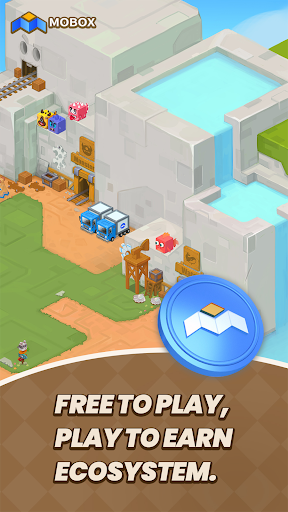
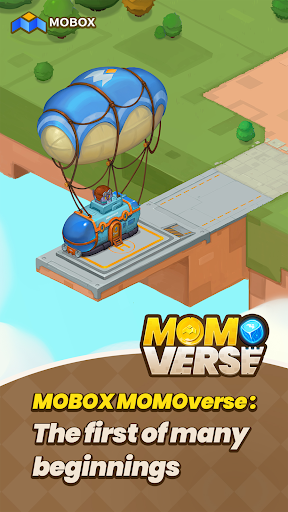
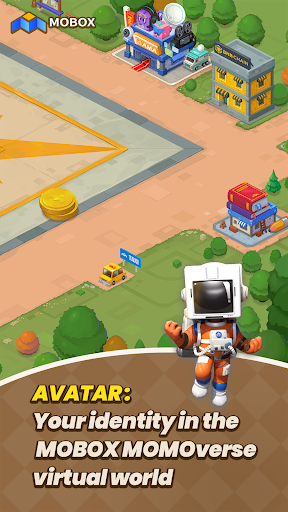
MOBOX is a community-driven GameFi platform empowering users by rewarding them for their engagement and enjoyment. By using innovative tokenomics ($MBOX allocation), utilizing finance and games. Whilst also combining the best of DeFi and NFTs to create a truly unique and everlasting FREE TO PLAY, PLAY TO EARN ECOSYSTEM.
MOBOX vision is that no NFT metaverse should be singular but rather each metaverse can be interconnected giving each unique NFT increased utility through NFT interoperability between games and platforms.
Wallet : The MOBOX platform comes with a decentralized and centralized wallet that allows for a seamless experience for every application on the platform. User’s can also choose to register/login with their social media accounts and having their private keys saved to the cloud. This gives user an onboarding process they are already familiar with while keeping everything decentralized and secure, ensuring that their keys is their money.
Crates : With the goal of providing the best returns for liquidity providers, MOBOX Crates are a set of optimized yield farming Smart Contracts that automatically seek the best yield for users.
NFT Ecosystem : To build a truly user driver NFT ecosystem, the MOBOX platform provides a set of tools for the community to use. Whether you are a game developer, artist, or an NFT collector users can make use of the MOBOX platform to not just create but also to earn.
- The NFT Creator is a platform for artists and designers to create their own unique MOMOs to be used across the MOBOX Games. By removing all the technical barriers with understanding Smart Contracts, MOBOX makes the process as simple as possible and gives all the tools required for the user to be rewarded for their creations.
- The MOBOX NFT marketplace is a decentralized exchange where users can buy and sell MOMO NFTs.
Asset Portfolio Manager : To ensure that user’s get the most relevant information about their assets across platforms, MOBOX provides an easy to use portfolio manager for a range of assets including cryptocurrency, NFTs, and DeFi investments. User’s also have the option to connect to their centralized exchange, giving them a top to bottom breakdown of all their assets across platforms and blockchains. Making it much easier and transparent across the board.
Achievements : MOBOX rewards users just by simply enjoying and interacting with the platform. Whether it is simply signing up for a MOBOX account, collecting MOMOs, or interacting through MOBOX social users can claim MBOX token rewards through the Achievement System.
**The app contains Push Notifications and will collect "Installed Application" information from your phone.
もっと見る

1. MEmuインストーラーをダウンロードしてセットアップを完了する

2. MEmuを起動し、デスクトップでのPlayストアを開く

3. PlayストアでMOBOXを検索する
Install
4. MOBOXをダウンロードしてインストールする
5. インストールが完了したら、アイコンをクリックしてスタート

6. MEmuを使ってパソコンでMOBOXを体験する
MEmu Playは現在、最高の無料Androidエミュレーターであり、5,000万人のユーザーが優れたAndroidアプリ体験を楽しんでいます。MEmuの仮想化テクノロジーにより、数千ものAndroidアプリをコンピューターでスムーズに実行できます。
大画面でより精細;無限の待機、電池とドラフィックの極限を超え
キーボード・マウス・コントローラーを全力でサポート、より快適
マルチインスタンスで複数のゲームを同時に実行
Use MOBOX on PC by following steps: